3d438b08ef
* fix(jellyfin): stream playlist tracks instead of loading every one

PR #5783 left the playlist paths materializing: all three loaded every track
of a playlist, whatever the client asked for. A playlist can be the whole
library — a smart playlist matching everything — so this is the same OOM class
that PR fixed for the other collections. Measured on a 96k-track smart playlist,
/Items?ParentId=<playlist>&Limit=10 peaked at 1.3GB to return ten tracks.

Playlist tracks now stream from a cursor, like every other collection:

- PlaylistTrackRepository gains GetCursor and CountAll, sharing the select
  builder with loadTracks so cursor rows hydrate identically, plus
  GetMediaFileIDs for callers that need every id but no track data.
- playlists.Tracks(ctx, id) exposes that repo to the HTTP layer with visibility
  enforced, returning ErrNotFound rather than the repo's nil-and-log-a-warning
  (which /Items would hit on every album browse, since ParentId is usually not
  a playlist).
- /Playlists/{id}/Items now honors StartIndex/Limit, which it silently ignored
  before — it always returned the whole playlist. Real Jellyfin pages it.
- getPlaylist runs an id-only query: PlaylistInfo carries every track id so it
  can't be paged, but it no longer hydrates rows it discards.
- The route joins the throttled group, as it's now cursor-backed.

Measured against a copy of a 96k-track production DB, peak RSS over idle, with
byte-for-byte identical responses on every endpoint:

  /Items?ParentId=<pl>&Limit=10   1275MB -> 1MB    8.8s -> 3.6s (0.27s warm)
  /Items?ParentId=<pl> unbounded  1353MB -> 8MB    8.7s -> 3.4s
  /Playlists/<pl>/Items           1217MB -> 7MB    8.8s -> 3.4s
  /Playlists/<pl>                 1178MB -> 33MB   9.1s -> 3.8s

TotalRecordCount now costs a count query where the old path got it from
len(tracks): 6ms on the largest real playlist in that library (2638 tracks),
288ms on the synthetic all-96k one. The old path paid 1.3GB and 4s+ instead.

* fix(jellyfin): bound unbounded /Items searches

The other collections stream, so an unbounded one costs about one item of
memory. Search can't: the repositories' Search returns a slice, so it
materializes every match. PR #5783 left two ways to reach that.

A whitespace-only SearchTerm was the first. " " != "", so it took the search
path, where doSearch trims it back to empty and hits its "empty query, return
everything in natural order" branch — with no LIMIT, since executeTwoPhase only
applies one when Max > 0. The whole library, materialized. Trimming at the two
parse sites makes the `search != ""` checks mean what they look like they mean:
a blank term is not a search, so it takes the unfiltered streaming path, which
still returns everything, exactly as real Jellyfin does for an empty term.

A real search with no Limit was the second, and needs an actual bound. Search
gets a default of 100 when the client sends no Limit — matching the
DefaultSearchLimit in Jellyfin's unreleased SqlSearchProvider — plus a ceiling,
without which Limit=999999 would still materialize the library. The default
alone wouldn't have closed the hole. An explicit Limit under the ceiling is
honored unclamped, as upstream does; truncating a search is safe in a way
truncating /Items is not, since nothing syncs a library through searchTerm.

Note this is upstream's own bug: v10.11's /Search/Hints returns the entire
library for a whitespace-only term, which master fixed by switching to
ThrowIfNullOrWhiteSpace.

* fix(jellyfin): cap the search Limit the client asked for, not the merge window

searchPage sees two different things in opts.Max: the client's Limit for a
single-type query, and mergeTypes' internal offset+limit window for a multi-type
one. Clamping there hit both, so a multi-type search paging past the ceiling
fetched only `ceiling` rows of the first type and the merged page skipped into
the next one — IncludeItemTypes=Audio,MusicAlbum&SearchTerm=song&StartIndex=2000
&Limit=1 returned an album instead of the 2001st song.

The ceiling now applies where the client's Limit is read: queryItems (after the
playlist branch, so a playlist parent's page isn't capped by a stray SearchTerm)
and getArtists, which reads its own. A limit of 0 stays 0, keeping searchPage's
default. What a deep page materializes is then bounded by the client's
StartIndex, as it already was for any multi-type query, search or not.

Also from review: the playlist-track mock reused the previously stored Options
when called without any, so a later no-args call inherited stale paging.

* fix(jellyfin): apply the search default to the client's Limit, not per type

The default lived in searchPage, which runs per type and after mergeTypes has
already picked its branch. So an unbounded multi-type search left q.limit at 0,
mergeTypes took its chained branch, and StartIndex was applied to a list each
type had already truncated to the default — dropping matches rather than paging
them. With 200 matching songs, IncludeItemTypes=Audio,MusicAlbum&SearchTerm=song
&StartIndex=150 returned nothing at all, and without StartIndex it returned the
default per type instead of in total.

clampSearchLimit now applies the default and the ceiling together, to the
client's Limit, at the two places it's read (queryItems and getArtists). A search
therefore always gives mergeTypes a real window, so it pages the merged result
and cuts it once, at the end.

* fix(jellyfin): bound the multi-type search window against StartIndex

mergeTypes asks each type for offset+limit rows before paginating the merged
list, so a search still materialized whatever StartIndex asked for:
IncludeItemTypes=Audio,MusicAlbum&SearchTerm=x&StartIndex=500000&Limit=1 pulled
~500001 matches per type. Bounding the window alone isn't enough — below it the
merged rows are the client's page, but at it a truncated type is followed by the
next one's rows, which is what made a clamped window serve an album where the
2001st song belonged.

So the window is capped at maxSearchLimit and the page is clipped to it: pages
below the ceiling are served in full and unchanged, a page straddling it is cut
at it, and past it the result is empty rather than another type's rows. The
total reports what can actually be paged to, so a client stops instead of asking
for pages that no longer exist.

This is the merge's own limit, not the client's: a single-type search still pages
as deep as it likes, since its offset goes to SQL. Non-search multi-type queries
keep the unbounded offset+limit window, which predates this and wants the same
treatment via CountAll (exact per-type totals let whole types be skipped) rather
than a cap.

* fix(jellyfin): advertise the pageable search total, not the page window

Clipping the multi-type search total to `window` clipped it to StartIndex+Limit
on an ordinary page, so a first page of Limit=10 reported TotalRecordCount 10
however many matches there were, and a client paging on the total stopped after
one page. The cap belongs at the ceiling — what can be paged to overall — not at
the current page.

The tests missed it because the only one asserting a total used
StartIndex=maxSearchLimit, where the window happens to equal the ceiling.

* refactor(jellyfin): fold the search clamp into clampLimit and simplify mergeTypes

Cleanup pass over the branch, no behaviour change:

- clampSearchLimit was clampLimit (similar.go) with different constants, so the
  latter takes the default and ceiling as arguments and both call it. Similar's
  default moves out of three IntOr calls into defaultSimilarLimit.
- mergeTypes derived a second `limit` and needed an early return for the empty
  page, only because paginate reads 0 as "unbounded". Clipping the merged slice
  to the window instead lets q.limit be passed straight through: window is
  min(offset+limit, ceiling), so clipping there is the same cut.
- playlistTracks returned (result, handled, error) where handled=false always
  meant error=nil. Splitting the lookup out gives playlistTracksRepo returning
  (repo, ok), and the nilerr suppression goes with it.
- The comment on playlists.Tracks blamed the log warning for its extra Get; the
  reason is that PlaylistRepository.Tracks discards the error behind a nil. Also
  drops a stale reference to a renamed variable.

Navidrome Music Server 








Navidrome is an open source web-based music collection server and streamer. It gives you freedom to listen to your music collection from any browser or mobile device. It's like your personal Spotify!
Note: The master branch may be in an unstable or even broken state during development.
Please use releases instead of
the master branch in order to get a stable set of binaries.
Check out our Live Demo!
Any feedback is welcome! If you need/want a new feature, find a bug or think of any way to improve Navidrome, please file a GitHub issue or join the discussion in our Subreddit. If you want to contribute to the project in any other way (ui/backend dev, translations, themes), please join the chat in our Discord server.
Installation
See instructions on the project's website
Cloud Hosting
PikaPods has partnered with us to offer you an officially supported, cloud-hosted solution. A share of the revenue helps fund the development of Navidrome at no additional cost for you.

Features
- Handles very large music collections
- Streams virtually any audio format available
- Reads and uses all your beautifully curated metadata
- Great support for compilations (Various Artists albums) and box sets (multi-disc albums)
- Multi-user, each user has their own play counts, playlists, favourites, etc...
- Very low resource usage
- Multi-platform, runs on macOS, Linux and Windows. Docker images are also provided
- Ready to use binaries for all major platforms, including Raspberry Pi
- Automatically monitors your library for changes, importing new files and reloading new metadata
- Supports lyrics from sidecar .ttml, .yaml/.yml Lyricsfile, .elrc, .lrc, .srt, .txt files and embedded TTML, Enhanced LRC, LRC, SRT, and plain-text tags (via
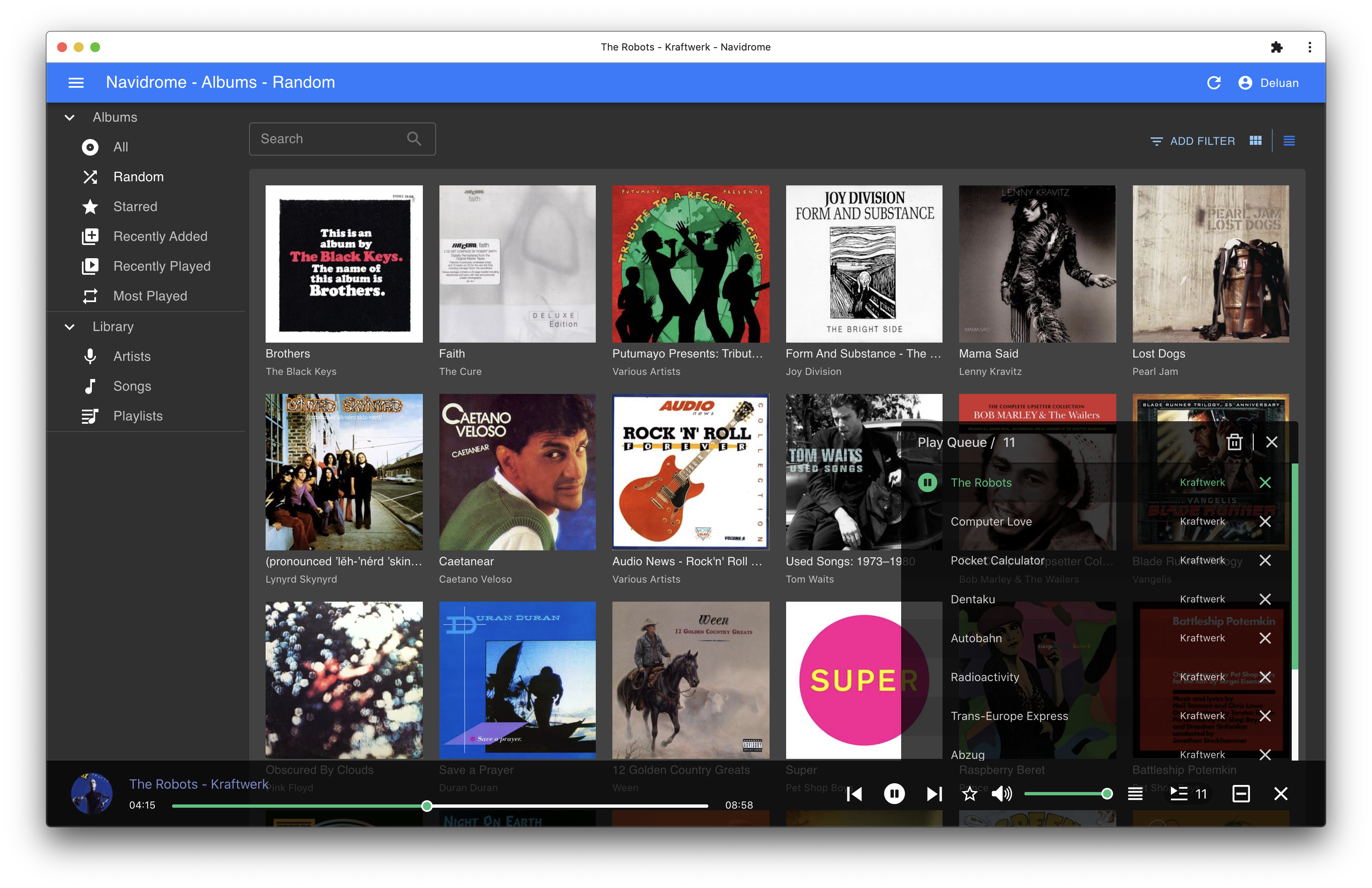
lyricspriority) - Themeable, modern and responsive Web interface based on Material UI
- Compatible with all Subsonic/Madsonic/Airsonic clients
- Transcoding on the fly. Can be set per user/player. Opus encoding is supported
- Translated to various languages
Translations
Navidrome uses POEditor for translations, and we are always looking for more contributors
Documentation
All documentation can be found in the project's website: https://www.navidrome.org/docs. Here are some useful direct links:
Screenshots