Compare commits
30 Commits
main
...
v25.9.3+de
| Author | SHA1 | Date | |
|---|---|---|---|

|
54eb4b65c6 | ||
|
|
8abd34c501 | ||
|
|
f474da6e46 | ||
|
|
24be10cfd9 | ||
|
|
1ae55377ea | ||
|
|
c639bb0d14 | ||
|
|
93111ac0a5 | ||
|
|
ba0c2c4530 | ||
|
|
e5eaaacb60 | ||
|
|
c5ec10d9cb | ||
|
|
f1e4144bd7 | ||
|
|
fe83245d01 | ||
|
|
ae33c1c238 | ||
|
|
4405fa07f1 | ||
|
|
ca7e304481 | ||
|
|
6f2ce5476d | ||
|
|
917fc97083 | ||
|
|
4b15d6eb20 | ||
|
|
c9d27ffedb | ||
|
|
c14be44c8a | ||
|
|
d7d4958e8b | ||
|
|
1b5a45560f | ||
|
|
1f4ad926c6 | ||
|
|
24a35018d4 | ||
|
|
f7a0a9ae80 | ||
|
|
e8303b9236 | ||
|
|
9a27d64fd4 | ||
|
|
3818a929ab | ||
|
|
d3f879a4b2 | ||
|
|
d982c63d90 |
@ -7,7 +7,7 @@ USER root:root
|
|||||||
|
|
||||||
ENV DEBIAN_FRONTEND=noninteractive
|
ENV DEBIAN_FRONTEND=noninteractive
|
||||||
|
|
||||||
RUN echo "deb http://deb.debian.org/debian trixie-backports main" > /etc/apt/sources.list.d/backports.list; echo "deb-src http://deb.debian.org/debian trixie-backports main" >> /etc/apt/sources.list.d/backports.list
|
RUN echo "deb http://deb.debian.org/debian bookworm-backports main" > /etc/apt/sources.list.d/backports.list; echo "deb-src http://deb.debian.org/debian bookworm-backports main" >> /etc/apt/sources.list.d/backports.list
|
||||||
|
|
||||||
RUN apt-get update
|
RUN apt-get update
|
||||||
|
|
||||||
@ -15,14 +15,14 @@ RUN apt-get update
|
|||||||
RUN apt-get dist-upgrade -y
|
RUN apt-get dist-upgrade -y
|
||||||
|
|
||||||
# Install freedombox package so that plint:plinth user/group are created etc.
|
# Install freedombox package so that plint:plinth user/group are created etc.
|
||||||
RUN apt-get install -y freedombox/trixie-backports
|
RUN apt-get install -y freedombox/bookworm-backports
|
||||||
RUN systemctl disable plinth.service
|
RUN systemctl mask plinth.service
|
||||||
|
|
||||||
# Don't ask for the secret in first wizard
|
# Don't ask for the secret in first wizard
|
||||||
RUN rm -f /var/lib/plinth/firstboot-wizard-secret
|
RUN rm -f /var/lib/plinth/firstboot-wizard-secret
|
||||||
|
|
||||||
# Dependencies of the freedombox Debian package
|
# Dependencies of the freedombox Debian package
|
||||||
RUN apt-get build-dep -y freedombox/trixie-backports
|
RUN apt-get build-dep -y freedombox/bookworm-backports
|
||||||
|
|
||||||
# Build and test dependencies
|
# Build and test dependencies
|
||||||
RUN apt-get install -y \
|
RUN apt-get install -y \
|
||||||
|
|||||||
@ -14,9 +14,9 @@
|
|||||||
- $GITLAB_USER_LOGIN == "weblate"
|
- $GITLAB_USER_LOGIN == "weblate"
|
||||||
before_script:
|
before_script:
|
||||||
- apt-get update
|
- apt-get update
|
||||||
- apt-get -y install make
|
- sudo -u plinth ./run --develop > plinth.log 2>&1 &
|
||||||
- make provision-dev
|
- 'echo -e "Cmnd_Alias FREEDOMBOX_ACTION_DEV = /usr/share/plinth/actions/actions, `pwd`/actions/actions\nDefaults!FREEDOMBOX_ACTION_DEV closefrom_override\nplinth ALL=(ALL:ALL) NOPASSWD:SETENV : FREEDOMBOX_ACTION_DEV\n" > /etc/sudoers.d/01-freedombox-development'
|
||||||
- make wait-while-first-setup
|
- while ! grep -q "Setup thread finished" plinth.log; do sleep 1; echo -n .; done
|
||||||
script:
|
script:
|
||||||
- FREDOMBOX_URL=https://localhost FREEDOMBOX_SSH_PORT=22 FREEDOMBOX_SAMBA_PORT=445 pytest -v --durations=10 --include-functional --splinter-headless --instafail --template=html1/index.html --report=functional-tests.html
|
- FREDOMBOX_URL=https://localhost FREEDOMBOX_SSH_PORT=22 FREEDOMBOX_SAMBA_PORT=445 pytest -v --durations=10 --include-functional --splinter-headless --instafail --template=html1/index.html --report=functional-tests.html
|
||||||
artifacts:
|
artifacts:
|
||||||
|
|||||||
2
.gitignore
vendored
@ -4,7 +4,7 @@
|
|||||||
doc/manual/*/*.pdf
|
doc/manual/*/*.pdf
|
||||||
doc/manual/*/*.html
|
doc/manual/*/*.html
|
||||||
doc/manual/*/*.xml
|
doc/manual/*/*.xml
|
||||||
doc/*.1
|
doc/plinth.1
|
||||||
doc/dev/_build
|
doc/dev/_build
|
||||||
\#*
|
\#*
|
||||||
.#*
|
.#*
|
||||||
|
|||||||
@ -50,13 +50,16 @@ doc-tests:
|
|||||||
run-functional-tests-stable:
|
run-functional-tests-stable:
|
||||||
extends: .run-functional-tests
|
extends: .run-functional-tests
|
||||||
|
|
||||||
|
extract-source:
|
||||||
|
extends: .provisioning-extract-source
|
||||||
|
|
||||||
build:
|
build:
|
||||||
extends: .build-package
|
extends: .build-package
|
||||||
|
|
||||||
build-backports:
|
build-backports:
|
||||||
extends: .build-package
|
extends: .build-package
|
||||||
variables:
|
variables:
|
||||||
RELEASE: trixie-backports
|
RELEASE: bookworm-backports
|
||||||
|
|
||||||
build i386:
|
build i386:
|
||||||
extends: .build-package-i386
|
extends: .build-package-i386
|
||||||
|
|||||||
16
.vagrant-scripts/plinth-user-permissions.py
Executable file
@ -0,0 +1,16 @@
|
|||||||
|
#!/usr/bin/python3
|
||||||
|
# -*- mode: python -*-
|
||||||
|
# SPDX-License-Identifier: AGPL-3.0-or-later
|
||||||
|
"""Set required permissions for user "plinth" to run plinth in dev setup."""
|
||||||
|
|
||||||
|
import pathlib
|
||||||
|
|
||||||
|
content = '''
|
||||||
|
Cmnd_Alias FREEDOMBOX_ACTION_DEV = /usr/share/plinth/actions/actions, /freedombox/actions/actions
|
||||||
|
Defaults!FREEDOMBOX_ACTION_DEV closefrom_override
|
||||||
|
plinth ALL=(ALL:ALL) NOPASSWD:SETENV : FREEDOMBOX_ACTION_DEV
|
||||||
|
fbx ALL=(ALL:ALL) NOPASSWD : ALL
|
||||||
|
'''
|
||||||
|
|
||||||
|
sudoers_file = pathlib.Path('/etc/sudoers.d/01-freedombox-development')
|
||||||
|
sudoers_file.write_text(content)
|
||||||
@ -1,9 +1,9 @@
|
|||||||
# License to Copy FreedomBox Service (Plinth)
|
# License to Copy FreedomBox Service (Plinth)
|
||||||
|
|
||||||
FreedomBox Service (Plinth) is Copyright 2011, 2012, 2013, 2014, 2015, 2016,
|
FreedomBox Service (Plinth) is Copyright 2011, 2012, 2013, 2014, 2015, 2016,
|
||||||
2017, 2018, 2019, 2020, 2021, 2022, 2023, 2024, 2025 FreedomBox Authors. See Git
|
2017, 2018, 2019, 2020, 2021, 2022, 2023, 2024 FreedomBox Authors. See Git log
|
||||||
log in the source repository for a full list of authors. It is distributed under
|
in the source repository for a full list of authors. It is distributed under the
|
||||||
the GNU Affero General Public License, Version 3 or later. A copy of AGPLv3 is
|
GNU Affero General Public License, Version 3 or later. A copy of AGPLv3 is
|
||||||
available [from the Free Software
|
available [from the Free Software
|
||||||
Foundation](http://www.gnu.org/licenses/agpl.html).
|
Foundation](http://www.gnu.org/licenses/agpl.html).
|
||||||
|
|
||||||
|
|||||||
56
HACKING.md
@ -66,7 +66,7 @@ development environment inside a systemd-nspawn container.
|
|||||||
folder: (This step requires at least 16GB of free disk space)
|
folder: (This step requires at least 16GB of free disk space)
|
||||||
|
|
||||||
```bash
|
```bash
|
||||||
host$ ./container start
|
host$ ./container up
|
||||||
```
|
```
|
||||||
|
|
||||||
1. To run unit tests:
|
1. To run unit tests:
|
||||||
@ -97,43 +97,23 @@ development environment inside a systemd-nspawn container.
|
|||||||
1. Using an environment variable.
|
1. Using an environment variable.
|
||||||
|
|
||||||
```bash
|
```bash
|
||||||
host$ DISTRIBUTION=stable ./container start
|
host$ DISTRIBUTION=stable ./container up
|
||||||
host$ DISTRIBUTION=stable ./container ssh
|
host$ DISTRIBUTION=stable ./container ssh
|
||||||
```
|
```
|
||||||
|
|
||||||
```bash
|
```bash
|
||||||
host$ export DISTRIBUTION=stable
|
host$ export DISTRIBUTION=stable
|
||||||
host$ ./container start
|
host$ ./container up
|
||||||
host$ ./container ssh
|
host$ ./container ssh
|
||||||
```
|
```
|
||||||
|
|
||||||
2. Using the `--distribution` option for each command.
|
2. Using the `--distribution` option for each command.
|
||||||
|
|
||||||
```bash
|
```bash
|
||||||
host$ ./container start --distribution=stable
|
host$ ./container up --distribution=stable
|
||||||
host$ ./container ssh --distribution=stable
|
host$ ./container ssh --distribution=stable
|
||||||
```
|
```
|
||||||
|
|
||||||
#### Using KVM Virtual Machine
|
|
||||||
|
|
||||||
The `./container` script, shipped with FreedomBox source code, can manage the
|
|
||||||
development environment inside a KVM-based virtual machine using libvirt. This
|
|
||||||
is an alternative to using containers described above (but the name of the
|
|
||||||
script is still 'container' even when managing virtual machines). Some hardware,
|
|
||||||
such as additional disks, can be better tested with virtual machine than with
|
|
||||||
containers.
|
|
||||||
|
|
||||||
Containers and a virtual machines of the same or different distribution all be
|
|
||||||
used simultaneously as they all use different disk images.
|
|
||||||
|
|
||||||
1. To use virtual machines instead of container, append the option
|
|
||||||
'--machine-type=vm' to all the ./container commands described above. For
|
|
||||||
example, to bring up a virtual machine instead of a container run:
|
|
||||||
|
|
||||||
```bash
|
|
||||||
host$ ./container start --machine-type=vm
|
|
||||||
```
|
|
||||||
|
|
||||||
#### Using after Setup
|
#### Using after Setup
|
||||||
|
|
||||||
After logging into the container, the source code is available in `/freedombox`
|
After logging into the container, the source code is available in `/freedombox`
|
||||||
@ -143,12 +123,12 @@ directory:
|
|||||||
guest$ cd /freedombox
|
guest$ cd /freedombox
|
||||||
```
|
```
|
||||||
|
|
||||||
FreedomBox Service runs as plinth.service in the container. This service
|
Run the development version of FreedomBox Service in the container using the
|
||||||
restarts when it detects a change to the source code file. This provides a quick
|
following command. This command continuously deploys your code changes into the
|
||||||
feedback cycle during development. To watch service logs run:
|
container providing a quick feedback cycle during development.
|
||||||
|
|
||||||
```bash
|
```bash
|
||||||
guest$ sudo freedombox-logs
|
guest$ freedombox-develop
|
||||||
```
|
```
|
||||||
|
|
||||||
If you have changed any system configuration files during your development,
|
If you have changed any system configuration files during your development,
|
||||||
@ -156,17 +136,16 @@ you will need to run the following to install those files properly on to the
|
|||||||
system and their changes to reflect properly.
|
system and their changes to reflect properly.
|
||||||
|
|
||||||
```bash
|
```bash
|
||||||
guest$ sudo make build install ;
|
guest$ sudo make build install
|
||||||
guest$ sudo systemctl restart plinth.service
|
|
||||||
```
|
```
|
||||||
|
|
||||||
Note: This development container has automatic upgrades disabled by default.
|
Note: This development container has automatic upgrades disabled by default.
|
||||||
|
|
||||||
#### Troubleshooting
|
#### Troubleshooting
|
||||||
|
|
||||||
* Sometimes `host$ ./container destroy && ./container start` doesn't work. In such
|
* Sometimes `host$ ./container destroy && ./container up` doesn't work. In such
|
||||||
cases, try to delete the hidden `.container` folder and then `host$
|
cases, try to delete the hidden `.container` folder and then `host$
|
||||||
./container start`.
|
./container up`.
|
||||||
* Not all kinds of changes are automatically updated. Try `guest$ sudo mount -o
|
* Not all kinds of changes are automatically updated. Try `guest$ sudo mount -o
|
||||||
remount /freedombox`.
|
remount /freedombox`.
|
||||||
* I am getting an error that says `lo` is not managed by Network Manager
|
* I am getting an error that says `lo` is not managed by Network Manager
|
||||||
@ -178,7 +157,7 @@ Note: This development container has automatic upgrades disabled by default.
|
|||||||
```bash
|
```bash
|
||||||
host$ sudo touch /etc/NetworkManager/conf.d/10-globally-managed-devices.conf
|
host$ sudo touch /etc/NetworkManager/conf.d/10-globally-managed-devices.conf
|
||||||
host$ sudo service network-manager restart
|
host$ sudo service network-manager restart
|
||||||
host$ ./container destroy && ./container start
|
host$ ./container destroy && ./container up
|
||||||
```
|
```
|
||||||
* File/directory not found errors when running tests can be fixed by clearing `__pycache__` directories.
|
* File/directory not found errors when running tests can be fixed by clearing `__pycache__` directories.
|
||||||
|
|
||||||
@ -374,12 +353,13 @@ After logging into the virtual machine (VM), the source code is available in
|
|||||||
vm$ cd /freedombox
|
vm$ cd /freedombox
|
||||||
```
|
```
|
||||||
|
|
||||||
FreedomBox Service runs as plinth.service in the virtual machine. This service
|
Run the development version of FreedomBox Service (Plinth) from your source
|
||||||
restarts when it detects a change to the source code file. This provides a quick
|
directory in the virtual machine using the following command. This command
|
||||||
feedback cycle during development. To watch service logs run:
|
continuously deploys your code changes into the virtual machine providing a
|
||||||
|
quick feedback cycle during development.
|
||||||
|
|
||||||
```bash
|
```bash
|
||||||
vm$ sudo freedombox-logs
|
vm$ freedombox-develop
|
||||||
```
|
```
|
||||||
|
|
||||||
If you have changed any system configuration files during your development,
|
If you have changed any system configuration files during your development,
|
||||||
@ -416,7 +396,7 @@ for more details.
|
|||||||
### Translating literals (contributing translations)
|
### Translating literals (contributing translations)
|
||||||
|
|
||||||
The easiest way to start translating is with your browser, by using
|
The easiest way to start translating is with your browser, by using
|
||||||
[Weblate](https://hosted.weblate.org/projects/freedombox/freedombox/).
|
[Weblate](https://hosted.weblate.org/projects/freedombox/plinth/).
|
||||||
Your changes will automatically get pushed to the code repository.
|
Your changes will automatically get pushed to the code repository.
|
||||||
|
|
||||||
Alternatively, you can directly edit the `.po` file in your language directory
|
Alternatively, you can directly edit the `.po` file in your language directory
|
||||||
|
|||||||
@ -35,7 +35,7 @@ FreedomBox [Manual](https://wiki.debian.org/FreedomBox/Manual/)'s
|
|||||||
|
|
||||||
3. Access FreedomBox UI:
|
3. Access FreedomBox UI:
|
||||||
|
|
||||||
UI should be accessible at http://localhost:8000/freedombox
|
UI should be accessible at http://localhost:8000/plinth
|
||||||
|
|
||||||
If you are installing FreedomBox Service (Plinth) for development purposes, see
|
If you are installing FreedomBox Service (Plinth) for development purposes, see
|
||||||
HACKING.md instead.
|
HACKING.md instead.
|
||||||
|
|||||||
67
Makefile
@ -20,9 +20,7 @@ DISABLED_APPS_TO_REMOVE := \
|
|||||||
repro \
|
repro \
|
||||||
tahoe \
|
tahoe \
|
||||||
mldonkey \
|
mldonkey \
|
||||||
i2p \
|
i2p
|
||||||
ttrss \
|
|
||||||
sso
|
|
||||||
|
|
||||||
APP_FILES_TO_REMOVE := $(foreach app,$(DISABLED_APPS_TO_REMOVE),$(ENABLED_APPS_PATH)/$(app))
|
APP_FILES_TO_REMOVE := $(foreach app,$(DISABLED_APPS_TO_REMOVE),$(ENABLED_APPS_PATH)/$(app))
|
||||||
|
|
||||||
@ -39,7 +37,6 @@ DIRECTORIES_TO_CREATE := \
|
|||||||
|
|
||||||
STATIC_FILES_DIRECTORY := $(DESTDIR)/usr/share/plinth/static
|
STATIC_FILES_DIRECTORY := $(DESTDIR)/usr/share/plinth/static
|
||||||
BIN_DIR := $(DESTDIR)/usr/bin
|
BIN_DIR := $(DESTDIR)/usr/bin
|
||||||
LIB_DIR := $(DESTDIR)/usr/lib
|
|
||||||
|
|
||||||
FIND_ARGS := \
|
FIND_ARGS := \
|
||||||
-not -iname "*.log" \
|
-not -iname "*.log" \
|
||||||
@ -61,11 +58,7 @@ ROOT_DATA_FILES := $(shell find data -type f $(FIND_ARGS))
|
|||||||
MODULE_DATA_FILES := $(shell find $(wildcard plinth/modules/*/data) -type f $(FIND_ARGS))
|
MODULE_DATA_FILES := $(shell find $(wildcard plinth/modules/*/data) -type f $(FIND_ARGS))
|
||||||
|
|
||||||
update-translations:
|
update-translations:
|
||||||
$(DJANGO_ADMIN) makemessages --all --domain django --keep-pot \
|
cd plinth; $(DJANGO_ADMIN) makemessages --all --domain django --keep-pot --verbosity=1
|
||||||
--verbosity=1 --ignore conftest.py --ignore doc --ignore build \
|
|
||||||
--ignore htmlcov --ignore screenshots --ignore debian --ignore \
|
|
||||||
actions --ignore preseed --ignore static --ignore data \
|
|
||||||
--settings plinth.settings --pythonpath .
|
|
||||||
|
|
||||||
configure:
|
configure:
|
||||||
# Nothing to do
|
# Nothing to do
|
||||||
@ -102,12 +95,12 @@ install:
|
|||||||
$(INSTALL) -d $(DESTDIR)$${lib_dir} && \
|
$(INSTALL) -d $(DESTDIR)$${lib_dir} && \
|
||||||
rm -rf $(DESTDIR)$${lib_dir}/plinth $(DESTDIR)$${lib_dir}/plinth*.dist-info && \
|
rm -rf $(DESTDIR)$${lib_dir}/plinth $(DESTDIR)$${lib_dir}/plinth*.dist-info && \
|
||||||
mv $${temp}/plinth $${temp}/plinth*.dist-info $(DESTDIR)$${lib_dir} && \
|
mv $${temp}/plinth $${temp}/plinth*.dist-info $(DESTDIR)$${lib_dir} && \
|
||||||
rm -f $(DESTDIR)$${lib_dir}/plinth*.dist-info/licenses/COPYING.md && \
|
rm -f $(DESTDIR)$${lib_dir}/plinth*.dist-info/COPYING.md && \
|
||||||
rm -f $(DESTDIR)$${lib_dir}/plinth*.dist-info/direct_url.json && \
|
rm -f $(DESTDIR)$${lib_dir}/plinth*.dist-info/direct_url.json && \
|
||||||
$(INSTALL) -D -t $(BIN_DIR) bin/plinth
|
$(INSTALL) -D -t $(BIN_DIR) bin/plinth
|
||||||
$(INSTALL) -D -t $(LIB_DIR)/freedombox bin/freedombox-privileged
|
|
||||||
$(INSTALL) -D -t $(BIN_DIR) bin/freedombox-cmd
|
# Actions
|
||||||
$(INSTALL) -D -t $(BIN_DIR) bin/freedombox-change-password
|
$(INSTALL) -D -t $(DESTDIR)/usr/share/plinth/actions actions/actions
|
||||||
|
|
||||||
# Static web server files
|
# Static web server files
|
||||||
rm -rf $(STATIC_FILES_DIRECTORY)
|
rm -rf $(STATIC_FILES_DIRECTORY)
|
||||||
@ -142,7 +135,7 @@ check-tests-cov:
|
|||||||
|
|
||||||
# Code quality checking using flake8
|
# Code quality checking using flake8
|
||||||
check-code:
|
check-code:
|
||||||
$(PYTHON) -m flake8 plinth container
|
$(PYTHON) -m flake8 plinth actions/actions container
|
||||||
|
|
||||||
# Static type checking using mypy
|
# Static type checking using mypy
|
||||||
check-type:
|
check-type:
|
||||||
@ -157,23 +150,6 @@ clean:
|
|||||||
rm -rf Plinth.egg-info
|
rm -rf Plinth.egg-info
|
||||||
find plinth/locale -name *.mo -delete
|
find plinth/locale -name *.mo -delete
|
||||||
|
|
||||||
define DEVELOP_SERVICE_CONF
|
|
||||||
[Service]
|
|
||||||
Environment=FREEDOMBOX_DEVELOP=1
|
|
||||||
Environment=PYTHONPATH=/freedombox/
|
|
||||||
endef
|
|
||||||
export DEVELOP_SERVICE_CONF
|
|
||||||
|
|
||||||
define DEVELOP_LOGS_SCRIPT
|
|
||||||
#!/usr/bin/bash
|
|
||||||
|
|
||||||
set -e
|
|
||||||
set -x
|
|
||||||
|
|
||||||
journalctl --follow --unit=plinth.service --unit=freedombox-privileged.service
|
|
||||||
endef
|
|
||||||
export DEVELOP_LOGS_SCRIPT
|
|
||||||
|
|
||||||
# Run basic setup for a developer environment (VM or container)
|
# Run basic setup for a developer environment (VM or container)
|
||||||
provision-dev:
|
provision-dev:
|
||||||
# Install newer build dependencies if any
|
# Install newer build dependencies if any
|
||||||
@ -183,29 +159,9 @@ provision-dev:
|
|||||||
# Install latest code over .deb
|
# Install latest code over .deb
|
||||||
$(MAKE) build install
|
$(MAKE) build install
|
||||||
|
|
||||||
# Configure privileged and web daemon for development setup
|
|
||||||
mkdir -p /etc/systemd/system/freedombox-privileged.service.d/
|
|
||||||
echo "$$DEVELOP_SERVICE_CONF" > /etc/systemd/system/freedombox-privileged.service.d/develop.conf
|
|
||||||
mkdir -p /etc/systemd/system/plinth.service.d/
|
|
||||||
echo "$$DEVELOP_SERVICE_CONF" > /etc/systemd/system/plinth.service.d/develop.conf
|
|
||||||
|
|
||||||
# Create a command to easily watch service logs
|
|
||||||
echo "$$DEVELOP_LOGS_SCRIPT" > /usr/bin/freedombox-logs
|
|
||||||
chmod 755 /usr/bin/freedombox-logs
|
|
||||||
|
|
||||||
# Reload newer systemd units, ignore failure
|
# Reload newer systemd units, ignore failure
|
||||||
-systemctl daemon-reload
|
-systemctl daemon-reload
|
||||||
|
|
||||||
# Enable privileged daemon
|
|
||||||
-systemctl stop freedombox-privileged.service
|
|
||||||
|
|
||||||
-test -d /run/systemd/system && \
|
|
||||||
systemctl enable --now freedombox-privileged.socket
|
|
||||||
|
|
||||||
# Enable and restart plinth service if it is running
|
|
||||||
-systemctl enable plinth.service
|
|
||||||
-systemctl restart plinth.service
|
|
||||||
|
|
||||||
# Stop any ongoing upgrade, ignore failure
|
# Stop any ongoing upgrade, ignore failure
|
||||||
-killall -9 unattended-upgr
|
-killall -9 unattended-upgr
|
||||||
|
|
||||||
@ -230,12 +186,6 @@ provision-dev:
|
|||||||
DEBIAN_FRONTEND=noninteractive apt-get install --yes ncurses-term \
|
DEBIAN_FRONTEND=noninteractive apt-get install --yes ncurses-term \
|
||||||
sshpass bash-completion
|
sshpass bash-completion
|
||||||
|
|
||||||
wait-while-first-setup:
|
|
||||||
while [ x$$(curl -k https://localhost/freedombox/status/ 2> /dev/null | \
|
|
||||||
json_pp 2> /dev/null | grep 'is_first_setup_running' | \
|
|
||||||
tr -d '[:space:]' | cut -d':' -f2 ) != 'xfalse' ] ; do \
|
|
||||||
sleep 1; echo -n .; done
|
|
||||||
|
|
||||||
.PHONY: \
|
.PHONY: \
|
||||||
build \
|
build \
|
||||||
check \
|
check \
|
||||||
@ -248,5 +198,4 @@ wait-while-first-setup:
|
|||||||
configure \
|
configure \
|
||||||
install \
|
install \
|
||||||
provision \
|
provision \
|
||||||
update-translations \
|
update-translations
|
||||||
wait-while-first-setup
|
|
||||||
|
|||||||
@ -62,7 +62,7 @@ See the [HACKING.md](https://salsa.debian.org/freedombox-team/freedombox/blob/ma
|
|||||||
|
|
||||||
# Localization
|
# Localization
|
||||||
|
|
||||||
[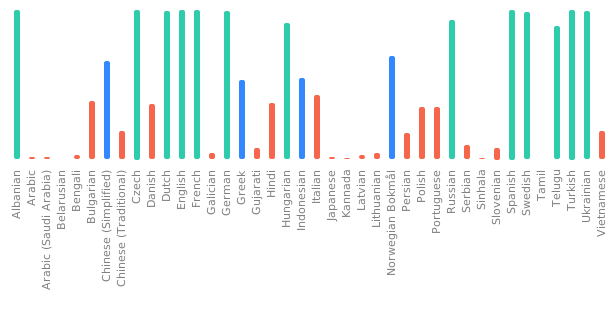](https://hosted.weblate.org/engage/freedombox/)
|
[](https://hosted.weblate.org/engage/freedombox/?utm_source=widget)
|
||||||
|
|
||||||
# License
|
# License
|
||||||
|
|
||||||
|
|||||||
24
Vagrantfile
vendored
@ -6,13 +6,13 @@ require 'etc'
|
|||||||
|
|
||||||
Vagrant.configure(2) do |config|
|
Vagrant.configure(2) do |config|
|
||||||
config.vm.box = "freedombox/freedombox-testing-dev"
|
config.vm.box = "freedombox/freedombox-testing-dev"
|
||||||
config.vm.network "public_network"
|
config.vm.network "forwarded_port", guest: 443, host: 4430
|
||||||
|
config.vm.network "forwarded_port", guest: 445, host: 4450
|
||||||
config.vm.synced_folder ".", "/freedombox", owner: "plinth", group: "plinth"
|
config.vm.synced_folder ".", "/freedombox", owner: "plinth", group: "plinth"
|
||||||
config.vm.provider "virtualbox" do |vb|
|
config.vm.provider "virtualbox" do |vb|
|
||||||
vb.cpus = Etc.nprocessors
|
vb.cpus = Etc.nprocessors
|
||||||
vb.memory = 2048
|
vb.memory = 2048
|
||||||
vb.linked_clone = true
|
vb.linked_clone = true
|
||||||
vb.customize ["modifyvm", :id, "--firmware", "efi"]
|
|
||||||
end
|
end
|
||||||
config.vm.provision "shell", run: 'always', inline: <<-SHELL
|
config.vm.provision "shell", run: 'always', inline: <<-SHELL
|
||||||
# Disable automatic upgrades
|
# Disable automatic upgrades
|
||||||
@ -24,18 +24,24 @@ Vagrant.configure(2) do |config|
|
|||||||
config.vm.provision "shell", inline: <<-SHELL
|
config.vm.provision "shell", inline: <<-SHELL
|
||||||
cd /freedombox/
|
cd /freedombox/
|
||||||
make provision-dev
|
make provision-dev
|
||||||
|
|
||||||
|
echo 'alias freedombox-develop="cd /freedombox; sudo -u plinth /freedombox/run --develop"' >> /home/vagrant/.bashrc
|
||||||
SHELL
|
SHELL
|
||||||
config.vm.provision "tests", run: "never", type: "shell", path: "plinth/tests/functional/install.sh"
|
config.vm.provision "tests", run: "never", type: "shell", path: "plinth/tests/functional/install.sh"
|
||||||
config.vm.post_up_message = "FreedomBox virtual machine is ready
|
config.vm.post_up_message = "FreedomBox virtual machine is ready
|
||||||
for development. To get the IP address:
|
for development. You can run the development version of Plinth using
|
||||||
|
the following command.
|
||||||
$ vagrant ssh
|
$ vagrant ssh
|
||||||
$ ip address show
|
$ freedombox-develop
|
||||||
|
Plinth will be available at https://localhost:4430/plinth (with
|
||||||
FreedomBox interface will be available at https://<ip address>/freedombox
|
an invalid SSL certificate).
|
||||||
(with an invalid SSL certificate). To watch logs:
|
|
||||||
$ vagrant ssh
|
|
||||||
$ sudo freedombox-logs
|
|
||||||
"
|
"
|
||||||
|
|
||||||
|
config.trigger.after [:up, :resume, :reload] do |trigger|
|
||||||
|
trigger.info = "Set plinth user permissions for development environment"
|
||||||
|
trigger.run_remote = {
|
||||||
|
path: ".vagrant-scripts/plinth-user-permissions.py"
|
||||||
|
}
|
||||||
|
end
|
||||||
config.vm.boot_timeout=1200
|
config.vm.boot_timeout=1200
|
||||||
end
|
end
|
||||||
|
|||||||
7
actions/actions
Executable file
@ -0,0 +1,7 @@
|
|||||||
|
#!/usr/bin/python3
|
||||||
|
# SPDX-License-Identifier: AGPL-3.0-or-later
|
||||||
|
|
||||||
|
from plinth.actions import privileged_main
|
||||||
|
|
||||||
|
if __name__ == '__main__':
|
||||||
|
privileged_main()
|
||||||
@ -1,61 +0,0 @@
|
|||||||
#!/usr/bin/python3
|
|
||||||
# SPDX-License-Identifier: AGPL-3.0-or-later
|
|
||||||
"""
|
|
||||||
Utility to change user password in FreedomBox's Django database.
|
|
||||||
|
|
||||||
Usage:
|
|
||||||
$ freedombox-change-password <username>
|
|
||||||
"""
|
|
||||||
|
|
||||||
import argparse
|
|
||||||
import getpass
|
|
||||||
import sys
|
|
||||||
|
|
||||||
import plinth.web_framework
|
|
||||||
from plinth.modules.users import privileged
|
|
||||||
|
|
||||||
|
|
||||||
def main():
|
|
||||||
"""Ask for new password, setup Django and update a user's password."""
|
|
||||||
try:
|
|
||||||
plinth.web_framework.init()
|
|
||||||
except Exception:
|
|
||||||
_print('Error initializing Django.')
|
|
||||||
return
|
|
||||||
|
|
||||||
parser = argparse.ArgumentParser()
|
|
||||||
parser.add_argument('username',
|
|
||||||
help='Username of the account to change password for')
|
|
||||||
args = parser.parse_args()
|
|
||||||
|
|
||||||
username = args.username
|
|
||||||
password = getpass.getpass('Enter new password: ')
|
|
||||||
|
|
||||||
try:
|
|
||||||
_change_password(username, password)
|
|
||||||
privileged._set_user_password(username, password)
|
|
||||||
privileged._set_samba_user(username, password)
|
|
||||||
_print('Password updated in web interface, LDAP, and samba databases.')
|
|
||||||
except Exception as exception:
|
|
||||||
_print('Error setting password:', str(exception))
|
|
||||||
|
|
||||||
|
|
||||||
def _print(*args, **kwargs):
|
|
||||||
"""Write to stderr."""
|
|
||||||
print(*args, **kwargs, file=sys.stderr)
|
|
||||||
|
|
||||||
|
|
||||||
def _change_password(username: str, password: str):
|
|
||||||
"""Update the password in SQLite database file."""
|
|
||||||
from django.contrib.auth.models import User
|
|
||||||
try:
|
|
||||||
user = User.objects.get(username=username)
|
|
||||||
user.set_password(password)
|
|
||||||
user.save()
|
|
||||||
except User.DoesNotExist:
|
|
||||||
_print('User account does not exist:', username)
|
|
||||||
raise
|
|
||||||
|
|
||||||
|
|
||||||
if __name__ == '__main__':
|
|
||||||
main()
|
|
||||||
@ -1,6 +0,0 @@
|
|||||||
#!/usr/bin/python3
|
|
||||||
# SPDX-License-Identifier: AGPL-3.0-or-later
|
|
||||||
|
|
||||||
import plinth.privileged_daemon
|
|
||||||
|
|
||||||
plinth.privileged_daemon.client_main()
|
|
||||||
@ -1,6 +0,0 @@
|
|||||||
#!/usr/bin/python3
|
|
||||||
# SPDX-License-Identifier: AGPL-3.0-or-later
|
|
||||||
|
|
||||||
import plinth.privileged_daemon
|
|
||||||
|
|
||||||
plinth.privileged_daemon.main()
|
|
||||||
149
container
@ -160,10 +160,8 @@ from typing import Callable
|
|||||||
from urllib.request import urlopen
|
from urllib.request import urlopen
|
||||||
|
|
||||||
URLS_AMD64 = {
|
URLS_AMD64 = {
|
||||||
'oldstable': 'https://ftp.freedombox.org/pub/freedombox/hardware/'
|
|
||||||
'amd64/bookworm/freedombox-bookworm_all-amd64.img.xz',
|
|
||||||
'stable': 'https://ftp.freedombox.org/pub/freedombox/hardware/'
|
'stable': 'https://ftp.freedombox.org/pub/freedombox/hardware/'
|
||||||
'amd64/trixie/freedombox-trixie_all-amd64.img.xz',
|
'amd64/bookworm/freedombox-bookworm_all-amd64.img.xz',
|
||||||
'testing': 'https://ftp.freedombox.org/pub/freedombox/hardware/'
|
'testing': 'https://ftp.freedombox.org/pub/freedombox/hardware/'
|
||||||
'amd64/testing/freedombox-testing_dev_all-amd64.img.xz',
|
'amd64/testing/freedombox-testing_dev_all-amd64.img.xz',
|
||||||
'unstable': 'https://ftp.freedombox.org/pub/freedombox/hardware/'
|
'unstable': 'https://ftp.freedombox.org/pub/freedombox/hardware/'
|
||||||
@ -171,10 +169,8 @@ URLS_AMD64 = {
|
|||||||
}
|
}
|
||||||
|
|
||||||
URLS_ARM64 = {
|
URLS_ARM64 = {
|
||||||
'oldstable': 'https://ftp.freedombox.org/pub/freedombox/hardware/'
|
|
||||||
'arm64/bookworm/freedombox-bookworm_all-arm64.img.xz',
|
|
||||||
'stable': 'https://ftp.freedombox.org/pub/freedombox/hardware/'
|
'stable': 'https://ftp.freedombox.org/pub/freedombox/hardware/'
|
||||||
'arm64/trixie/freedombox-trixie_all-arm64.img.xz',
|
'arm64/bookworm/freedombox-bookworm_all-arm64.img.xz',
|
||||||
'testing': 'https://ftp.freedombox.org/pub/freedombox/hardware/'
|
'testing': 'https://ftp.freedombox.org/pub/freedombox/hardware/'
|
||||||
'arm64/testing/freedombox-testing_dev_all-arm64.img.xz',
|
'arm64/testing/freedombox-testing_dev_all-arm64.img.xz',
|
||||||
'unstable': 'https://ftp.freedombox.org/pub/freedombox/hardware/'
|
'unstable': 'https://ftp.freedombox.org/pub/freedombox/hardware/'
|
||||||
@ -196,6 +192,9 @@ cd /freedombox/
|
|||||||
sudo apt-get -y install make
|
sudo apt-get -y install make
|
||||||
sudo make provision-dev
|
sudo make provision-dev
|
||||||
|
|
||||||
|
echo 'alias freedombox-develop="cd /freedombox; sudo -u plinth /freedombox/run --develop"' \
|
||||||
|
>> /home/fbx/.bashrc
|
||||||
|
|
||||||
# Make some pytest related files and directories writable to the fbx user
|
# Make some pytest related files and directories writable to the fbx user
|
||||||
sudo touch geckodriver.log
|
sudo touch geckodriver.log
|
||||||
sudo chmod a+rw geckodriver.log
|
sudo chmod a+rw geckodriver.log
|
||||||
@ -222,12 +221,11 @@ mount -o remount /freedombox
|
|||||||
if [[ "{distribution}" == "stable" && ! -e $BACKPORTS_SOURCES_LIST ]]
|
if [[ "{distribution}" == "stable" && ! -e $BACKPORTS_SOURCES_LIST ]]
|
||||||
then
|
then
|
||||||
echo "> In machine: Enable backports"
|
echo "> In machine: Enable backports"
|
||||||
/freedombox/bin/freedombox-cmd upgrades activate_backports --no-args
|
/freedombox/actions/actions upgrades activate_backports --no-args
|
||||||
fi
|
fi
|
||||||
|
|
||||||
echo "> In machine: Upgrade packages"
|
echo "> In machine: Upgrade packages"
|
||||||
apt-get update
|
apt-get update
|
||||||
apt-mark hold freedombox freedombox-doc-en freedombox-doc-es
|
|
||||||
DEBIAN_FRONTEND=noninteractive apt-get -yq --with-new-pkgs upgrade
|
DEBIAN_FRONTEND=noninteractive apt-get -yq --with-new-pkgs upgrade
|
||||||
|
|
||||||
# Install requirements for tests if not already installed as root
|
# Install requirements for tests if not already installed as root
|
||||||
@ -239,7 +237,25 @@ fi
|
|||||||
# Run the plinth server if functional tests are requested
|
# Run the plinth server if functional tests are requested
|
||||||
if [[ "{pytest_command}" =~ "--include-functional" ]]
|
if [[ "{pytest_command}" =~ "--include-functional" ]]
|
||||||
then
|
then
|
||||||
make -C /freedombox wait-while-first-setup
|
is_plinth_running=0
|
||||||
|
ps -ax -o cmd | grep -q "^sudo -u plinth /freedombox/run" && \
|
||||||
|
is_plinth_running=1
|
||||||
|
ps -ax -o cmd | grep -q "^/usr/bin/python3 /usr/bin/plinth" && \
|
||||||
|
is_plinth_running=1
|
||||||
|
|
||||||
|
if [[ $is_plinth_running -eq 1 ]]
|
||||||
|
then
|
||||||
|
echo "> In machine: Plinth is already running"
|
||||||
|
else
|
||||||
|
echo -n "> In machine: Starting plinth ... "
|
||||||
|
sudo -u plinth /freedombox/run --develop > plinth.log 2>&1 &
|
||||||
|
while ! grep -q "Setup finished" plinth.log
|
||||||
|
do
|
||||||
|
sleep 1
|
||||||
|
echo -n .
|
||||||
|
done
|
||||||
|
echo
|
||||||
|
fi
|
||||||
|
|
||||||
if [[ "{pytest_command}" != *"--splinter-headless"* ]]
|
if [[ "{pytest_command}" != *"--splinter-headless"* ]]
|
||||||
then
|
then
|
||||||
@ -277,7 +293,7 @@ LIBVIRT_DOMAIN_XML_TEMPLATE = '''<domain type="kvm">
|
|||||||
<access mode="shared"/>
|
<access mode="shared"/>
|
||||||
</memoryBacking>
|
</memoryBacking>
|
||||||
<vcpu placement="static">{cpus}</vcpu>
|
<vcpu placement="static">{cpus}</vcpu>
|
||||||
<os {firmware}>
|
<os>
|
||||||
<type arch="x86_64" machine="pc-q35-7.2">hvm</type>
|
<type arch="x86_64" machine="pc-q35-7.2">hvm</type>
|
||||||
<boot dev="hd"/>
|
<boot dev="hd"/>
|
||||||
</os>
|
</os>
|
||||||
@ -475,18 +491,14 @@ def parse_arguments() -> argparse.Namespace:
|
|||||||
help='Type of the machine, container to virtual machine, to run '
|
help='Type of the machine, container to virtual machine, to run '
|
||||||
'operation on')
|
'operation on')
|
||||||
|
|
||||||
# Start
|
# Up
|
||||||
subparser = subparsers.add_parser('start', help='Bring up the container',
|
subparser = subparsers.add_parser('up', help='Bring up the container',
|
||||||
formatter_class=formatter_class,
|
formatter_class=formatter_class)
|
||||||
aliases=['up'])
|
|
||||||
_add_common_args(subparser)
|
_add_common_args(subparser)
|
||||||
subparser.add_argument('--image-size', default='16G',
|
subparser.add_argument('--image-size', default='16G',
|
||||||
help='Disk image size to resize to after download')
|
help='Disk image size to resize to after download')
|
||||||
subparser.add_argument('--hkp-client', choices=('gpg', 'wget'),
|
subparser.add_argument('--hkp-client', choices=('gpg', 'wget'),
|
||||||
default='gpg', help='Client for key retrieval')
|
default='gpg', help='Client for key retrieval')
|
||||||
subparser.add_argument(
|
|
||||||
'--skip-install', action='store_true',
|
|
||||||
help='Skip running make provision-dev in the container')
|
|
||||||
|
|
||||||
# Print IP address
|
# Print IP address
|
||||||
subparser = subparsers.add_parser(
|
subparser = subparsers.add_parser(
|
||||||
@ -510,8 +522,7 @@ def parse_arguments() -> argparse.Namespace:
|
|||||||
|
|
||||||
# Stop
|
# Stop
|
||||||
subparser = subparsers.add_parser('stop', help='Stop the container',
|
subparser = subparsers.add_parser('stop', help='Stop the container',
|
||||||
formatter_class=formatter_class,
|
formatter_class=formatter_class)
|
||||||
aliases=['down'])
|
|
||||||
_add_common_args(subparser)
|
_add_common_args(subparser)
|
||||||
|
|
||||||
# Destroy
|
# Destroy
|
||||||
@ -689,27 +700,10 @@ def _verify_signature(hkp_client: str, data_file: pathlib.Path,
|
|||||||
|
|
||||||
def _extract_image(compressed_file: pathlib.Path):
|
def _extract_image(compressed_file: pathlib.Path):
|
||||||
"""Extract the image file."""
|
"""Extract the image file."""
|
||||||
# Strip the .xz extension, then replace .img with .raw
|
decompressed_file = compressed_file.with_suffix('')
|
||||||
decompressed_file = compressed_file.with_suffix('').with_suffix('.raw')
|
|
||||||
older_image = compressed_file.with_suffix('')
|
|
||||||
|
|
||||||
if decompressed_file.exists():
|
if decompressed_file.exists():
|
||||||
return decompressed_file
|
return decompressed_file
|
||||||
|
|
||||||
# Rename older image and its corresponding state files.
|
|
||||||
if older_image.exists():
|
|
||||||
logger.info('Renaming .img file to .raw')
|
|
||||||
older_image.rename(decompressed_file)
|
|
||||||
|
|
||||||
for ext in ['.setup', '.provisioned']:
|
|
||||||
old_state = older_image.with_suffix(older_image.suffix + ext)
|
|
||||||
new_state = decompressed_file.with_suffix(
|
|
||||||
decompressed_file.suffix + ext)
|
|
||||||
if old_state.exists():
|
|
||||||
old_state.rename(new_state)
|
|
||||||
|
|
||||||
return decompressed_file
|
|
||||||
|
|
||||||
logger.info('Decompressing file %s', compressed_file)
|
logger.info('Decompressing file %s', compressed_file)
|
||||||
partial_file = compressed_file.with_suffix('.partial')
|
partial_file = compressed_file.with_suffix('.partial')
|
||||||
with partial_file.open('w', encoding='utf-8') as file_handle:
|
with partial_file.open('w', encoding='utf-8') as file_handle:
|
||||||
@ -732,8 +726,7 @@ def _get_compressed_image_path(distribution: str) -> pathlib.Path:
|
|||||||
def _get_image_file(distribution: str) -> pathlib.Path:
|
def _get_image_file(distribution: str) -> pathlib.Path:
|
||||||
"""Return the path of the image file."""
|
"""Return the path of the image file."""
|
||||||
compressed_image = _get_compressed_image_path(distribution)
|
compressed_image = _get_compressed_image_path(distribution)
|
||||||
# Strip the .xz extension, then replace .img with .raw
|
return compressed_image.with_suffix('')
|
||||||
return compressed_image.with_suffix('').with_suffix('.raw')
|
|
||||||
|
|
||||||
|
|
||||||
def _get_project_folder() -> pathlib.Path:
|
def _get_project_folder() -> pathlib.Path:
|
||||||
@ -784,8 +777,7 @@ def _get_partition_info(image_file: pathlib.Path) -> tuple[str, str]:
|
|||||||
return partition_table_type, last_partition_number
|
return partition_table_type, last_partition_number
|
||||||
|
|
||||||
|
|
||||||
def _resize_disk_image(image_file: pathlib.Path, new_size: str,
|
def _resize_disk_image(image_file: pathlib.Path, new_size: str):
|
||||||
distribution: str):
|
|
||||||
"""Resize the disk image if has not already been."""
|
"""Resize the disk image if has not already been."""
|
||||||
if new_size[-1] != 'G':
|
if new_size[-1] != 'G':
|
||||||
raise ValueError(f'Invalid size: {new_size}')
|
raise ValueError(f'Invalid size: {new_size}')
|
||||||
@ -828,11 +820,10 @@ def _resize_disk_image(image_file: pathlib.Path, new_size: str,
|
|||||||
with tempfile.TemporaryDirectory(
|
with tempfile.TemporaryDirectory(
|
||||||
dir=_get_work_directory().resolve()) as mount_point:
|
dir=_get_work_directory().resolve()) as mount_point:
|
||||||
subprocess.run(['sudo', 'mount', partition, mount_point], check=True)
|
subprocess.run(['sudo', 'mount', partition, mount_point], check=True)
|
||||||
time.sleep(2) # Mount may trigger some re-balancing
|
|
||||||
subprocess.run(
|
subprocess.run(
|
||||||
['sudo', 'btrfs', 'filesystem', 'resize', 'max', mount_point],
|
['sudo', 'btrfs', 'filesystem', 'resize', 'max', mount_point],
|
||||||
check=True, stdout=subprocess.DEVNULL)
|
check=True, stdout=subprocess.DEVNULL)
|
||||||
_update_fsid(mount_point, partition, old_fsid, new_fsid, distribution)
|
_update_fsid(mount_point, partition, old_fsid, new_fsid)
|
||||||
subprocess.run(['sudo', 'umount', mount_point], check=True)
|
subprocess.run(['sudo', 'umount', mount_point], check=True)
|
||||||
|
|
||||||
subprocess.run(
|
subprocess.run(
|
||||||
@ -850,26 +841,17 @@ def _get_fsid(partition: str) -> str:
|
|||||||
|
|
||||||
|
|
||||||
def _update_fsid(mount_point: str, partition: str, old_fsid: str,
|
def _update_fsid(mount_point: str, partition: str, old_fsid: str,
|
||||||
new_fsid: str, distribution: str):
|
new_fsid: str):
|
||||||
"""After changing btrfs fsid, run grub-install to keep image bootable."""
|
"""After changing btrfs fsid, run grub-install to keep image bootable."""
|
||||||
is_efi = (platform.machine() in ('aarch64', 'arm64')
|
|
||||||
or distribution != 'oldstable')
|
|
||||||
|
|
||||||
# Guess the loopback device for the filesystem
|
# Guess the loopback device for the filesystem
|
||||||
matches = re.match(r'^/dev/mapper/loop(\d+)p(\d+)$', partition)
|
matches = re.match(r'^/dev/mapper/loop(\d+)p\d+$', partition)
|
||||||
assert matches
|
assert matches
|
||||||
loop_device = f'/dev/loop{matches[1]}'
|
loop_device = f'/dev/loop{matches[1]}'
|
||||||
if is_efi:
|
|
||||||
efi_device = f'/dev/mapper/loop{matches[1]}p{int(matches[2]) - 1}'
|
|
||||||
|
|
||||||
# Mount /dev, /proc and run grub commands in chroot
|
# Mount /dev, /proc and run grub commands in chroot
|
||||||
grub_args = []
|
grub_args = []
|
||||||
if platform.machine() in ('aarch64', 'arm64'):
|
if platform.machine() in ('aarch64', 'arm64'):
|
||||||
grub_args += ['--no-nvram']
|
grub_args += ['--no-nvram']
|
||||||
elif distribution != 'oldstable':
|
|
||||||
grub_args += [
|
|
||||||
'--target=x86_64-efi', '--no-nvram', '--uefi-secure-boot'
|
|
||||||
]
|
|
||||||
|
|
||||||
subprocess.run(
|
subprocess.run(
|
||||||
['sudo', 'mount', '-o', 'bind', '/dev/', f'{mount_point}/dev'],
|
['sudo', 'mount', '-o', 'bind', '/dev/', f'{mount_point}/dev'],
|
||||||
@ -877,11 +859,6 @@ def _update_fsid(mount_point: str, partition: str, old_fsid: str,
|
|||||||
subprocess.run(
|
subprocess.run(
|
||||||
['sudo', 'mount', '-o', 'bind', '/proc/', f'{mount_point}/proc'],
|
['sudo', 'mount', '-o', 'bind', '/proc/', f'{mount_point}/proc'],
|
||||||
check=True)
|
check=True)
|
||||||
if is_efi:
|
|
||||||
subprocess.run(
|
|
||||||
['sudo', 'mount', efi_device, f'{mount_point}/boot/efi'],
|
|
||||||
check=True)
|
|
||||||
|
|
||||||
subprocess.run(['sudo', 'chroot', mount_point, 'update-grub'], check=True)
|
subprocess.run(['sudo', 'chroot', mount_point, 'update-grub'], check=True)
|
||||||
subprocess.run(
|
subprocess.run(
|
||||||
['sudo', 'chroot', mount_point, 'grub-install', loop_device] +
|
['sudo', 'chroot', mount_point, 'grub-install', loop_device] +
|
||||||
@ -890,10 +867,6 @@ def _update_fsid(mount_point: str, partition: str, old_fsid: str,
|
|||||||
'sudo', 'chroot', mount_point, 'sed', '-ie',
|
'sudo', 'chroot', mount_point, 'sed', '-ie',
|
||||||
f's|UUID={old_fsid}|UUID={new_fsid}|', '/etc/fstab'
|
f's|UUID={old_fsid}|UUID={new_fsid}|', '/etc/fstab'
|
||||||
], check=True)
|
], check=True)
|
||||||
if is_efi:
|
|
||||||
subprocess.run(['sudo', 'umount', f'{mount_point}/boot/efi'],
|
|
||||||
check=True)
|
|
||||||
|
|
||||||
subprocess.run(['sudo', 'umount', f'{mount_point}/proc'], check=True)
|
subprocess.run(['sudo', 'umount', f'{mount_point}/proc'], check=True)
|
||||||
subprocess.run(['sudo', 'umount', f'{mount_point}/dev'], check=True)
|
subprocess.run(['sudo', 'umount', f'{mount_point}/dev'], check=True)
|
||||||
|
|
||||||
@ -930,7 +903,11 @@ def _setup_users(image_file: pathlib.Path):
|
|||||||
str(gid), 'plinth'], stdout=subprocess.DEVNULL)
|
str(gid), 'plinth'], stdout=subprocess.DEVNULL)
|
||||||
|
|
||||||
logger.info('In image: Setting up sudo for users "fbx" and "plinth"')
|
logger.info('In image: Setting up sudo for users "fbx" and "plinth"')
|
||||||
sudo_config = 'fbx ALL=(ALL:ALL) NOPASSWD : ALL\n'
|
sudo_config = 'Cmnd_Alias FREEDOMBOX_ACTION_DEV = /usr/share/plinth/' \
|
||||||
|
'actions/actions, /freedombox/actions/actions\n' \
|
||||||
|
'Defaults!FREEDOMBOX_ACTION_DEV closefrom_override\n' \
|
||||||
|
'plinth ALL=(ALL:ALL) NOPASSWD:SETENV : FREEDOMBOX_ACTION_DEV\n' \
|
||||||
|
'fbx ALL=(ALL:ALL) NOPASSWD : ALL\n'
|
||||||
_runc(image_file, ['tee', '/etc/sudoers.d/01-freedombox-development'],
|
_runc(image_file, ['tee', '/etc/sudoers.d/01-freedombox-development'],
|
||||||
input=sudo_config.encode(), stdout=subprocess.DEVNULL)
|
input=sudo_config.encode(), stdout=subprocess.DEVNULL)
|
||||||
|
|
||||||
@ -967,7 +944,7 @@ def _setup_ssh(image_file: pathlib.Path):
|
|||||||
_runc(image_file, ['chown', 'fbx:fbx', '/home/fbx/.ssh/authorized_keys'])
|
_runc(image_file, ['chown', 'fbx:fbx', '/home/fbx/.ssh/authorized_keys'])
|
||||||
|
|
||||||
|
|
||||||
def _setup_image(image_file: pathlib.Path, skip_install: bool = False):
|
def _setup_image(image_file: pathlib.Path):
|
||||||
"""Prepare the image for execution."""
|
"""Prepare the image for execution."""
|
||||||
setup_file = image_file.with_suffix(image_file.suffix + '.setup')
|
setup_file = image_file.with_suffix(image_file.suffix + '.setup')
|
||||||
if setup_file.exists():
|
if setup_file.exists():
|
||||||
@ -979,7 +956,6 @@ def _setup_image(image_file: pathlib.Path, skip_install: bool = False):
|
|||||||
_runc(image_file, ['tee', '/etc/apt/apt.conf.d/20auto-upgrades'],
|
_runc(image_file, ['tee', '/etc/apt/apt.conf.d/20auto-upgrades'],
|
||||||
input=contents.encode())
|
input=contents.encode())
|
||||||
|
|
||||||
if not skip_install:
|
|
||||||
logger.info('In image: Disabling FreedomBox service')
|
logger.info('In image: Disabling FreedomBox service')
|
||||||
_runc(image_file, ['systemctl', 'disable', 'plinth'],
|
_runc(image_file, ['systemctl', 'disable', 'plinth'],
|
||||||
stdout=subprocess.DEVNULL, stderr=subprocess.DEVNULL)
|
stdout=subprocess.DEVNULL, stderr=subprocess.DEVNULL)
|
||||||
@ -1040,15 +1016,11 @@ def _is_provisioned(distribution: str) -> bool:
|
|||||||
return provision_file.exists()
|
return provision_file.exists()
|
||||||
|
|
||||||
|
|
||||||
def _provision(image_file: pathlib.Path, machine_type: str, distribution: str,
|
def _provision(image_file: pathlib.Path, machine_type: str, distribution: str):
|
||||||
skip_install: bool = False):
|
|
||||||
"""Run app setup inside the container."""
|
"""Run app setup inside the container."""
|
||||||
if _is_provisioned(distribution):
|
if _is_provisioned(distribution):
|
||||||
return
|
return
|
||||||
|
|
||||||
if skip_install:
|
|
||||||
logger.info('Skipping provision step (--skip-install)')
|
|
||||||
else:
|
|
||||||
machine = Machine.get_instance(machine_type, distribution)
|
machine = Machine.get_instance(machine_type, distribution)
|
||||||
ssh_command = machine.get_ssh_command()
|
ssh_command = machine.get_ssh_command()
|
||||||
subprocess.run(ssh_command + ['bash'], check=True,
|
subprocess.run(ssh_command + ['bash'], check=True,
|
||||||
@ -1082,7 +1054,7 @@ Folder overlay : (host, read-only){project_folder}
|
|||||||
|
|
||||||
SSH easily : {script} ssh {options}
|
SSH easily : {script} ssh {options}
|
||||||
Run tests : {script} run-tests {options} [ --pytest-args ... ]
|
Run tests : {script} run-tests {options} [ --pytest-args ... ]
|
||||||
Watch FreedomBox logs : sudo freedombox-logs
|
Run FreedomBox inside : freedombox-develop
|
||||||
|
|
||||||
Web access : https://{ip_address}/
|
Web access : https://{ip_address}/
|
||||||
Ports access : Any port on {ip_address}
|
Ports access : Any port on {ip_address}
|
||||||
@ -1091,7 +1063,7 @@ Terminal login : sudo machinectl login fbx-{distribution}
|
|||||||
Open a root shell : sudo machinectl shell fbx-{distribution}
|
Open a root shell : sudo machinectl shell fbx-{distribution}
|
||||||
Shutdown : {script} stop {options}
|
Shutdown : {script} stop {options}
|
||||||
Destroy : {script} destroy {options}
|
Destroy : {script} destroy {options}
|
||||||
Reset : {script} destroy {options}; {script} start {options}'''
|
Reset : {script} destroy {options}; {script} up {options}'''
|
||||||
logger.info(message)
|
logger.info(message)
|
||||||
|
|
||||||
|
|
||||||
@ -1355,8 +1327,9 @@ VirtualEthernet=yes
|
|||||||
if result.returncode:
|
if result.returncode:
|
||||||
raise Exception(f'Image file {image_link} is not a symlink.')
|
raise Exception(f'Image file {image_link} is not a symlink.')
|
||||||
|
|
||||||
# May be linked to wrong place (such as old .img file)
|
subprocess.run(['sudo', 'rm', '--force',
|
||||||
subprocess.run(['sudo', 'rm', '--force', str(image_link)], check=False)
|
str(image_link)], check=False)
|
||||||
|
|
||||||
subprocess.run([
|
subprocess.run([
|
||||||
'sudo', 'ln', '--symbolic',
|
'sudo', 'ln', '--symbolic',
|
||||||
str(image_file.resolve()),
|
str(image_file.resolve()),
|
||||||
@ -1384,11 +1357,9 @@ class VM(Machine):
|
|||||||
pass
|
pass
|
||||||
|
|
||||||
qcow_image = self._create_qcow_image()
|
qcow_image = self._create_qcow_image()
|
||||||
firmware = 'firmware="efi"' if self.distribution != 'oldstable' else ''
|
|
||||||
domain_xml = LIBVIRT_DOMAIN_XML_TEMPLATE.format(
|
domain_xml = LIBVIRT_DOMAIN_XML_TEMPLATE.format(
|
||||||
domain_name=self.machine_name, memory_mib='2048', cpus='4',
|
domain_name=self.machine_name, memory_mib='2048', cpus='4',
|
||||||
firmware=firmware, image_file=qcow_image,
|
image_file=qcow_image, source_dir=_get_project_folder())
|
||||||
source_dir=_get_project_folder())
|
|
||||||
|
|
||||||
with tempfile.NamedTemporaryFile() as file_handle:
|
with tempfile.NamedTemporaryFile() as file_handle:
|
||||||
file_handle.write(domain_xml.encode())
|
file_handle.write(domain_xml.encode())
|
||||||
@ -1419,7 +1390,7 @@ class VM(Machine):
|
|||||||
|
|
||||||
logger.info('Running `virsh destroy %s`', self.machine_name)
|
logger.info('Running `virsh destroy %s`', self.machine_name)
|
||||||
try:
|
try:
|
||||||
self._virsh(['undefine', '--nvram', self.machine_name],
|
self._virsh(['undefine', self.machine_name],
|
||||||
stdout=subprocess.DEVNULL)
|
stdout=subprocess.DEVNULL)
|
||||||
except subprocess.CalledProcessError:
|
except subprocess.CalledProcessError:
|
||||||
pass
|
pass
|
||||||
@ -1428,7 +1399,7 @@ class VM(Machine):
|
|||||||
"""Remove all traces of the VM from the host."""
|
"""Remove all traces of the VM from the host."""
|
||||||
logger.info('Running `virsh undefine %s`', self.machine_name)
|
logger.info('Running `virsh undefine %s`', self.machine_name)
|
||||||
try:
|
try:
|
||||||
self._virsh(['undefine', '--nvram', self.machine_name],
|
self._virsh(['undefine', self.machine_name],
|
||||||
stdout=subprocess.DEVNULL)
|
stdout=subprocess.DEVNULL)
|
||||||
except subprocess.CalledProcessError:
|
except subprocess.CalledProcessError:
|
||||||
pass
|
pass
|
||||||
@ -1487,7 +1458,7 @@ class VM(Machine):
|
|||||||
qcow_image.unlink(missing_ok=True)
|
qcow_image.unlink(missing_ok=True)
|
||||||
|
|
||||||
|
|
||||||
def subcommand_start(arguments: argparse.Namespace):
|
def subcommand_up(arguments: argparse.Namespace):
|
||||||
"""Download, setup and bring up the container."""
|
"""Download, setup and bring up the container."""
|
||||||
machine = Machine.get_instance(arguments.machine_type,
|
machine = Machine.get_instance(arguments.machine_type,
|
||||||
arguments.distribution)
|
arguments.distribution)
|
||||||
@ -1499,13 +1470,11 @@ def subcommand_start(arguments: argparse.Namespace):
|
|||||||
_verify_dependencies()
|
_verify_dependencies()
|
||||||
image_file = _download_disk_image(arguments.distribution,
|
image_file = _download_disk_image(arguments.distribution,
|
||||||
arguments.hkp_client)
|
arguments.hkp_client)
|
||||||
_resize_disk_image(image_file, arguments.image_size,
|
_resize_disk_image(image_file, arguments.image_size)
|
||||||
arguments.distribution)
|
_setup_image(image_file)
|
||||||
_setup_image(image_file, arguments.skip_install)
|
|
||||||
machine.setup()
|
machine.setup()
|
||||||
machine.launch()
|
machine.launch()
|
||||||
_provision(image_file, arguments.machine_type, arguments.distribution,
|
_provision(image_file, arguments.machine_type, arguments.distribution)
|
||||||
arguments.skip_install)
|
|
||||||
_print_banner(arguments.machine_type, arguments.distribution)
|
_print_banner(arguments.machine_type, arguments.distribution)
|
||||||
|
|
||||||
|
|
||||||
@ -1592,13 +1561,7 @@ def main():
|
|||||||
logging.basicConfig(level='INFO', format='> %(message)s')
|
logging.basicConfig(level='INFO', format='> %(message)s')
|
||||||
arguments = parse_arguments()
|
arguments = parse_arguments()
|
||||||
|
|
||||||
aliases = {
|
subcommand = arguments.subcommand.replace('-', '_')
|
||||||
'up': 'start',
|
|
||||||
'down': 'stop',
|
|
||||||
}
|
|
||||||
|
|
||||||
subcommand: str = arguments.subcommand.replace('-', '_')
|
|
||||||
subcommand = aliases.get(subcommand, subcommand)
|
|
||||||
subcommand_method = globals()['subcommand_' + subcommand]
|
subcommand_method = globals()['subcommand_' + subcommand]
|
||||||
subcommand_method(arguments)
|
subcommand_method(arguments)
|
||||||
|
|
||||||
|
|||||||
@ -16,14 +16,8 @@
|
|||||||
SSLProtocol all -SSLv3 -TLSv1 -TLSv1.1
|
SSLProtocol all -SSLv3 -TLSv1 -TLSv1.1
|
||||||
|
|
||||||
# Automatically obtained certificates from Let's Encrypt
|
# Automatically obtained certificates from Let's Encrypt
|
||||||
<IfFile /etc/letsencrypt/live/$domain/privkey.pem>
|
|
||||||
SSLCertificateFile /etc/letsencrypt/live/$domain/fullchain.pem
|
SSLCertificateFile /etc/letsencrypt/live/$domain/fullchain.pem
|
||||||
SSLCertificateKeyFile /etc/letsencrypt/live/$domain/privkey.pem
|
SSLCertificateKeyFile /etc/letsencrypt/live/$domain/privkey.pem
|
||||||
</IfFile>
|
|
||||||
<IfFile !/etc/letsencrypt/live/$domain/privkey.pem>
|
|
||||||
SSLCertificateFile /etc/ssl/certs/ssl-cert-snakeoil.pem
|
|
||||||
SSLCertificateKeyFile /etc/ssl/private/ssl-cert-snakeoil.key
|
|
||||||
</IfFile>
|
|
||||||
|
|
||||||
<FilesMatch "\.(cgi|shtml|phtml|php)$">
|
<FilesMatch "\.(cgi|shtml|phtml|php)$">
|
||||||
SSLOptions +StdEnvVars
|
SSLOptions +StdEnvVars
|
||||||
@ -31,19 +25,6 @@
|
|||||||
<Directory /usr/lib/cgi-bin>
|
<Directory /usr/lib/cgi-bin>
|
||||||
SSLOptions +StdEnvVars
|
SSLOptions +StdEnvVars
|
||||||
</Directory>
|
</Directory>
|
||||||
|
|
||||||
<IfFile /etc/apache2/includes/all-domains-include-freedombox.conf>
|
|
||||||
Include includes/all-domains-include-freedombox.conf
|
|
||||||
</IfFile>
|
|
||||||
<IfFile /etc/apache2/includes/all-domains-include.conf>
|
|
||||||
Include includes/all-domains-include.conf
|
|
||||||
</IfFile>
|
|
||||||
<IfFile /etc/apache2/includes/$domain-include-freedombox.conf>
|
|
||||||
Include includes/$domain-include-freedombox.conf
|
|
||||||
</IfFile>
|
|
||||||
<IfFile /etc/apache2/includes/$domain-include.conf>
|
|
||||||
Include includes/$domain-include.conf
|
|
||||||
</IfFile>
|
|
||||||
</VirtualHost>
|
</VirtualHost>
|
||||||
</IfModule>
|
</IfModule>
|
||||||
</Macro>
|
</Macro>
|
||||||
|
|||||||
@ -12,7 +12,6 @@
|
|||||||
# Don't redirect for onion sites as it is not needed and leads to
|
# Don't redirect for onion sites as it is not needed and leads to
|
||||||
# unnecessary warning.
|
# unnecessary warning.
|
||||||
RewriteCond %{HTTP_HOST} !^.*\.onion$ [NC]
|
RewriteCond %{HTTP_HOST} !^.*\.onion$ [NC]
|
||||||
RewriteCond %{REQUEST_URI} !^/freedombox/apache/discover-idp/$ [NC]
|
|
||||||
ReWriteCond %{HTTPS} !=on
|
ReWriteCond %{HTTPS} !=on
|
||||||
RewriteRule ^ https://%{HTTP_HOST}%{REQUEST_URI} [R=301,L]
|
RewriteRule ^ https://%{HTTP_HOST}%{REQUEST_URI} [R=301,L]
|
||||||
</LocationMatch>
|
</LocationMatch>
|
||||||
|
|||||||
@ -39,16 +39,56 @@
|
|||||||
</If>
|
</If>
|
||||||
|
|
||||||
##
|
##
|
||||||
## Redirect traffic on home to /freedombox as part of turning the machine
|
## Redirect traffic on home to /plinth as part of turning the machine
|
||||||
## into FreedomBox server. Plinth then acts as a portal to reach all
|
## into FreedomBox server. Plinth then acts as a portal to reach all
|
||||||
## other services.
|
## other services.
|
||||||
##
|
##
|
||||||
<IfFile !/etc/apache2/conf-enabled/freedombox-apache-homepage.conf>
|
RedirectMatch "^/$" "/plinth"
|
||||||
RedirectMatch "^/$" "/freedombox"
|
|
||||||
</IfFile>
|
|
||||||
|
|
||||||
##
|
##
|
||||||
## On all sites, provide FreedomBox on a default path: /freedombox
|
## Disable sending Referer (sic) header from FreedomBox web interface to
|
||||||
|
## external websites. This improves privacy by not disclosing FreedomBox
|
||||||
|
## domains/URLs to external domains. Apps such as blogs which want to popularize
|
||||||
|
## themselves with referrer header may still do so.
|
||||||
|
##
|
||||||
|
## A strict Content Security Policy.
|
||||||
|
## - @fonts are allowed only from FreedomBox itself.
|
||||||
|
## - <frame>/<iframe> sources are disabled.
|
||||||
|
## - <img> sources are allowed only from FreedomBox itself.
|
||||||
|
## - Manifest file is not allowed as there is none yet.
|
||||||
|
## - <audio>, <video>, <track> tags are not allowed yet.
|
||||||
|
## - <object>, <embed>, <applet> tags are not allowed yet.
|
||||||
|
## - Allow JS from FreedomBox itself (no inline and attribute scripts).
|
||||||
|
## - Allow inline CSS and CSS files from Freedombox itself.
|
||||||
|
## - Web worker sources are allowed only from FreedomBox itself (for JSXC).
|
||||||
|
## - All other fetch sources including Ajax are not allowed from FreedomBox
|
||||||
|
## itself.
|
||||||
|
## - <base> tag is not allowed.
|
||||||
|
## - No plugins types are alllowed since object-src is 'none'.
|
||||||
|
## - Form action should be to FreedomBox itself.
|
||||||
|
## - This interface may be not embedded in <frame>, <iframe>, etc. tags.
|
||||||
|
## - When serving HTTPS, don't allow HTTP assets.
|
||||||
|
##
|
||||||
|
## Enable strict sandboxing enabled with some exceptions:
|
||||||
|
## - Allow running Javascript.
|
||||||
|
## - Allow popups as sometimes we use <a target=_blank>
|
||||||
|
## - Allow popups to have different sandbox requirements as we launch apps' web
|
||||||
|
## clients.
|
||||||
|
## - Allow forms to support configuration forms.
|
||||||
|
## - Allow policies to treat same origin differently from other origins
|
||||||
|
## - Allow downloads such as backup tarballs.
|
||||||
|
##
|
||||||
|
## Disable browser guessing of MIME types. FreedoBox already sets good content
|
||||||
|
## types for all the common file types.
|
||||||
|
##
|
||||||
|
<LocationMatch "^/(plinth|freedombox)">
|
||||||
|
Header set Referrer-Policy 'same-origin'
|
||||||
|
Header set Content-Security-Policy "font-src 'self'; frame-src 'none'; img-src 'self' data:; manifest-src 'none'; media-src 'none'; object-src 'none'; script-src 'self'; style-src 'self'; worker-src 'self'; default-src 'self'; base-uri 'none'; sandbox allow-scripts allow-popups allow-popups-to-escape-sandbox allow-forms allow-same-origin allow-downloads; form-action 'self'; frame-ancestors 'none'; block-all-mixed-content;"
|
||||||
|
Header set X-Content-Type-Options 'nosniff'
|
||||||
|
</LocationMatch>
|
||||||
|
|
||||||
|
##
|
||||||
|
## On all sites, provide FreedomBox on a default path: /plinth
|
||||||
##
|
##
|
||||||
## Requires the following Apache modules to be enabled:
|
## Requires the following Apache modules to be enabled:
|
||||||
## mod_headers
|
## mod_headers
|
||||||
@ -56,8 +96,7 @@
|
|||||||
## mod_proxy_http
|
## mod_proxy_http
|
||||||
##
|
##
|
||||||
<Location /freedombox>
|
<Location /freedombox>
|
||||||
ProxyPass http://127.0.0.1:8000/freedombox
|
ProxyPass http://127.0.0.1:8000/plinth
|
||||||
ProxyPreserveHost On
|
|
||||||
## Send the scheme from user's request to enable Plinth to redirect
|
## Send the scheme from user's request to enable Plinth to redirect
|
||||||
## URLs, set cookies, set absolute URLs (if any) properly.
|
## URLs, set cookies, set absolute URLs (if any) properly.
|
||||||
RequestHeader set X-Forwarded-Proto 'https' env=HTTPS
|
RequestHeader set X-Forwarded-Proto 'https' env=HTTPS
|
||||||
@ -71,20 +110,7 @@
|
|||||||
RequestHeader unset X-Forwarded-For
|
RequestHeader unset X-Forwarded-For
|
||||||
</Location>
|
</Location>
|
||||||
<Location /plinth>
|
<Location /plinth>
|
||||||
ProxyPass http://127.0.0.1:8000/freedombox
|
ProxyPass http://127.0.0.1:8000/plinth
|
||||||
ProxyPreserveHost On
|
|
||||||
RequestHeader set X-Forwarded-Proto 'https' env=HTTPS
|
|
||||||
RequestHeader unset X-Forwarded-For
|
|
||||||
</Location>
|
|
||||||
<Location /.well-known/openid-configuration>
|
|
||||||
ProxyPass http://127.0.0.1:8000/freedombox/o/.well-known/openid-configuration
|
|
||||||
ProxyPreserveHost On
|
|
||||||
RequestHeader set X-Forwarded-Proto 'https' env=HTTPS
|
|
||||||
RequestHeader unset X-Forwarded-For
|
|
||||||
</Location>
|
|
||||||
<Location /.well-known/jwks.json>
|
|
||||||
ProxyPass http://127.0.0.1:8000/freedombox/o/.well-known/jwks.json
|
|
||||||
ProxyPreserveHost On
|
|
||||||
RequestHeader set X-Forwarded-Proto 'https' env=HTTPS
|
RequestHeader set X-Forwarded-Proto 'https' env=HTTPS
|
||||||
RequestHeader unset X-Forwarded-For
|
RequestHeader unset X-Forwarded-For
|
||||||
</Location>
|
</Location>
|
||||||
@ -96,7 +122,7 @@
|
|||||||
<Location ~ ^/favicon\.ico$>
|
<Location ~ ^/favicon\.ico$>
|
||||||
<IfModule mod_rewrite.c>
|
<IfModule mod_rewrite.c>
|
||||||
RewriteEngine On
|
RewriteEngine On
|
||||||
RewriteRule /favicon\.ico$ "/freedombox/static/theme/img/favicon.ico" [PT]
|
RewriteRule /favicon\.ico$ "/plinth/static/theme/img/favicon.ico" [PT]
|
||||||
</IfModule>
|
</IfModule>
|
||||||
</Location>
|
</Location>
|
||||||
|
|
||||||
@ -126,12 +152,3 @@ ErrorLog "|/usr/bin/systemd-cat --identifier=apache-error"
|
|||||||
# records its own timestamp.
|
# records its own timestamp.
|
||||||
ErrorLogFormat "[%-m:%l] [pid %P:tid %{g}T] %7F: %E: [client\ %a] %M% ,\ referer\ %{Referer}i"
|
ErrorLogFormat "[%-m:%l] [pid %P:tid %{g}T] %7F: %E: [client\ %a] %M% ,\ referer\ %{Referer}i"
|
||||||
CustomLog "|/usr/bin/systemd-cat --identifier=apache-access" vhost_combined
|
CustomLog "|/usr/bin/systemd-cat --identifier=apache-access" vhost_combined
|
||||||
|
|
||||||
## When showing an index page for a directory listing, ensure that viewport's
|
|
||||||
## width is the same as the device's width. Directory index pages generated by
|
|
||||||
## mod_autoindex are reasonably suitable for mobile devices. However, without
|
|
||||||
## the directive, mobile devices will assume the page to be not-mobile friendly
|
|
||||||
## and use a larger view port than the device size.
|
|
||||||
<IfModule mod_autoindex.c>
|
|
||||||
IndexHeadInsert "<meta name=\"viewport\" content=\"width=device-width, initial-scale=1\">"
|
|
||||||
</IfModule>
|
|
||||||
|
|||||||
@ -1,3 +1,11 @@
|
|||||||
|
#
|
||||||
|
# Allow plinth user to run plinth action scripts with superuser privileges
|
||||||
|
# without needing a password.
|
||||||
|
#
|
||||||
|
Cmnd_Alias FREEDOMBOX_ACTION = /usr/share/plinth/actions/actions
|
||||||
|
Defaults!FREEDOMBOX_ACTION closefrom_override
|
||||||
|
plinth ALL=(ALL:ALL) NOPASSWD:FREEDOMBOX_ACTION
|
||||||
|
|
||||||
#
|
#
|
||||||
# On FreedomBox, allow all users in the 'admin' LDAP group to execute
|
# On FreedomBox, allow all users in the 'admin' LDAP group to execute
|
||||||
# commands as root.
|
# commands as root.
|
||||||
|
|||||||
@ -1,27 +0,0 @@
|
|||||||
# SPDX-License-Identifier: AGPL-3.0-or-later
|
|
||||||
|
|
||||||
[Unit]
|
|
||||||
Description=FreedomBox Privileged Service
|
|
||||||
Documentation=https://wiki.debian.org/FreedomBox/
|
|
||||||
# Don't hit the start rate limiting.
|
|
||||||
StartLimitIntervalSec=0
|
|
||||||
# Stop/restart along with .socket unit (invoked from dpkg scripts).
|
|
||||||
PartOf=freedombox-privileged.socket
|
|
||||||
# Uploaded files in /var/tmp/ are shared with FreedomBox web service.
|
|
||||||
JoinsNamespaceOf=plinth.service
|
|
||||||
|
|
||||||
[Service]
|
|
||||||
Type=notify
|
|
||||||
ExecStart=/usr/lib/freedombox/freedombox-privileged
|
|
||||||
TimeoutSec=300s
|
|
||||||
User=root
|
|
||||||
Group=root
|
|
||||||
NotifyAccess=main
|
|
||||||
# Uploaded files in /var/tmp/ are shared with FreedomBox web service by joining
|
|
||||||
# namespaces.
|
|
||||||
PrivateTmp=yes
|
|
||||||
Restart=on-failure
|
|
||||||
# Don't restart too fast
|
|
||||||
RestartSec=1
|
|
||||||
RestartSteps=3
|
|
||||||
RestartMaxDelaySec=5
|
|
||||||
@ -1,16 +0,0 @@
|
|||||||
# SPDX-License-Identifier: AGPL-3.0-or-later
|
|
||||||
|
|
||||||
[Unit]
|
|
||||||
Description=FreedomBox Privileged Service Socket
|
|
||||||
Documentation=https://wiki.debian.org/FreedomBox/
|
|
||||||
|
|
||||||
[Socket]
|
|
||||||
Accept=no
|
|
||||||
ListenStream=/run/freedombox/privileged.socket
|
|
||||||
SocketUser=root
|
|
||||||
SocketGroup=root
|
|
||||||
SocketMode=0666
|
|
||||||
DirectoryMode=755
|
|
||||||
|
|
||||||
[Install]
|
|
||||||
WantedBy=sockets.target
|
|
||||||
@ -5,8 +5,6 @@ Description=FreedomBox Service (Plinth)
|
|||||||
Documentation=man:plinth(1)
|
Documentation=man:plinth(1)
|
||||||
After=network.target
|
After=network.target
|
||||||
StartLimitIntervalSec=0
|
StartLimitIntervalSec=0
|
||||||
# Uploaded files in /var/tmp/ are shared with FreedomBox privileged service.
|
|
||||||
JoinsNamespaceOf=freedombox-privileged.service
|
|
||||||
|
|
||||||
[Service]
|
[Service]
|
||||||
Type=notify
|
Type=notify
|
||||||
@ -17,9 +15,9 @@ RestartSec=5
|
|||||||
ExecReload=/bin/kill -HUP $MAINPID
|
ExecReload=/bin/kill -HUP $MAINPID
|
||||||
User=plinth
|
User=plinth
|
||||||
Group=plinth
|
Group=plinth
|
||||||
|
StandardOutput=null
|
||||||
|
StandardError=null
|
||||||
NotifyAccess=main
|
NotifyAccess=main
|
||||||
# Uploaded files in /var/tmp/ are shared with FreedomBox privileged service by
|
|
||||||
# joining namespaces.
|
|
||||||
PrivateTmp=yes
|
PrivateTmp=yes
|
||||||
|
|
||||||
[Install]
|
[Install]
|
||||||
|
|||||||
1114
debian/changelog
vendored
63
debian/control
vendored
@ -1,66 +1,69 @@
|
|||||||
Source: freedombox
|
Source: freedombox
|
||||||
Section: web
|
Section: web
|
||||||
|
Priority: optional
|
||||||
Maintainer: FreedomBox packaging team <freedombox-pkg-team@lists.alioth.debian.org>
|
Maintainer: FreedomBox packaging team <freedombox-pkg-team@lists.alioth.debian.org>
|
||||||
Uploaders:
|
Uploaders:
|
||||||
|
Tzafrir Cohen <tzafrir@debian.org>,
|
||||||
|
Piotr Ożarowski <piotr@debian.org>,
|
||||||
Petter Reinholdtsen <pere@debian.org>,
|
Petter Reinholdtsen <pere@debian.org>,
|
||||||
Sunil Mohan Adapa <sunil@medhas.org>,
|
Sunil Mohan Adapa <sunil@medhas.org>,
|
||||||
|
Nick Daly <Nick.M.Daly@gmail.com>,
|
||||||
Federico Ceratto <federico@debian.org>,
|
Federico Ceratto <federico@debian.org>,
|
||||||
James Valleroy <jvalleroy@mailbox.org>,
|
James Valleroy <jvalleroy@mailbox.org>,
|
||||||
Build-Depends:
|
Build-Depends:
|
||||||
debhelper-compat (= 13),
|
debhelper-compat (= 13),
|
||||||
dh-sequence-installsysusers,
|
|
||||||
dblatex,
|
dblatex,
|
||||||
dh-python,
|
dh-python,
|
||||||
docbook-xsl,
|
docbook-xsl,
|
||||||
e2fsprogs <!nocheck>,
|
e2fsprogs,
|
||||||
gir1.2-nm-1.0,
|
gir1.2-nm-1.0,
|
||||||
libjs-bootstrap5 <!nocheck>,
|
libjs-bootstrap5,
|
||||||
libjs-htmx <!nocheck>,
|
|
||||||
# Older libjs-bootstrap5 does not have proper dependency on popper.js >= 2.0
|
# Older libjs-bootstrap5 does not have proper dependency on popper.js >= 2.0
|
||||||
node-popper2 <!nocheck>,
|
node-popper2,
|
||||||
pybuild-plugin-pyproject,
|
pybuild-plugin-pyproject,
|
||||||
python3-all:any,
|
python3-all:any,
|
||||||
python3-apt <!nocheck>,
|
python3-apt,
|
||||||
python3-augeas,
|
python3-augeas,
|
||||||
python3-bootstrapform <!nocheck>,
|
python3-bootstrapform,
|
||||||
python3-build,
|
python3-build,
|
||||||
python3-cherrypy3,
|
python3-cherrypy3,
|
||||||
python3-configobj <!nocheck>,
|
python3-configobj,
|
||||||
python3-cryptography <!nocheck>,
|
python3-cryptography,
|
||||||
python3-dbus,
|
python3-dbus,
|
||||||
python3-django,
|
python3-django,
|
||||||
python3-django-axes <!nocheck>,
|
python3-django-axes,
|
||||||
python3-django-captcha <!nocheck>,
|
python3-django-captcha,
|
||||||
# Explictly depend on ipware as it is optional dependecy of django-axes
|
# Explictly depend on ipware as it is optional dependecy of django-axes
|
||||||
python3-django-ipware <!nocheck>,
|
python3-django-ipware,
|
||||||
python3-django-oauth-toolkit <!nocheck>,
|
python3-django-stronghold,
|
||||||
python3-django-stronghold <!nocheck>,
|
|
||||||
python3-fido2 <!nocheck>,
|
|
||||||
python3-gi,
|
python3-gi,
|
||||||
python3-markupsafe,
|
python3-markupsafe,
|
||||||
python3-mypy <!nocheck>,
|
python3-mypy,
|
||||||
python3-pampy <!nocheck>,
|
python3-pampy,
|
||||||
python3-pexpect,
|
python3-pexpect,
|
||||||
python3-pip,
|
python3-pip,
|
||||||
python3-psutil,
|
python3-psutil,
|
||||||
python3-pytest <!nocheck>,
|
python3-pytest,
|
||||||
python3-pytest-cov <!nocheck>,
|
python3-pytest-cov,
|
||||||
python3-pytest-django <!nocheck>,
|
python3-pytest-django,
|
||||||
python3-pytest-runner <!nocheck>,
|
python3-pytest-runner,
|
||||||
python3-requests,
|
python3-requests,
|
||||||
python3-ruamel.yaml,
|
python3-ruamel.yaml,
|
||||||
python3-segno <!nocheck>,
|
|
||||||
python3-setuptools,
|
python3-setuptools,
|
||||||
|
python3-setuptools-git,
|
||||||
python3-systemd,
|
python3-systemd,
|
||||||
python3-typeshed <!nocheck>,
|
# python3-tomli is needed by python3-coverage when pyproject.toml is used
|
||||||
|
python3-tomli,
|
||||||
|
python3-typeshed,
|
||||||
python3-yaml,
|
python3-yaml,
|
||||||
sshpass <!nocheck>,
|
sshpass,
|
||||||
xmlto,
|
xmlto,
|
||||||
xsltproc
|
xsltproc
|
||||||
Standards-Version: 4.7.3
|
Standards-Version: 4.6.2
|
||||||
Homepage: https://salsa.debian.org/freedombox-team/freedombox
|
Homepage: https://salsa.debian.org/freedombox-team/freedombox
|
||||||
Vcs-Git: https://salsa.debian.org/freedombox-team/freedombox.git
|
Vcs-Git: https://salsa.debian.org/freedombox-team/freedombox.git -b debian/trixie
|
||||||
Vcs-Browser: https://salsa.debian.org/freedombox-team/freedombox
|
Vcs-Browser: https://salsa.debian.org/freedombox-team/freedombox
|
||||||
|
Rules-Requires-Root: no
|
||||||
|
|
||||||
Package: freedombox
|
Package: freedombox
|
||||||
Breaks:
|
Breaks:
|
||||||
@ -73,10 +76,13 @@ Depends:
|
|||||||
${python3:Depends},
|
${python3:Depends},
|
||||||
${misc:Depends},
|
${misc:Depends},
|
||||||
${freedombox:Depends},
|
${freedombox:Depends},
|
||||||
|
adduser,
|
||||||
augeas-tools,
|
augeas-tools,
|
||||||
bind9-dnsutils,
|
bind9-dnsutils,
|
||||||
curl,
|
curl,
|
||||||
debconf,
|
debconf,
|
||||||
|
fonts-fork-awesome,
|
||||||
|
fonts-lato,
|
||||||
# sgdisk is used in storage app to expand GPT disks
|
# sgdisk is used in storage app to expand GPT disks
|
||||||
gdisk,
|
gdisk,
|
||||||
gettext,
|
gettext,
|
||||||
@ -87,7 +93,6 @@ Depends:
|
|||||||
# For gdbus used to call hooks into service
|
# For gdbus used to call hooks into service
|
||||||
libglib2.0-bin,
|
libglib2.0-bin,
|
||||||
libjs-bootstrap5,
|
libjs-bootstrap5,
|
||||||
libjs-htmx,
|
|
||||||
lsof,
|
lsof,
|
||||||
netcat-openbsd,
|
netcat-openbsd,
|
||||||
network-manager,
|
network-manager,
|
||||||
@ -107,9 +112,7 @@ Depends:
|
|||||||
python3-django-captcha,
|
python3-django-captcha,
|
||||||
# Explictly depend on ipware as it is optional dependecy of django-axes
|
# Explictly depend on ipware as it is optional dependecy of django-axes
|
||||||
python3-django-ipware,
|
python3-django-ipware,
|
||||||
python3-django-oauth-toolkit,
|
|
||||||
python3-django-stronghold,
|
python3-django-stronghold,
|
||||||
python3-fido2,
|
|
||||||
python3-gi,
|
python3-gi,
|
||||||
python3-markupsafe,
|
python3-markupsafe,
|
||||||
python3-pampy,
|
python3-pampy,
|
||||||
@ -135,6 +138,8 @@ Recommends:
|
|||||||
libnss-mdns,
|
libnss-mdns,
|
||||||
# Resolve current hostname without /etc/hosts
|
# Resolve current hostname without /etc/hosts
|
||||||
libnss-myhostname,
|
libnss-myhostname,
|
||||||
|
# Block repeated failed PAM login attempts
|
||||||
|
libpam-abl,
|
||||||
# Priority: standard
|
# Priority: standard
|
||||||
locales,
|
locales,
|
||||||
# Precompiled data for all locales
|
# Precompiled data for all locales
|
||||||
|
|||||||
323
debian/copyright
vendored
@ -2,7 +2,7 @@ Format: https://www.debian.org/doc/packaging-manuals/copyright-format/1.0/
|
|||||||
Source: https://salsa.debian.org/freedombox-team/freedombox
|
Source: https://salsa.debian.org/freedombox-team/freedombox
|
||||||
|
|
||||||
Files: *
|
Files: *
|
||||||
Copyright: 2011-2026 FreedomBox Authors
|
Copyright: 2011-2024 FreedomBox Authors
|
||||||
License: AGPL-3+
|
License: AGPL-3+
|
||||||
|
|
||||||
Files: plinth/modules/jsxc/static/icons/jsxc.png
|
Files: plinth/modules/jsxc/static/icons/jsxc.png
|
||||||
@ -15,7 +15,7 @@ Files: doc/*.xml
|
|||||||
doc/*.png
|
doc/*.png
|
||||||
doc/*.jpg
|
doc/*.jpg
|
||||||
doc/*.wiki
|
doc/*.wiki
|
||||||
Copyright: 2011-2025 FreedomBox Authors
|
Copyright: 2011-2023 FreedomBox Authors
|
||||||
License: CC-BY-SA-4.0
|
License: CC-BY-SA-4.0
|
||||||
|
|
||||||
Files: doc/visual_design/apple-touch-icon*
|
Files: doc/visual_design/apple-touch-icon*
|
||||||
@ -32,16 +32,12 @@ Copyright: 2012 FreedomBox Foundation
|
|||||||
Comment: Original Author: Robert Martinez
|
Comment: Original Author: Robert Martinez
|
||||||
License: GPL-3+
|
License: GPL-3+
|
||||||
|
|
||||||
Files: static/themes/default/icons/app-store.svg
|
Files: static/themes/default/icons/app-store.png
|
||||||
|
static/themes/default/icons/app-store.svg
|
||||||
Copyright: Marie Van den Broeck (https://thenounproject.com/marie49/)
|
Copyright: Marie Van den Broeck (https://thenounproject.com/marie49/)
|
||||||
Comment: https://thenounproject.com/icon/162372/
|
Comment: https://thenounproject.com/icon/162372/
|
||||||
License: CC-BY-SA-3.0
|
License: CC-BY-SA-3.0
|
||||||
|
|
||||||
Files: static/themes/default/js/color-modes.js
|
|
||||||
Copyright: 2011-2025 The Bootstrap Authors
|
|
||||||
Comment: https://getbootstrap.com/docs/5.3/customize/color-modes/
|
|
||||||
License: CC-BY-3.0
|
|
||||||
|
|
||||||
Files: plinth/modules/bepasty/static/icons/bepasty.svg
|
Files: plinth/modules/bepasty/static/icons/bepasty.svg
|
||||||
Copyright: (c) 2014 by the Bepasty Team, see the AUTHORS file.
|
Copyright: (c) 2014 by the Bepasty Team, see the AUTHORS file.
|
||||||
Comment: https://github.com/bepasty/bepasty-server/blob/master/src/bepasty/static/app/bepasty.svg
|
Comment: https://github.com/bepasty/bepasty-server/blob/master/src/bepasty/static/app/bepasty.svg
|
||||||
@ -78,7 +74,6 @@ Files: plinth/modules/ejabberd/static/icons/ejabberd.png
|
|||||||
plinth/modules/rssbridge/static/icons/rssbridge.svg
|
plinth/modules/rssbridge/static/icons/rssbridge.svg
|
||||||
plinth/modules/zoph/static/icons/zoph.png
|
plinth/modules/zoph/static/icons/zoph.png
|
||||||
plinth/modules/zoph/static/icons/zoph.svg
|
plinth/modules/zoph/static/icons/zoph.svg
|
||||||
static/themes/default/img/application.svg
|
|
||||||
static/themes/default/img/network-connection.svg
|
static/themes/default/img/network-connection.svg
|
||||||
static/themes/default/img/network-connection-vertical.svg
|
static/themes/default/img/network-connection-vertical.svg
|
||||||
static/themes/default/img/network-ethernet.svg
|
static/themes/default/img/network-ethernet.svg
|
||||||
@ -100,6 +95,14 @@ Copyright: 2020 Adwaita Icon Theme Authors, GNOME Project
|
|||||||
Comment: https://github.com/GNOME/adwaita-icon-theme/ http://www.gnome.org
|
Comment: https://github.com/GNOME/adwaita-icon-theme/ http://www.gnome.org
|
||||||
License: LGPL-3 or CC-BY-SA-3.0-US
|
License: LGPL-3 or CC-BY-SA-3.0-US
|
||||||
|
|
||||||
|
Files: static/themes/default/icons/f-droid.png
|
||||||
|
static/themes/default/icons/f-droid.svg
|
||||||
|
Copyright: 2012 William Theaker
|
||||||
|
2013 Robert Martinez
|
||||||
|
2015 Andrew Nayenko
|
||||||
|
Comment: https://gitlab.com/fdroid/artwork/blob/master/fdroid-logo-2015/fdroid-logo.svg
|
||||||
|
License: CC-BY-SA-3.0 or GPL-3+
|
||||||
|
|
||||||
Files: plinth/modules/featherwiki/static/icons/featherwiki.png
|
Files: plinth/modules/featherwiki/static/icons/featherwiki.png
|
||||||
plinth/modules/featherwiki/static/icons/featherwiki.svg
|
plinth/modules/featherwiki/static/icons/featherwiki.svg
|
||||||
Copyright: 2022 Robbie Antenesse <dev@alamantus.com>
|
Copyright: 2022 Robbie Antenesse <dev@alamantus.com>
|
||||||
@ -112,11 +115,14 @@ Copyright: 2010 Git Authors
|
|||||||
Comment: https://github.com/git/git/blob/master/gitweb/static/git-logo.png
|
Comment: https://github.com/git/git/blob/master/gitweb/static/git-logo.png
|
||||||
License: GPL-2
|
License: GPL-2
|
||||||
|
|
||||||
Files: plinth/modules/homeassistant/static/icons/homeassistant.png
|
Files: static/themes/default/icons/google-play.png
|
||||||
plinth/modules/homeassistant/static/icons/homeassistant.svg
|
Copyright: Chameleon Design (https://thenounproject.com/Chamedesign/)
|
||||||
Copyright: Home Assistant Core Developers
|
Comment: https://thenounproject.com/icon/887917/
|
||||||
Comment: https://github.com/home-assistant/core/blob/dev/tests/components/image_upload/logo.png
|
License: CC-BY-3.0-US
|
||||||
License: Apache-2.0
|
|
||||||
|
Files: static/themes/default/icons/gnu-linux.png
|
||||||
|
Copyright: 2017 Cowemoji
|
||||||
|
License: CC0-1.0
|
||||||
|
|
||||||
Files: plinth/modules/ikiwiki/static/icons/ikiwiki.png
|
Files: plinth/modules/ikiwiki/static/icons/ikiwiki.png
|
||||||
plinth/modules/ikiwiki/static/icons/ikiwiki.svg
|
plinth/modules/ikiwiki/static/icons/ikiwiki.svg
|
||||||
@ -131,10 +137,7 @@ License: ISC
|
|||||||
|
|
||||||
Files: plinth/modules/janus/static/icons/janus.png
|
Files: plinth/modules/janus/static/icons/janus.png
|
||||||
plinth/modules/janus/static/icons/janus.svg
|
plinth/modules/janus/static/icons/janus.svg
|
||||||
plinth/modules/janus/static/janus-video-room.css
|
Copyright: 2014-2022 Meetecho
|
||||||
plinth/modules/janus/static/janus-video-room.js
|
|
||||||
plinth/modules/janus/templates/janus_video_room.html
|
|
||||||
Copyright: 2014-2025 Meetecho
|
|
||||||
License: GPL-3 with OpenSSL exception
|
License: GPL-3 with OpenSSL exception
|
||||||
|
|
||||||
Files: plinth/modules/kiwix/static/icons/kiwix.png
|
Files: plinth/modules/kiwix/static/icons/kiwix.png
|
||||||
@ -143,6 +146,12 @@ Copyright: 2020 The other Kiwix guy
|
|||||||
Comment: https://commons.wikimedia.org/wiki/File:Kiwix_logo_v3.svg
|
Comment: https://commons.wikimedia.org/wiki/File:Kiwix_logo_v3.svg
|
||||||
License: CC-BY-SA-4.0
|
License: CC-BY-SA-4.0
|
||||||
|
|
||||||
|
Files: static/themes/default/icons/macos.png
|
||||||
|
static/themes/default/icons/macos.svg
|
||||||
|
Copyright: Vectors Market (https://thenounproject.com/vectorsmarket/)
|
||||||
|
Comment: https://thenounproject.com/icon/1203053/
|
||||||
|
License: CC-BY-SA-3.0
|
||||||
|
|
||||||
Files: plinth/modules/matrixsynapse/static/icons/matrixsynapse.png
|
Files: plinth/modules/matrixsynapse/static/icons/matrixsynapse.png
|
||||||
Copyright: 2017 Kishan Raval
|
Copyright: 2017 Kishan Raval
|
||||||
Comment: https://github.com/thekishanraval/Logos
|
Comment: https://github.com/thekishanraval/Logos
|
||||||
@ -160,7 +169,7 @@ License: CC-BY-SA-3.0
|
|||||||
|
|
||||||
Files: plinth/modules/minetest/static/icons/minetest.svg
|
Files: plinth/modules/minetest/static/icons/minetest.svg
|
||||||
Copyright: 2015 Calinou, Nils Dagsson Moskopp
|
Copyright: 2015 Calinou, Nils Dagsson Moskopp
|
||||||
Comment: https://github.com/luanti-org/luanti/blob/master/misc/luanti.svg
|
Comment: https://github.com/minetest/minetest/blob/master/misc/minetest.svg
|
||||||
License: CC-BY-SA-3.0
|
License: CC-BY-SA-3.0
|
||||||
|
|
||||||
Files: plinth/modules/miniflux/static/icons/miniflux.png
|
Files: plinth/modules/miniflux/static/icons/miniflux.png
|
||||||
@ -303,12 +312,14 @@ Copyright: Transmission Authors
|
|||||||
Comment: https://github.com/transmission/transmission/blob/master/gtk/icons/hicolor_apps_scalable_transmission.svg
|
Comment: https://github.com/transmission/transmission/blob/master/gtk/icons/hicolor_apps_scalable_transmission.svg
|
||||||
License: GPL-3
|
License: GPL-3
|
||||||
|
|
||||||
Files: plinth/modules/upgrades/data/usr/share/augeas/lenses/aptsources.aug
|
Files: plinth/modules/ttrss/static/icons/ttrss.png
|
||||||
plinth/modules/upgrades/data/usr/share/augeas/lenses/tests/test_aptsources.aug
|
Copyright: Mark James <mjames@gmail.com>
|
||||||
Copyright: 2007-2025 David Lutterkort
|
License: CC-BY-3.0
|
||||||
Comment: https://github.com/hercules-team/augeas/blob/master/lenses/aptsources.aug
|
|
||||||
https://github.com/hercules-team/augeas/blob/master/lenses/tests/test_aptsources.aug
|
Files: plinth/modules/ttrss/static/icons/ttrss.svg
|
||||||
License: LGPL-2.1+
|
Copyright: 2005 Andrew Dolgov
|
||||||
|
Comment: https://git.tt-rss.org/fox/tt-rss/src/master/images/favicon-72px.png
|
||||||
|
License: GPL-3+
|
||||||
|
|
||||||
Files: plinth/modules/wordpress/static/icons/wordpress.png
|
Files: plinth/modules/wordpress/static/icons/wordpress.png
|
||||||
plinth/modules/wordpress/static/icons/wordpress.svg
|
plinth/modules/wordpress/static/icons/wordpress.svg
|
||||||
@ -316,6 +327,12 @@ Copyright: 2011-2021 WordPress Contributors
|
|||||||
Comment: https://github.com/WordPress/wordpress-develop/blob/master/src/wp-admin/images/wordpress-logo.svg
|
Comment: https://github.com/WordPress/wordpress-develop/blob/master/src/wp-admin/images/wordpress-logo.svg
|
||||||
License: GPL-2+
|
License: GPL-2+
|
||||||
|
|
||||||
|
Files: static/themes/default/icons/windows.png
|
||||||
|
static/themes/default/icons/windows.svg
|
||||||
|
Copyright: 2007 ruli (https://thenounproject.com/2007ruli/)
|
||||||
|
Comment: https://thenounproject.com/icon/1206946/
|
||||||
|
License: CC-BY-SA-3.0
|
||||||
|
|
||||||
Files: plinth/modules/wireguard/static/icons/wireguard.png
|
Files: plinth/modules/wireguard/static/icons/wireguard.png
|
||||||
plinth/modules/wireguard/static/icons/wireguard.svg
|
plinth/modules/wireguard/static/icons/wireguard.svg
|
||||||
Copyright: 2019 WireGuard LLC
|
Copyright: 2019 WireGuard LLC
|
||||||
@ -327,88 +344,13 @@ Copyright: 2008 GNOME icon artists
|
|||||||
Comment: https://commons.wikimedia.org/wiki/File:Gnome-computer.svg
|
Comment: https://commons.wikimedia.org/wiki/File:Gnome-computer.svg
|
||||||
License: LGPL-3+ or CC-BY-SA-3.0
|
License: LGPL-3+ or CC-BY-SA-3.0
|
||||||
|
|
||||||
Files: static/themes/default/icons/adjust.svg
|
Files: static/themes/default/lato/*
|
||||||
static/themes/default/icons/android.svg
|
Copyright: (c) 2010-2014, Łukasz Dziedzic
|
||||||
static/themes/default/icons/arrow-right.svg
|
|
||||||
static/themes/default/icons/ban.svg
|
|
||||||
static/themes/default/icons/bar-chart.svg
|
|
||||||
static/themes/default/icons/bars.svg
|
|
||||||
static/themes/default/icons/bell-o.svg
|
|
||||||
static/themes/default/icons/book.svg
|
|
||||||
static/themes/default/icons/check-circle.svg
|
|
||||||
static/themes/default/icons/check.svg
|
|
||||||
static/themes/default/icons/chevron-right.svg
|
|
||||||
static/themes/default/icons/clock-o.svg
|
|
||||||
static/themes/default/icons/cog.svg
|
|
||||||
static/themes/default/icons/comments.svg
|
|
||||||
static/themes/default/icons/compass.svg
|
|
||||||
static/themes/default/icons/debian.svg
|
|
||||||
static/themes/default/icons/download.svg
|
|
||||||
static/themes/default/icons/eject.svg
|
|
||||||
static/themes/default/icons/exclamation-triangle.svg
|
|
||||||
static/themes/default/icons/external-link.svg
|
|
||||||
static/themes/default/icons/eye-slash.svg
|
|
||||||
static/themes/default/icons/eye.svg
|
|
||||||
static/themes/default/icons/f-droid.svg
|
|
||||||
static/themes/default/icons/files-o.svg
|
|
||||||
static/themes/default/icons/film.svg
|
|
||||||
static/themes/default/icons/flag.svg
|
|
||||||
static/themes/default/icons/freedombox.svg
|
|
||||||
static/themes/default/icons/frown-o.svg
|
|
||||||
static/themes/default/icons/globe-w.svg
|
|
||||||
static/themes/default/icons/gnu-linux.svg
|
|
||||||
static/themes/default/icons/google-play.svg
|
|
||||||
static/themes/default/icons/hdd-o.svg
|
|
||||||
static/themes/default/icons/heartbeat.svg
|
|
||||||
static/themes/default/icons/heart.svg
|
|
||||||
static/themes/default/icons/home.svg
|
|
||||||
static/themes/default/icons/hourglass-o.svg
|
|
||||||
static/themes/default/icons/info-circle.svg
|
|
||||||
static/themes/default/icons/key.svg
|
|
||||||
static/themes/default/icons/life-ring.svg
|
|
||||||
static/themes/default/icons/line-chart.svg
|
|
||||||
static/themes/default/icons/lock.svg
|
|
||||||
static/themes/default/icons/macos.svg
|
|
||||||
static/themes/default/icons/moon.svg
|
|
||||||
static/themes/default/icons/pencil-square-o.svg
|
|
||||||
static/themes/default/icons/plus.svg
|
|
||||||
static/themes/default/icons/power-off.svg
|
|
||||||
static/themes/default/icons/question-circle.svg
|
|
||||||
static/themes/default/icons/refresh.svg
|
|
||||||
static/themes/default/icons/repeat.svg
|
|
||||||
static/themes/default/icons/rocket.svg
|
|
||||||
static/themes/default/icons/shield.svg
|
|
||||||
static/themes/default/icons/signal.svg
|
|
||||||
static/themes/default/icons/smile-o.svg
|
|
||||||
static/themes/default/icons/spinner.svg
|
|
||||||
static/themes/default/icons/star.svg
|
|
||||||
static/themes/default/icons/sun.svg
|
|
||||||
static/themes/default/icons/tags.svg
|
|
||||||
static/themes/default/icons/tag.svg
|
|
||||||
static/themes/default/icons/terminal.svg
|
|
||||||
static/themes/default/icons/th.svg
|
|
||||||
static/themes/default/icons/times.svg
|
|
||||||
static/themes/default/icons/trash-o.svg
|
|
||||||
static/themes/default/icons/trash.svg
|
|
||||||
static/themes/default/icons/upload.svg
|
|
||||||
static/themes/default/icons/user.svg
|
|
||||||
static/themes/default/icons/users.svg
|
|
||||||
static/themes/default/icons/wifi.svg
|
|
||||||
static/themes/default/icons/windows.svg
|
|
||||||
static/themes/default/icons/wrench.svg
|
|
||||||
Copyright: 2018, Fork Awesome
|
|
||||||
Comment: https://github.com/ForkAwesome/Fork-Awesome/tree/master/src/icons/svg/
|
|
||||||
License: OFL-1.1
|
License: OFL-1.1
|
||||||
|
|
||||||
Files: static/themes/default/icons/fedora.svg
|
|
||||||
static/themes/default/icons/homebrew.svg
|
|
||||||
Copyright: 2026, Simple Icons
|
|
||||||
Comment: https://github.com/simple-icons/simple-icons/
|
|
||||||
License: CC0-1.0
|
|
||||||
|
|
||||||
Files: debian/*
|
Files: debian/*
|
||||||
Copyright: 2013 Tzafrir Cohen
|
Copyright: 2013 Tzafrir Cohen
|
||||||
2013-2026 FreedomBox Authors
|
2013-2024 FreedomBox Authors
|
||||||
License: GPL-2+
|
License: GPL-2+
|
||||||
|
|
||||||
License: AGPL-3+
|
License: AGPL-3+
|
||||||
@ -2875,6 +2817,90 @@ License: MPL-2.0
|
|||||||
On Debian systems, the complete text of the Mozilla Public License, v. 2.0 can
|
On Debian systems, the complete text of the Mozilla Public License, v. 2.0 can
|
||||||
be found in "/usr/share/common-licenses/MPL-2.0".
|
be found in "/usr/share/common-licenses/MPL-2.0".
|
||||||
|
|
||||||
|
License: OFL-1.1
|
||||||
|
PREAMBLE
|
||||||
|
The goals of the Open Font License (OFL) are to stimulate worldwide
|
||||||
|
development of collaborative font projects, to support the font creation
|
||||||
|
efforts of academic and linguistic communities, and to provide a free and
|
||||||
|
open framework in which fonts may be shared and improved in partnership
|
||||||
|
with others.
|
||||||
|
.
|
||||||
|
The OFL allows the licensed fonts to be used, studied, modified and
|
||||||
|
redistributed freely as long as they are not sold by themselves. The
|
||||||
|
fonts, including any derivative works, can be bundled, embedded,
|
||||||
|
redistributed and/or sold with any software provided that any reserved
|
||||||
|
names are not used by derivative works. The fonts and derivatives,
|
||||||
|
however, cannot be released under any other type of license. The
|
||||||
|
requirement for fonts to remain under this license does not apply
|
||||||
|
to any document created using the fonts or their derivatives.
|
||||||
|
.
|
||||||
|
DEFINITIONS
|
||||||
|
"Font Software" refers to the set of files released by the Copyright
|
||||||
|
Holder(s) under this license and clearly marked as such. This may
|
||||||
|
include source files, build scripts and documentation.
|
||||||
|
.
|
||||||
|
"Reserved Font Name" refers to any names specified as such after the
|
||||||
|
copyright statement(s).
|
||||||
|
.
|
||||||
|
"Original Version" refers to the collection of Font Software components as
|
||||||
|
distributed by the Copyright Holder(s).
|
||||||
|
.
|
||||||
|
"Modified Version" refers to any derivative made by adding to, deleting,
|
||||||
|
or substituting -- in part or in whole -- any of the components of the
|
||||||
|
Original Version, by changing formats or by porting the Font Software to a
|
||||||
|
new environment.
|
||||||
|
.
|
||||||
|
"Author" refers to any designer, engineer, programmer, technical
|
||||||
|
writer or other person who contributed to the Font Software.
|
||||||
|
.
|
||||||
|
PERMISSION & CONDITIONS
|
||||||
|
Permission is hereby granted, free of charge, to any person obtaining
|
||||||
|
a copy of the Font Software, to use, study, copy, merge, embed, modify,
|
||||||
|
redistribute, and sell modified and unmodified copies of the Font
|
||||||
|
Software, subject to the following conditions:
|
||||||
|
.
|
||||||
|
1) Neither the Font Software nor any of its individual components,
|
||||||
|
in Original or Modified Versions, may be sold by itself.
|
||||||
|
.
|
||||||
|
2) Original or Modified Versions of the Font Software may be bundled,
|
||||||
|
redistributed and/or sold with any software, provided that each copy
|
||||||
|
contains the above copyright notice and this license. These can be
|
||||||
|
included either as stand-alone text files, human-readable headers or
|
||||||
|
in the appropriate machine-readable metadata fields within text or
|
||||||
|
binary files as long as those fields can be easily viewed by the user.
|
||||||
|
.
|
||||||
|
3) No Modified Version of the Font Software may use the Reserved Font
|
||||||
|
Name(s) unless explicit written permission is granted by the corresponding
|
||||||
|
Copyright Holder. This restriction only applies to the primary font
|
||||||
|
name as presented to the users.
|
||||||
|
.
|
||||||
|
4) The name(s) of the Copyright Holder(s) or the Author(s) of the Font
|
||||||
|
Software shall not be used to promote, endorse or advertise any
|
||||||
|
Modified Version, except to acknowledge the contribution(s) of the
|
||||||
|
Copyright Holder(s) and the Author(s) or with their explicit written
|
||||||
|
permission.
|
||||||
|
.
|
||||||
|
5) The Font Software, modified or unmodified, in part or in whole,
|
||||||
|
must be distributed entirely under this license, and must not be
|
||||||
|
distributed under any other license. The requirement for fonts to
|
||||||
|
remain under this license does not apply to any document created
|
||||||
|
using the Font Software.
|
||||||
|
.
|
||||||
|
TERMINATION
|
||||||
|
This license becomes null and void if any of the above conditions are
|
||||||
|
not met.
|
||||||
|
.
|
||||||
|
DISCLAIMER
|
||||||
|
THE FONT SOFTWARE IS PROVIDED "AS IS", WITHOUT WARRANTY OF ANY KIND,
|
||||||
|
EXPRESS OR IMPLIED, INCLUDING BUT NOT LIMITED TO ANY WARRANTIES OF
|
||||||
|
MERCHANTABILITY, FITNESS FOR A PARTICULAR PURPOSE AND NONINFRINGEMENT
|
||||||
|
OF COPYRIGHT, PATENT, TRADEMARK, OR OTHER RIGHT. IN NO EVENT SHALL THE
|
||||||
|
COPYRIGHT HOLDER BE LIABLE FOR ANY CLAIM, DAMAGES OR OTHER LIABILITY,
|
||||||
|
INCLUDING ANY GENERAL, SPECIAL, INDIRECT, INCIDENTAL, OR CONSEQUENTIAL
|
||||||
|
DAMAGES, WHETHER IN AN ACTION OF CONTRACT, TORT OR OTHERWISE, ARISING
|
||||||
|
FROM, OUT OF THE USE OR INABILITY TO USE THE FONT SOFTWARE OR FROM
|
||||||
|
OTHER DEALINGS IN THE FONT SOFTWARE.
|
||||||
|
|
||||||
License: public-domain
|
License: public-domain
|
||||||
This software has been placed into the public domain by its authors.
|
This software has been placed into the public domain by its authors.
|
||||||
|
|
||||||
@ -2897,94 +2923,3 @@ License: Zlib
|
|||||||
.
|
.
|
||||||
3. This notice may not be removed or altered from any source
|
3. This notice may not be removed or altered from any source
|
||||||
distribution.
|
distribution.
|
||||||
|
|
||||||
License: OFL-1.1
|
|
||||||
This Font Software is licensed under the SIL Open Font License,
|
|
||||||
Version 1.1.
|
|
||||||
.
|
|
||||||
This license is copied below, and is also available with a FAQ at:
|
|
||||||
http://scripts.sil.org/OFL
|
|
||||||
.
|
|
||||||
SIL OPEN FONT LICENSE Version 1.1 - 26 February 2007
|
|
||||||
.
|
|
||||||
PREAMBLE The goals of the Open Font License (OFL) are to stimulate
|
|
||||||
worldwide development of collaborative font projects, to support the font
|
|
||||||
creation efforts of academic and linguistic communities, and to provide
|
|
||||||
a free and open framework in which fonts may be shared and improved in
|
|
||||||
partnership with others.
|
|
||||||
.
|
|
||||||
The OFL allows the licensed fonts to be used, studied, modified and
|
|
||||||
redistributed freely as long as they are not sold by themselves.
|
|
||||||
The fonts, including any derivative works, can be bundled, embedded,
|
|
||||||
redistributed and/or sold with any software provided that any reserved
|
|
||||||
names are not used by derivative works. The fonts and derivatives,
|
|
||||||
however, cannot be released under any other type of license. The
|
|
||||||
requirement for fonts to remain under this license does not apply to
|
|
||||||
any document created using the fonts or their derivatives.
|
|
||||||
.
|
|
||||||
DEFINITIONS
|
|
||||||
"Font Software" refers to the set of files released by the Copyright
|
|
||||||
Holder(s) under this license and clearly marked as such.
|
|
||||||
This may include source files, build scripts and documentation.
|
|
||||||
.
|
|
||||||
"Reserved Font Name" refers to any names specified as such after the
|
|
||||||
copyright statement(s).
|
|
||||||
.
|
|
||||||
"Original Version" refers to the collection of Font Software components
|
|
||||||
as distributed by the Copyright Holder(s).
|
|
||||||
.
|
|
||||||
"Modified Version" refers to any derivative made by adding to, deleting,
|
|
||||||
or substituting ? in part or in whole ?
|
|
||||||
any of the components of the Original Version, by changing formats or
|
|
||||||
by porting the Font Software to a new environment.
|
|
||||||
.
|
|
||||||
"Author" refers to any designer, engineer, programmer, technical writer
|
|
||||||
or other person who contributed to the Font Software.
|
|
||||||
.
|
|
||||||
PERMISSION & CONDITIONS
|
|
||||||
.
|
|
||||||
Permission is hereby granted, free of charge, to any person obtaining a
|
|
||||||
copy of the Font Software, to use, study, copy, merge, embed, modify,
|
|
||||||
redistribute, and sell modified and unmodified copies of the Font
|
|
||||||
Software, subject to the following conditions:
|
|
||||||
.
|
|
||||||
1) Neither the Font Software nor any of its individual components, in
|
|
||||||
Original or Modified Versions, may be sold by itself.
|
|
||||||
.
|
|
||||||
2) Original or Modified Versions of the Font Software may be bundled,
|
|
||||||
redistributed and/or sold with any software, provided that each copy
|
|
||||||
contains the above copyright notice and this license. These can be
|
|
||||||
included either as stand-alone text files, human-readable headers or
|
|
||||||
in the appropriate machine-readable metadata fields within text or
|
|
||||||
binary files as long as those fields can be easily viewed by the user.
|
|
||||||
.
|
|
||||||
3) No Modified Version of the Font Software may use the Reserved Font
|
|
||||||
Name(s) unless explicit written permission is granted by the
|
|
||||||
corresponding Copyright Holder. This restriction only applies to the
|
|
||||||
primary font name as presented to the users.
|
|
||||||
.
|
|
||||||
4) The name(s) of the Copyright Holder(s) or the Author(s) of the Font
|
|
||||||
Software shall not be used to promote, endorse or advertise any
|
|
||||||
Modified Version, except to acknowledge the contribution(s) of the
|
|
||||||
Copyright Holder(s) and the Author(s) or with their explicit written
|
|
||||||
permission.
|
|
||||||
.
|
|
||||||
5) The Font Software, modified or unmodified, in part or in whole, must
|
|
||||||
be distributed entirely under this license, and must not be distributed
|
|
||||||
under any other license. The requirement for fonts to remain under
|
|
||||||
this license does not apply to any document created using the Font
|
|
||||||
Software.
|
|
||||||
.
|
|
||||||
TERMINATION
|
|
||||||
This license becomes null and void if any of the above conditions are not met.
|
|
||||||
.
|
|
||||||
DISCLAIMER
|
|
||||||
THE FONT SOFTWARE IS PROVIDED "AS IS", WITHOUT WARRANTY OF ANY KIND,
|
|
||||||
EXPRESS OR IMPLIED, INCLUDING BUT NOT LIMITED TO ANY WARRANTIES OF
|
|
||||||
MERCHANTABILITY, FITNESS FOR A PARTICULAR PURPOSE AND NONINFRINGEMENT
|
|
||||||
OF COPYRIGHT, PATENT, TRADEMARK, OR OTHER RIGHT. IN NO EVENT SHALL THE
|
|
||||||
COPYRIGHT HOLDER BE LIABLE FOR ANY CLAIM, DAMAGES OR OTHER LIABILITY,
|
|
||||||
INCLUDING ANY GENERAL, SPECIAL, INDIRECT, INCIDENTAL, OR CONSEQUENTIAL
|
|
||||||
DAMAGES, WHETHER IN AN ACTION OF CONTRACT, TORT OR OTHERWISE, ARISING
|
|
||||||
FROM, OUT OF THE USE OR INABILITY TO USE THE FONT SOFTWARE OR FROM OTHER
|
|
||||||
DEALINGS IN THE FONT SOFTWARE.
|
|
||||||
|
|||||||
13
debian/freedombox.lintian-overrides
vendored
@ -1,3 +1,7 @@
|
|||||||
|
# debconf is used only to display a message, and not to get
|
||||||
|
# configuration.
|
||||||
|
freedombox binary: no-debconf-config
|
||||||
|
|
||||||
# Apache configuration for the Plinth itself is shipped with proper
|
# Apache configuration for the Plinth itself is shipped with proper
|
||||||
# name plinth.conf. However, due to the nature of the package, Plinth
|
# name plinth.conf. However, due to the nature of the package, Plinth
|
||||||
# takes the responsibility of configuring various other services
|
# takes the responsibility of configuring various other services
|
||||||
@ -15,12 +19,3 @@ freedombox binary: web-application-works-only-with-apache
|
|||||||
# Not documentation
|
# Not documentation
|
||||||
freedombox: package-contains-documentation-outside-usr-share-doc [usr/share/plinth/static/jslicense.html]
|
freedombox: package-contains-documentation-outside-usr-share-doc [usr/share/plinth/static/jslicense.html]
|
||||||
freedombox: package-contains-documentation-outside-usr-share-doc [usr/lib/python3/dist-packages/plinth-*.dist-info/top_level.txt]
|
freedombox: package-contains-documentation-outside-usr-share-doc [usr/lib/python3/dist-packages/plinth-*.dist-info/top_level.txt]
|
||||||
|
|
||||||
# This executable is meant to executed from systemd service file and is not
|
|
||||||
# meant for user. However, don't install to /usr/libexec and follow systemd
|
|
||||||
# convention instead.
|
|
||||||
freedombox: executable-in-usr-lib [usr/lib/freedombox/freedombox-privileged]
|
|
||||||
|
|
||||||
# [Install] section is missing for the privileged daemon service because it is
|
|
||||||
# socket activated.
|
|
||||||
freedombox: systemd-service-file-missing-install-key [usr/lib/systemd/system/freedombox-privileged.service]
|
|
||||||
|
|||||||
1
debian/freedombox.manpages
vendored
@ -1,2 +1 @@
|
|||||||
./doc/freedombox-cmd.1
|
|
||||||
./doc/plinth.1
|
./doc/plinth.1
|
||||||
|
|||||||
40
debian/freedombox.postinst
vendored
Executable file
@ -0,0 +1,40 @@
|
|||||||
|
#!/bin/sh
|
||||||
|
|
||||||
|
set -e
|
||||||
|
|
||||||
|
# Source debconf library.
|
||||||
|
. /usr/share/debconf/confmodule
|
||||||
|
|
||||||
|
# Due to a change in sudo, now it runs PAM modules even on password-less
|
||||||
|
# invocations. This leads to plinth not being able to run root privileges. This
|
||||||
|
# is because of our own restrictions in /etc/security/access.conf. Since Plinth
|
||||||
|
# is locked out after upgrade, we need to do this in postinst.
|
||||||
|
sed -i 's+-:ALL EXCEPT root fbx (admin) (sudo):ALL+-:ALL EXCEPT root fbx plinth (admin) (sudo):ALL+' /etc/security/access.conf
|
||||||
|
|
||||||
|
case "$1" in
|
||||||
|
configure)
|
||||||
|
if ! getent group plinth >/dev/null; then
|
||||||
|
addgroup --system --quiet plinth
|
||||||
|
fi
|
||||||
|
|
||||||
|
if ! getent passwd plinth >/dev/null; then
|
||||||
|
adduser --system --quiet --ingroup plinth --no-create-home --home /var/lib/plinth plinth
|
||||||
|
fi
|
||||||
|
|
||||||
|
chown plinth: /var/lib/plinth
|
||||||
|
chown plinth: /var/lib/plinth/sessions
|
||||||
|
|
||||||
|
if [ ! -e '/var/lib/freedombox/is-freedombox-disk-image' ]; then
|
||||||
|
umask 377
|
||||||
|
base64 < /dev/urandom | head -c 16 | sed -e 's+$+\n+' > /var/lib/plinth/firstboot-wizard-secret
|
||||||
|
chown plinth:plinth /var/lib/plinth/firstboot-wizard-secret
|
||||||
|
db_subst plinth/firstboot_wizard_secret secret $(cat /var/lib/plinth/firstboot-wizard-secret)
|
||||||
|
db_input high plinth/firstboot_wizard_secret || true
|
||||||
|
db_go
|
||||||
|
fi
|
||||||
|
;;
|
||||||
|
esac
|
||||||
|
|
||||||
|
#DEBHELPER#
|
||||||
|
|
||||||
|
exit 0
|
||||||
1
debian/freedombox.postrm
vendored
@ -4,6 +4,7 @@ set -e
|
|||||||
|
|
||||||
case "$1" in
|
case "$1" in
|
||||||
purge)
|
purge)
|
||||||
|
deluser --system --quiet plinth || true
|
||||||
rm -rf /var/lib/plinth
|
rm -rf /var/lib/plinth
|
||||||
|
|
||||||
# Remove legacy directory too
|
# Remove legacy directory too
|
||||||
|
|||||||
43
debian/freedombox.preinst
vendored
Executable file
@ -0,0 +1,43 @@
|
|||||||
|
#!/bin/sh
|
||||||
|
|
||||||
|
set -e
|
||||||
|
|
||||||
|
case "$1" in
|
||||||
|
upgrade)
|
||||||
|
# Handle removing freedombox-setup-repositories.timer from 20.5.
|
||||||
|
if dpkg --compare-versions "$2" le 20.7; then
|
||||||
|
if [ -x "/usr/bin/deb-systemd-invoke" ]; then
|
||||||
|
deb-systemd-invoke stop freedombox-setup-repositories.timer >/dev/null 2>/dev/null || true
|
||||||
|
fi
|
||||||
|
|
||||||
|
if [ -x "/usr/bin/deb-systemd-helper" ]; then
|
||||||
|
deb-systemd-helper purge freedombox-setup-repositories.timer >/dev/null || true
|
||||||
|
deb-systemd-helper unmask freedombox-setup-repositories.timer >/dev/null || true
|
||||||
|
fi
|
||||||
|
|
||||||
|
if [ -d /run/systemd/system ]; then
|
||||||
|
systemctl daemon-reload
|
||||||
|
fi
|
||||||
|
fi
|
||||||
|
|
||||||
|
# Handle removing freedombox-udiskie.service from 20.9.
|
||||||
|
if dpkg --compare-versions "$2" le 20.9; then
|
||||||
|
if [ -x "/usr/bin/deb-systemd-invoke" ]; then
|
||||||
|
deb-systemd-invoke stop freedombox-udiskie.service >/dev/null 2>/dev/null || true
|
||||||
|
fi
|
||||||
|
|
||||||
|
if [ -x "/usr/bin/deb-systemd-helper" ]; then
|
||||||
|
deb-systemd-helper purge freedombox-udiskie.service >/dev/null || true
|
||||||
|
deb-systemd-helper unmask freedombox-udiskie.service >/dev/null || true
|
||||||
|
fi
|
||||||
|
|
||||||
|
if [ -d /run/systemd/system ]; then
|
||||||
|
systemctl daemon-reload
|
||||||
|
fi
|
||||||
|
fi
|
||||||
|
;;
|
||||||
|
esac
|
||||||
|
|
||||||
|
#DEBHELPER#
|
||||||
|
|
||||||
|
exit 0
|
||||||
1
debian/freedombox.sysusers
vendored
@ -1 +0,0 @@
|
|||||||
u! plinth - "FreedomBox service" /var/lib/plinth
|
|
||||||
9
debian/freedombox.templates
vendored
Normal file
@ -0,0 +1,9 @@
|
|||||||
|
Template: plinth/firstboot_wizard_secret
|
||||||
|
Type: note
|
||||||
|
#flag:translate!:3
|
||||||
|
_Description: FreedomBox first wizard secret - ${secret}
|
||||||
|
Please note down the above secret. You will be asked to enter this in the
|
||||||
|
first screen after you launch the FreedomBox web interface. In case you lose
|
||||||
|
it, you can retrieve it by running the following command:
|
||||||
|
.
|
||||||
|
$ sudo cat /var/lib/plinth/firstboot-wizard-secret
|
||||||
2
debian/freedombox.tmpfiles
vendored
@ -1,2 +0,0 @@
|
|||||||
d /var/lib/plinth 0755 plinth plinth
|
|
||||||
d /var/lib/plinth/sessions 0755 plinth plinth
|
|
||||||
5
debian/gbp.conf
vendored
@ -1,8 +1,5 @@
|
|||||||
[DEFAULT]
|
[DEFAULT]
|
||||||
debian-branch = main
|
debian-branch = debian/trixie
|
||||||
|
|
||||||
[buildpackage]
|
|
||||||
export-dir = ../build-area/
|
|
||||||
|
|
||||||
[dch]
|
[dch]
|
||||||
git-log = --no-merges
|
git-log = --no-merges
|
||||||
|
|||||||
1
debian/po/POTFILES.in
vendored
Normal file
@ -0,0 +1 @@
|
|||||||
|
[type: gettext/rfc822deb] freedombox.templates
|
||||||
36
debian/po/ca.po
vendored
Normal file
@ -0,0 +1,36 @@
|
|||||||
|
# Catalan translation of plinth's debconf messages
|
||||||
|
# Copyright © 2024 Free Software Foundation, Inc.
|
||||||
|
# This file is distributed under the same license as the plinth package.
|
||||||
|
# poc senderi <pocsenderi@protonmail.com>, 2024.
|
||||||
|
#
|
||||||
|
msgid ""
|
||||||
|
msgstr ""
|
||||||
|
"Project-Id-Version: plinth\n"
|
||||||
|
"Report-Msgid-Bugs-To: plinth@packages.debian.org\n"
|
||||||
|
"POT-Creation-Date: 2019-11-18 18:11-0500\n"
|
||||||
|
"PO-Revision-Date: 2024-11-05 22:18+0100\n"
|
||||||
|
"Language: ca\n"
|
||||||
|
"MIME-Version: 1.0\n"
|
||||||
|
"Content-Type: text/plain; charset=UTF-8\n"
|
||||||
|
"Content-Transfer-Encoding: 8bit\n"
|
||||||
|
"Last-Translator: poc senderi <pocsenderi@protonmail.com>\n"
|
||||||
|
"Language-Team: Catalan <debian-l10n-catalan@lists.debian.org>\n"
|
||||||
|
"X-Generator: Poedit 2.4.2\n"
|
||||||
|
|
||||||
|
#. Type: note
|
||||||
|
#. Description
|
||||||
|
#: ../templates:1001
|
||||||
|
msgid "FreedomBox first wizard secret - ${secret}"
|
||||||
|
msgstr "Secret per a l'engegada inicial del «wizard» de FreedomBox - ${secret}"
|
||||||
|
|
||||||
|
#. Type: note
|
||||||
|
#. Description
|
||||||
|
#: ../templates:1001
|
||||||
|
msgid ""
|
||||||
|
"Please note down the above secret. You will be asked to enter this in the "
|
||||||
|
"first screen after you launch the FreedomBox web interface. In case you lose "
|
||||||
|
"it, you can retrieve it by running the following command:"
|
||||||
|
msgstr ""
|
||||||
|
"Anoteu el secret anterior. Us serà demanat a la primera pantalla després "
|
||||||
|
"d'engegar la interfície web del FreedomBox. En cas que el perdeu, el podeu "
|
||||||
|
"recuperar executant la següent ordre:"
|
||||||
37
debian/po/de.po
vendored
Normal file
@ -0,0 +1,37 @@
|
|||||||
|
# Translation of plinth debconf templates to German
|
||||||
|
# Copyright (C) 2019 FreedomBox packaging team <freedombox-pkg-team@lists.alioth.debian.org>
|
||||||
|
# This file is distributed under the same license as the plinth package.
|
||||||
|
# Helge Kreutzmann <debian@helgefjell.de>, 2018, 2019.
|
||||||
|
#
|
||||||
|
msgid ""
|
||||||
|
msgstr ""
|
||||||
|
"Project-Id-Version: plinth 19.21\n"
|
||||||
|
"Report-Msgid-Bugs-To: plinth@packages.debian.org\n"
|
||||||
|
"POT-Creation-Date: 2019-11-18 18:11-0500\n"
|
||||||
|
"PO-Revision-Date: 2019-11-24 06:46+0100\n"
|
||||||
|
"Last-Translator: Helge Kreutzmann <debian@helgefjell.de>\n"
|
||||||
|
"Language-Team: german <debian-l10n-german@lists.debian.org>\n"
|
||||||
|
"Language: de\n"
|
||||||
|
"MIME-Version: 1.0\n"
|
||||||
|
"Content-Type: text/plain; charset=UTF-8\n"
|
||||||
|
"Content-Transfer-Encoding: 8bit\n"
|
||||||
|
"Plural-Forms: nplurals=2; plural=(n != 1);\n"
|
||||||
|
|
||||||
|
#. Type: note
|
||||||
|
#. Description
|
||||||
|
#: ../templates:1001
|
||||||
|
msgid "FreedomBox first wizard secret - ${secret}"
|
||||||
|
msgstr "Passphrase des Ersteinrichtungsprogramms der FreedomBox - ${secret}"
|
||||||
|
|
||||||
|
#. Type: note
|
||||||
|
#. Description
|
||||||
|
#: ../templates:1001
|
||||||
|
msgid ""
|
||||||
|
"Please note down the above secret. You will be asked to enter this in the "
|
||||||
|
"first screen after you launch the FreedomBox web interface. In case you lose "
|
||||||
|
"it, you can retrieve it by running the following command:"
|
||||||
|
msgstr ""
|
||||||
|
"Bitte schreiben Sie diese geheime Zeichenkette auf. Sie werden auf dem "
|
||||||
|
"ersten Bildschirm nach dem Start der FreedomBox-Schnittstelle nach dieser "
|
||||||
|
"Zeichenkette gefragt werden. Falls Sie sie verlieren, können Sie sie durch "
|
||||||
|
"Ausführung des folgenden Befehls wiedererlangen:"
|
||||||
37
debian/po/es.po
vendored
Normal file
@ -0,0 +1,37 @@
|
|||||||
|
# Translation of plinth debconf templates to Spanish
|
||||||
|
# Copyright (C) 2019 FreedomBox packaging team <freedombox-pkg-team@lists.alioth.debian.org>
|
||||||
|
# This file is distributed under the same license as the plinth package.
|
||||||
|
# Fioddor Superconcentrado <fioddor@gmail.com>, 2019
|
||||||
|
#
|
||||||
|
msgid ""
|
||||||
|
msgstr ""
|
||||||
|
"Project-Id-Version: plinth 19.20\n"
|
||||||
|
"Report-Msgid-Bugs-To: \n"
|
||||||
|
"POT-Creation-Date: 2022-07-31 16:07+0000\n"
|
||||||
|
"PO-Revision-Date: 2022-08-01 15:13+0200\n"
|
||||||
|
"Last-Translator: Camaleón <noelamac@gmail.com>\n"
|
||||||
|
"Language-Team: Debian L10n Spanish <debian-l10n-spanish@lists.debian.org>\n"
|
||||||
|
"Language: es\n"
|
||||||
|
"MIME-Version: 1.0\n"
|
||||||
|
"Content-Type: text/plain; charset=UTF-8\n"
|
||||||
|
"Content-Transfer-Encoding: 8bit\n"
|
||||||
|
"X-Generator: Poedit 2.4.2\n"
|
||||||
|
"Plural-Forms: nplurals=2; plural=(n > 1);\n"
|
||||||
|
|
||||||
|
#. Type: note
|
||||||
|
#. Description
|
||||||
|
#: ../freedombox.templates:1001
|
||||||
|
msgid "FreedomBox first wizard secret - ${secret}"
|
||||||
|
msgstr "Secreto del asistente al primer arranque de FreedomBox - ${secret}"
|
||||||
|
|
||||||
|
#. Type: note
|
||||||
|
#. Description
|
||||||
|
#: ../freedombox.templates:1001
|
||||||
|
msgid ""
|
||||||
|
"Please note down the above secret. You will be asked to enter this in the "
|
||||||
|
"first screen after you launch the FreedomBox web interface. In case you lose "
|
||||||
|
"it, you can retrieve it by running the following command:"
|
||||||
|
msgstr ""
|
||||||
|
"Por favor, anote esta cadena de texto. Se le pedirá en la primera pantalla "
|
||||||
|
"al iniciar la interfaz web de FreedomBox. Si la pierde, podrá recuperarla "
|
||||||
|
"ejecutando la siguiente orden:"
|
||||||
42
debian/po/fr.po
vendored
Normal file
@ -0,0 +1,42 @@
|
|||||||
|
# Translation of plinth debconf templates to French
|
||||||
|
# Copyright (C) 2018 FreedomBox packaging team <freedombox-pkg-team@lists.alioth.debian.org>
|
||||||
|
# This file is distributed under the same license as the plinth package.
|
||||||
|
#
|
||||||
|
# Jean-Pierre Giraud <jean-pierregiraud@neuf.fr>, 2018, 2019.
|
||||||
|
msgid ""
|
||||||
|
msgstr ""
|
||||||
|
"Project-Id-Version: plinth\n"
|
||||||
|
"Report-Msgid-Bugs-To: plinth@packages.debian.org\n"
|
||||||
|
"POT-Creation-Date: 2019-11-18 18:11-0500\n"
|
||||||
|
"PO-Revision-Date: 2019-12-16 10:23+0100\n"
|
||||||
|
"Last-Translator: Jean-Pierre Giraud <jean-pierregiraud@neuf.fr>\n"
|
||||||
|
"Language-Team: French <debian-l10n-french@lists.debian.org>\n"
|
||||||
|
"Language: fr_FR\n"
|
||||||
|
"MIME-Version: 1.0\n"
|
||||||
|
"Content-Type: text/plain; charset=UTF-8\n"
|
||||||
|
"Content-Transfer-Encoding: 8bit\n"
|
||||||
|
"Plural-Forms: nplurals=2; plural=(n > 1);\n"
|
||||||
|
"X-Generator: Lokalize 2.0\n"
|
||||||
|
|
||||||
|
#. Type: note
|
||||||
|
#. Description
|
||||||
|
#: ../templates:1001
|
||||||
|
msgid "FreedomBox first wizard secret - ${secret}"
|
||||||
|
msgstr "Phrase secrète du premier assistant de FreedomBox - ${secret}"
|
||||||
|
|
||||||
|
#. Type: note
|
||||||
|
#. Description
|
||||||
|
#: ../templates:1001
|
||||||
|
#| msgid ""
|
||||||
|
#| "Please save this string. You will be asked to enter this in the first "
|
||||||
|
#| "screen after you launch the FreedomBox interface. In case you lose it, "
|
||||||
|
#| "you can find it in the file /var/lib/plinth/firstboot-wizard-secret."
|
||||||
|
msgid ""
|
||||||
|
"Please note down the above secret. You will be asked to enter this in the "
|
||||||
|
"first screen after you launch the FreedomBox web interface. In case you lose "
|
||||||
|
"it, you can retrieve it by running the following command:"
|
||||||
|
msgstr ""
|
||||||
|
"Veuillez noter cette phrase secrète. Le premier écran après le chargement de "
|
||||||
|
"l'interface web de FreedomBox vous la demandera. Si vous l'avez oubliée, vous "
|
||||||
|
"pourrez la récupérer en exécutant la commande suivante :"
|
||||||
|
|
||||||
35
debian/po/it.po
vendored
Normal file
@ -0,0 +1,35 @@
|
|||||||
|
# freedombox po-debconf italian translation
|
||||||
|
# Copyright (C) 2022 freedombox's copyright holder
|
||||||
|
# This file is distributed under the same license as the freedombox package.
|
||||||
|
# Ceppo <ceppo@oziosi.org>, 2022.
|
||||||
|
#
|
||||||
|
msgid ""
|
||||||
|
msgstr ""
|
||||||
|
"Project-Id-Version: freedombox\n"
|
||||||
|
"Report-Msgid-Bugs-To: \n"
|
||||||
|
"POT-Creation-Date: 2022-08-18 16:09+0000\n"
|
||||||
|
"PO-Revision-Date: 2022-08-25 00:00+0000\n"
|
||||||
|
"Last-Translator: Ceppo <ceppo@oziosi.org>\n"
|
||||||
|
"Language-Team: Italian <debian-l10n-italian@lists.debian.org>\n"
|
||||||
|
"Language: it\n"
|
||||||
|
"MIME-Version: 1.0\n"
|
||||||
|
"Content-Type: text/plain; charset=UTF-8\n"
|
||||||
|
"Content-Transfer-Encoding: 8bit\n"
|
||||||
|
|
||||||
|
#. Type: note
|
||||||
|
#. Description
|
||||||
|
#: ../freedombox.templates:1001
|
||||||
|
msgid "FreedomBox first wizard secret - ${secret}"
|
||||||
|
msgstr "Codice del primo wizard di FreedomBox - ${secret}"
|
||||||
|
|
||||||
|
#. Type: note
|
||||||
|
#. Description
|
||||||
|
#: ../freedombox.templates:1001
|
||||||
|
msgid ""
|
||||||
|
"Please note down the above secret. You will be asked to enter this in the "
|
||||||
|
"first screen after you launch the FreedomBox web interface. In case you lose "
|
||||||
|
"it, you can retrieve it by running the following command:"
|
||||||
|
msgstr ""
|
||||||
|
"Annotare il codice indicato sopra. Sarà richiesto di inserirlo nella prima "
|
||||||
|
"schermata dopo l'avvio dell'interfaccia web di FreedomBox. Qualora venisse "
|
||||||
|
"perso, sarebbe possibile recuperarlo eseguendo il comando seguente:"
|
||||||
39
debian/po/nl.po
vendored
Normal file
@ -0,0 +1,39 @@
|
|||||||
|
# Dutch translation of plinth debconf templates.
|
||||||
|
# Copyright (C) YEAR THE PACKAGE'S COPYRIGHT HOLDER
|
||||||
|
# This file is distributed under the same license as the plinth package.
|
||||||
|
# FIRST AUTHOR <EMAIL@ADDRESS>, YEAR.
|
||||||
|
# Frans Spiesschaert <Frans.Spiesschaert@yucom.be>, 2018.
|
||||||
|
#
|
||||||
|
msgid ""
|
||||||
|
msgstr ""
|
||||||
|
"Project-Id-Version: plinth_19.21\n"
|
||||||
|
"Report-Msgid-Bugs-To: plinth@packages.debian.org\n"
|
||||||
|
"POT-Creation-Date: 2019-11-18 18:11-0500\n"
|
||||||
|
"PO-Revision-Date: 2019-12-02 21:04+0100\n"
|
||||||
|
"Last-Translator: Frans Spiesschaert <Frans.Spiesschaert@yucom.be>\n"
|
||||||
|
"Language-Team: Debian Dutch l10n Team <debian-l10n-dutch@lists.debian.org>\n"
|
||||||
|
"Language: nl\n"
|
||||||
|
"MIME-Version: 1.0\n"
|
||||||
|
"Content-Type: text/plain; charset=UTF-8\n"
|
||||||
|
"Content-Transfer-Encoding: 8bit\n"
|
||||||
|
"Plural-Forms: nplurals=2; plural=(n != 1);\n"
|
||||||
|
"X-Generator: Poedit 2.2.1\n"
|
||||||
|
|
||||||
|
#. Type: note
|
||||||
|
#. Description
|
||||||
|
#: ../templates:1001
|
||||||
|
msgid "FreedomBox first wizard secret - ${secret}"
|
||||||
|
msgstr "Geheime code voor de initiële wizard van FreedomBox - ${secret}"
|
||||||
|
|
||||||
|
#. Type: note
|
||||||
|
#. Description
|
||||||
|
#: ../templates:1001
|
||||||
|
msgid ""
|
||||||
|
"Please note down the above secret. You will be asked to enter this in the "
|
||||||
|
"first screen after you launch the FreedomBox web interface. In case you lose "
|
||||||
|
"it, you can retrieve it by running the following command:"
|
||||||
|
msgstr ""
|
||||||
|
"Noteer bovenstaande geheime code. Er zal u gevraagd worden om ze in het "
|
||||||
|
"openingsscherm in te voeren wanneer u de FreedomBox-interface opstart. In "
|
||||||
|
"geval u ze kwijtraakt, kunt u ze terughalen door het volgende commando uit "
|
||||||
|
"te voeren:"
|
||||||
42
debian/po/pt.po
vendored
Normal file
@ -0,0 +1,42 @@
|
|||||||
|
# Translation of freedombox debconf messages to European Portuguese
|
||||||
|
# Copyright (C) 2019 FreedomBox packaging team <freedombox-pkg-team@lists.alioth.debian.org>
|
||||||
|
# This file is distributed under the same license as the freedombox package.
|
||||||
|
#
|
||||||
|
# Rui Branco - DebianPT <ruipb@debianpt.org>, 2018.
|
||||||
|
# Américo Monteiro <a_monteiro@gmx.com>, 2025.
|
||||||
|
msgid ""
|
||||||
|
msgstr ""
|
||||||
|
"Project-Id-Version: freedombox 25.9.1\n"
|
||||||
|
"Report-Msgid-Bugs-To: \n"
|
||||||
|
"POT-Creation-Date: 2025-06-07 15:09+0000\n"
|
||||||
|
"PO-Revision-Date: 2025-06-07 20:00+0100\n"
|
||||||
|
"Last-Translator: Américo Monteiro <a_monteiro@gmx.com>\n"
|
||||||
|
"Language-Team: Portuguese <>\n"
|
||||||
|
"Language: pt\n"
|
||||||
|
"MIME-Version: 1.0\n"
|
||||||
|
"Content-Type: text/plain; charset=UTF-8\n"
|
||||||
|
"Content-Transfer-Encoding: 8bit\n"
|
||||||
|
"Plural-Forms: nplurals=2; plural=(n != 1);\n"
|
||||||
|
"X-Generator: Lokalize 22.12.3\n"
|
||||||
|
|
||||||
|
#. Type: note
|
||||||
|
#. Description
|
||||||
|
#: ../freedombox.templates:1001
|
||||||
|
msgid "FreedomBox first wizard secret - ${secret}"
|
||||||
|
msgstr "Primeiro segredo de feiticeiro FreedomBox - ${secret}"
|
||||||
|
|
||||||
|
#. Type: note
|
||||||
|
#. Description
|
||||||
|
#: ../freedombox.templates:1001
|
||||||
|
#| msgid ""
|
||||||
|
#| "Please save this string. You will be asked to enter this in the first "
|
||||||
|
#| "screen after you launch the FreedomBox interface. In case you lose it, "
|
||||||
|
#| "you can find it in the file /var/lib/plinth/firstboot-wizard-secret."
|
||||||
|
msgid ""
|
||||||
|
"Please note down the above secret. You will be asked to enter this in the "
|
||||||
|
"first screen after you launch the FreedomBox web interface. In case you lose "
|
||||||
|
"it, you can retrieve it by running the following command:"
|
||||||
|
msgstr ""
|
||||||
|
"Por favor anote o segredo em cima. Irá ser-lhe pedido o introduzir no "
|
||||||
|
"primeiro ecrã após lançar a interface web do FreedomBox. No caso de o "
|
||||||
|
"perder, consegue o obter ao correr o seguinte comando:"
|
||||||
36
debian/po/pt_BR.po
vendored
Normal file
@ -0,0 +1,36 @@
|
|||||||
|
# Debconf translations for plinth.
|
||||||
|
# Copyright (C) 2020 THE plinth'S COPYRIGHT HOLDER
|
||||||
|
# This file is distributed under the same license as the plinth package.
|
||||||
|
# Adriano Rafael Gomes <adrianorg@debian.org>, 2020.
|
||||||
|
#
|
||||||
|
msgid ""
|
||||||
|
msgstr ""
|
||||||
|
"Project-Id-Version: plinth 20.11\n"
|
||||||
|
"Report-Msgid-Bugs-To: \n"
|
||||||
|
"POT-Creation-Date: 2020-06-24 18:00+0000\n"
|
||||||
|
"PO-Revision-Date: 2020-06-24 20:14-0300\n"
|
||||||
|
"Last-Translator: Adriano Rafael Gomes <adrianorg@debian.org>\n"
|
||||||
|
"Language-Team: Brazilian Portuguese <debian-l10n-portuguese@lists.debian."
|
||||||
|
"org>\n"
|
||||||
|
"Language: pt_BR\n"
|
||||||
|
"MIME-Version: 1.0\n"
|
||||||
|
"Content-Type: text/plain; charset=UTF-8\n"
|
||||||
|
"Content-Transfer-Encoding: 8bit\n"
|
||||||
|
|
||||||
|
#. Type: note
|
||||||
|
#. Description
|
||||||
|
#: ../freedombox.templates:1001
|
||||||
|
msgid "FreedomBox first wizard secret - ${secret}"
|
||||||
|
msgstr "Segredo do primeiro assistente do FreedomBox - ${secret}"
|
||||||
|
|
||||||
|
#. Type: note
|
||||||
|
#. Description
|
||||||
|
#: ../freedombox.templates:1001
|
||||||
|
msgid ""
|
||||||
|
"Please note down the above secret. You will be asked to enter this in the "
|
||||||
|
"first screen after you launch the FreedomBox web interface. In case you lose "
|
||||||
|
"it, you can retrieve it by running the following command:"
|
||||||
|
msgstr ""
|
||||||
|
"Por favor, anote o segredo acima. Você deverá informá-lo na primeira tela "
|
||||||
|
"depois de iniciar a interface web do FreedomBox. Caso você o perca, você "
|
||||||
|
"poderá recuperá-lo executando o seguinte comando:"
|
||||||
38
debian/po/ru.po
vendored
Normal file
@ -0,0 +1,38 @@
|
|||||||
|
# Russian translation of plinth debconf template.
|
||||||
|
# Copyright (C) 2019 FreedomBox packaging team <freedombox-pkg-team@lists.alioth.debian.org>
|
||||||
|
# This file is distributed under the same license as the plinth package.
|
||||||
|
# Lev Lamberov <dogsleg@debian.org>, 2020.
|
||||||
|
#
|
||||||
|
msgid ""
|
||||||
|
msgstr ""
|
||||||
|
"Project-Id-Version: plinth\n"
|
||||||
|
"Report-Msgid-Bugs-To: plinth@packages.debian.org\n"
|
||||||
|
"POT-Creation-Date: 2019-11-18 18:11-0500\n"
|
||||||
|
"PO-Revision-Date: 2020-02-10 10:17+0500\n"
|
||||||
|
"Last-Translator: Lev Lamberov <dogsleg@debian.org>\n"
|
||||||
|
"Language-Team: Debian L10n Russian <debian-l10n-russian@lists.debian.org>\n"
|
||||||
|
"Language: ru\n"
|
||||||
|
"MIME-Version: 1.0\n"
|
||||||
|
"Content-Type: text/plain; charset=UTF-8\n"
|
||||||
|
"Content-Transfer-Encoding: 8bit\n"
|
||||||
|
"X-Generator: Poedit 2.2.4\n"
|
||||||
|
"Plural-Forms: nplurals=3; plural=(n%10==1 && n%100!=11 ? 0 : n%10>=2 && n"
|
||||||
|
"%10<=4 && (n%100<12 || n%100>14) ? 1 : 2);\n"
|
||||||
|
|
||||||
|
#. Type: note
|
||||||
|
#. Description
|
||||||
|
#: ../templates:1001
|
||||||
|
msgid "FreedomBox first wizard secret - ${secret}"
|
||||||
|
msgstr "Секретная строка мастера настройки FreedomBox - ${secret}"
|
||||||
|
|
||||||
|
#. Type: note
|
||||||
|
#. Description
|
||||||
|
#: ../templates:1001
|
||||||
|
msgid ""
|
||||||
|
"Please note down the above secret. You will be asked to enter this in the "
|
||||||
|
"first screen after you launch the FreedomBox web interface. In case you lose "
|
||||||
|
"it, you can retrieve it by running the following command:"
|
||||||
|
msgstr ""
|
||||||
|
"Запишите эту секретную строку. Вам будет необходимо ввести её на самом "
|
||||||
|
"первом экране после запуска веб-интерфейса FreedomBox. Если вы потеряете эту "
|
||||||
|
"строку, то вы сможете получить её, выполнив следующую команду:"
|
||||||
37
debian/po/sq.po
vendored
Normal file
@ -0,0 +1,37 @@
|
|||||||
|
# SOME DESCRIPTIVE TITLE.
|
||||||
|
# Copyright (C) YEAR THE PACKAGE'S COPYRIGHT HOLDER
|
||||||
|
# This file is distributed under the same license as the plinth package.
|
||||||
|
# FIRST AUTHOR <EMAIL@ADDRESS>, YEAR.
|
||||||
|
#
|
||||||
|
msgid ""
|
||||||
|
msgstr ""
|
||||||
|
"Project-Id-Version: plinth\n"
|
||||||
|
"Report-Msgid-Bugs-To: plinth@packages.debian.org\n"
|
||||||
|
"POT-Creation-Date: 2019-11-18 18:11-0500\n"
|
||||||
|
"PO-Revision-Date: 2021-04-14 11:43+0300\n"
|
||||||
|
"Language-Team: \n"
|
||||||
|
"MIME-Version: 1.0\n"
|
||||||
|
"Content-Type: text/plain; charset=UTF-8\n"
|
||||||
|
"Content-Transfer-Encoding: 8bit\n"
|
||||||
|
"X-Generator: Poedit 2.4.2\n"
|
||||||
|
"Last-Translator: Besnik Bleta <besnik@programeshqip.org>\n"
|
||||||
|
"Plural-Forms: nplurals=2; plural=(n != 1);\n"
|
||||||
|
"Language: sq\n"
|
||||||
|
|
||||||
|
#. Type: note
|
||||||
|
#. Description
|
||||||
|
#: ../templates:1001
|
||||||
|
msgid "FreedomBox first wizard secret - ${secret}"
|
||||||
|
msgstr "E fshehtë për skenën e parë të ndihmësit FreedomBox - ${secret}"
|
||||||
|
|
||||||
|
#. Type: note
|
||||||
|
#. Description
|
||||||
|
#: ../templates:1001
|
||||||
|
msgid ""
|
||||||
|
"Please note down the above secret. You will be asked to enter this in the "
|
||||||
|
"first screen after you launch the FreedomBox web interface. In case you lose "
|
||||||
|
"it, you can retrieve it by running the following command:"
|
||||||
|
msgstr ""
|
||||||
|
"Ju lutemi, mbajeni shënim të fshehtën më sipër. Do t’ju kërkohet ta jepni "
|
||||||
|
"këtë në skenën e parë pasi të vini në punë ndërfaqen web të FreedomBox-it. "
|
||||||
|
"Po e humbët, mund ta rimerrni duke xhiruar urdhrin vijues:"
|
||||||
35
debian/po/sv.po
vendored
Normal file
@ -0,0 +1,35 @@
|
|||||||
|
# Translation of freedombox 23.13 debconf to Swedish.
|
||||||
|
# Copyright (C) 2011-2023 FreedomBox Authors
|
||||||
|
# This file is distributed under the same license as the freedombox package.
|
||||||
|
# Peter Kvillegård <quat@sdfeu.org>, 2023
|
||||||
|
#
|
||||||
|
msgid ""
|
||||||
|
msgstr ""
|
||||||
|
"Project-Id-Version: freedombox 23.13\n"
|
||||||
|
"Report-Msgid-Bugs-To: \n"
|
||||||
|
"POT-Creation-Date: 2023-07-21 16:31+0000\n"
|
||||||
|
"PO-Revision-Date: 2023-07-22 15:55+0200\n"
|
||||||
|
"Last-Translator: Peter Kvillegård <quat@sdfeu.org>\n"
|
||||||
|
"Language-Team: Swedish <debian-l10n-swedish@lists.debian.org>\n"
|
||||||
|
"Language: sv\n"
|
||||||
|
"MIME-Version: 1.0\n"
|
||||||
|
"Content-Type: text/plain; charset=UTF-8\n"
|
||||||
|
"Content-Transfer-Encoding: 8bit\n"
|
||||||
|
|
||||||
|
#. Type: note
|
||||||
|
#. Description
|
||||||
|
#: ../freedombox.templates:1001
|
||||||
|
msgid "FreedomBox first wizard secret - ${secret}"
|
||||||
|
msgstr "Hemlighet för FreedomBox första guidade installerare - ${secret}"
|
||||||
|
|
||||||
|
#. Type: note
|
||||||
|
#. Description
|
||||||
|
#: ../freedombox.templates:1001
|
||||||
|
msgid ""
|
||||||
|
"Please note down the above secret. You will be asked to enter this in the "
|
||||||
|
"first screen after you launch the FreedomBox web interface. In case you lose "
|
||||||
|
"it, you can retrieve it by running the following command:"
|
||||||
|
msgstr ""
|
||||||
|
"Skriv ner ovanstående hemlighet. Du kommer att bli ombedd att ange den i "
|
||||||
|
"den första skärmen efter att du startat FreedomBox webbgränssnitt. Om du "
|
||||||
|
"tappar bort den kan den hämtas igen genom att köra följande kommando:"
|
||||||
33
debian/po/templates.pot
vendored
Normal file
@ -0,0 +1,33 @@
|
|||||||
|
# SOME DESCRIPTIVE TITLE.
|
||||||
|
# Copyright (C) YEAR THE PACKAGE'S COPYRIGHT HOLDER
|
||||||
|
# This file is distributed under the same license as the plinth package.
|
||||||
|
# FIRST AUTHOR <EMAIL@ADDRESS>, YEAR.
|
||||||
|
#
|
||||||
|
#, fuzzy
|
||||||
|
msgid ""
|
||||||
|
msgstr ""
|
||||||
|
"Project-Id-Version: plinth\n"
|
||||||
|
"Report-Msgid-Bugs-To: plinth@packages.debian.org\n"
|
||||||
|
"POT-Creation-Date: 2019-11-18 18:11-0500\n"
|
||||||
|
"PO-Revision-Date: YEAR-MO-DA HO:MI+ZONE\n"
|
||||||
|
"Last-Translator: FULL NAME <EMAIL@ADDRESS>\n"
|
||||||
|
"Language-Team: LANGUAGE <LL@li.org>\n"
|
||||||
|
"Language: \n"
|
||||||
|
"MIME-Version: 1.0\n"
|
||||||
|
"Content-Type: text/plain; charset=CHARSET\n"
|
||||||
|
"Content-Transfer-Encoding: 8bit\n"
|
||||||
|
|
||||||
|
#. Type: note
|
||||||
|
#. Description
|
||||||
|
#: ../templates:1001
|
||||||
|
msgid "FreedomBox first wizard secret - ${secret}"
|
||||||
|
msgstr ""
|
||||||
|
|
||||||
|
#. Type: note
|
||||||
|
#. Description
|
||||||
|
#: ../templates:1001
|
||||||
|
msgid ""
|
||||||
|
"Please note down the above secret. You will be asked to enter this in the "
|
||||||
|
"first screen after you launch the FreedomBox web interface. In case you lose "
|
||||||
|
"it, you can retrieve it by running the following command:"
|
||||||
|
msgstr ""
|
||||||
18
debian/rules
vendored
@ -1,7 +1,5 @@
|
|||||||
#!/usr/bin/make -f
|
#!/usr/bin/make -f
|
||||||
|
|
||||||
include /usr/share/dpkg/pkg-info.mk
|
|
||||||
|
|
||||||
export DH_VERBOSE=1
|
export DH_VERBOSE=1
|
||||||
export PYBUILD_DESTDIR=debian/tmp
|
export PYBUILD_DESTDIR=debian/tmp
|
||||||
export PYBUILD_SYSTEM=custom
|
export PYBUILD_SYSTEM=custom
|
||||||
@ -11,8 +9,6 @@ export PYBUILD_INSTALL_ARGS=make PYTHON={interpreter} DESTDIR={destdir} install
|
|||||||
export PYBUILD_CLEAN_ARGS=make clean
|
export PYBUILD_CLEAN_ARGS=make clean
|
||||||
export PYBUILD_TEST_ARGS=make PYTHON={interpreter} check-tests
|
export PYBUILD_TEST_ARGS=make PYTHON={interpreter} check-tests
|
||||||
|
|
||||||
FBX_VERSION := $(shell ./run --develop --version | awk 'NF{ print $$NF }')
|
|
||||||
|
|
||||||
%:
|
%:
|
||||||
dh $@ --with python3 --buildsystem=pybuild
|
dh $@ --with python3 --buildsystem=pybuild
|
||||||
|
|
||||||
@ -23,12 +19,10 @@ override_dh_auto_install-indep:
|
|||||||
# Ensure the list of dependencies is not empty.
|
# Ensure the list of dependencies is not empty.
|
||||||
test -s debian/freedombox.substvars || exit 1
|
test -s debian/freedombox.substvars || exit 1
|
||||||
|
|
||||||
# Check that FreedomBox version number is matching.
|
|
||||||
ifneq ($(FBX_VERSION),$(DEB_VERSION))
|
|
||||||
>&2 echo "WARNING: FreedomBox version $(FBX_VERSION) does not match package version $(DEB_VERSION)."
|
|
||||||
endif
|
|
||||||
|
|
||||||
override_dh_installsystemd:
|
override_dh_installsystemd:
|
||||||
# Do not enable or start any service other than FreedomBox service.
|
# Do not enable or start any service other than FreedomBox service. Use
|
||||||
dh_installsystemd --package=freedombox plinth.service \
|
# of --tmpdir is a hack to workaround an issue with dh_installsystemd
|
||||||
freedombox-privileged.socket
|
# (as of debhelper 13.5.2) that still has hardcoded search path of
|
||||||
|
# /lib/systemd/system for searching systemd services. See #987989 and
|
||||||
|
# reversion of its changes.
|
||||||
|
dh_installsystemd --tmpdir=debian/tmp/usr --package=freedombox plinth.service
|
||||||
|
|||||||
3
debian/source/lintian-overrides
vendored
@ -5,4 +5,7 @@
|
|||||||
very-long-line-length-in-source-file * [doc/manual/*.raw.wiki:*]
|
very-long-line-length-in-source-file * [doc/manual/*.raw.wiki:*]
|
||||||
|
|
||||||
# Misc. files which can't be fixed to have short line lengths.
|
# Misc. files which can't be fixed to have short line lengths.
|
||||||
|
very-long-line-length-in-source-file * [plinth/modules/deluge/tests/data/sample.torrent:*]
|
||||||
|
very-long-line-length-in-source-file * [plinth/modules/transmission/tests/data/sample.torrent:*]
|
||||||
|
very-long-line-length-in-source-file * [doc/visual_design/FreedomBox-Logo.7z:*]
|
||||||
very-long-line-length-in-source-file * [COPYING.md:*]
|
very-long-line-length-in-source-file * [COPYING.md:*]
|
||||||
|
|||||||
38
debian/tests/access-web-interface
vendored
@ -1,38 +0,0 @@
|
|||||||
#!/bin/sh
|
|
||||||
|
|
||||||
set -e
|
|
||||||
|
|
||||||
# Wait for FreedomBox first-boot setup to complete and the web server to
|
|
||||||
# start listening. App setup order is not deterministic, so a fixed sleep can
|
|
||||||
# expire before the apache app configures port 443. Poll instead of guessing.
|
|
||||||
echo "Waiting for first-boot setup to complete..."
|
|
||||||
|
|
||||||
SETUP_COMPLETE=0
|
|
||||||
|
|
||||||
for _ in $(seq 1 120); do
|
|
||||||
if curl --fail --insecure --silent --output /tmp/fbx_status.json \
|
|
||||||
https://localhost/freedombox/status/; then
|
|
||||||
|
|
||||||
if grep -q '"is_first_setup_running"[[:space:]]*:[[:space:]]*false' /tmp/fbx_status.json; then
|
|
||||||
SETUP_COMPLETE=1
|
|
||||||
break
|
|
||||||
fi
|
|
||||||
fi
|
|
||||||
sleep 2
|
|
||||||
done
|
|
||||||
|
|
||||||
# Print final status in test log
|
|
||||||
cat /tmp/fbx_status.json || true
|
|
||||||
|
|
||||||
rm -f /tmp/fbx_status.json
|
|
||||||
|
|
||||||
journalctl --unit=plinth --unit=freedombox-privileged
|
|
||||||
|
|
||||||
# Access FreedomBox interface
|
|
||||||
curl --location --cookie "" --fail --write-out "%{response_code}" --insecure \
|
|
||||||
--stderr - https://localhost/freedombox/
|
|
||||||
|
|
||||||
if [ "$SETUP_COMPLETE" -eq 0 ]; then
|
|
||||||
echo "Error: first-boot setup did not complete in the allotted time." >&2
|
|
||||||
exit 1
|
|
||||||
fi
|
|
||||||
12
debian/tests/control
vendored
@ -14,15 +14,5 @@ Restrictions: needs-root, breaks-testbed
|
|||||||
# Run unit and integration tests on installed files.
|
# Run unit and integration tests on installed files.
|
||||||
#
|
#
|
||||||
Test-Command: PYTHONPATH='/usr/lib/python3/dist-packages/' py.test-3 -p no:cacheprovider --cov=plinth --cov-report=html:debci/htmlcov --cov-report=term
|
Test-Command: PYTHONPATH='/usr/lib/python3/dist-packages/' py.test-3 -p no:cacheprovider --cov=plinth --cov-report=html:debci/htmlcov --cov-report=term
|
||||||
Depends: e2fsprogs, git, python3-pytest, python3-pytest-cov, python3-pytest-django, @
|
Depends: e2fsprogs, git, python3-pytest, python3-pytest-cov, python3-pytest-django, python3-tomli, @
|
||||||
Restrictions: breaks-testbed
|
Restrictions: breaks-testbed
|
||||||
|
|
||||||
#
|
|
||||||
# Try to access the FreedomBox web interface.
|
|
||||||
#
|
|
||||||
# iptables package installs alternatives files, with iptables-nft as default alternative.
|
|
||||||
# Without it, firewalld has this error: INVALID_IPV: 'ipv4' is not a valid backend or is unavailable
|
|
||||||
#
|
|
||||||
Tests: access-web-interface
|
|
||||||
Depends: iptables, @
|
|
||||||
Restrictions: needs-root, isolation-machine, breaks-testbed
|
|
||||||
|
|||||||
21
doc/Makefile
@ -13,7 +13,7 @@ SCRIPTS_DIR=scripts
|
|||||||
|
|
||||||
manual-pdfs=$(foreach lang,$(MANUAL_LANGUAGES),manual/$(lang)/freedombox-manual.pdf)
|
manual-pdfs=$(foreach lang,$(MANUAL_LANGUAGES),manual/$(lang)/freedombox-manual.pdf)
|
||||||
manual-xmls=$(patsubst %.pdf,%.xml,$(manual-pdfs))
|
manual-xmls=$(patsubst %.pdf,%.xml,$(manual-pdfs))
|
||||||
OUTPUTS=$(manual-pdfs) plinth.1 freedombox-cmd.1
|
OUTPUTS=$(manual-pdfs) plinth.1
|
||||||
|
|
||||||
INSTALL_OPTS=-D --mode=644
|
INSTALL_OPTS=-D --mode=644
|
||||||
|
|
||||||
@ -109,25 +109,20 @@ manual-pages-xml:=$(patsubst %.raw.wiki, %.xml, $(manual-pages-raw-wiki))
|
|||||||
manual-pages: $(manual-pages-part-html)
|
manual-pages: $(manual-pages-part-html)
|
||||||
|
|
||||||
$(manual-pdfs): %.pdf: %.xml
|
$(manual-pdfs): %.pdf: %.xml
|
||||||
@echo "[PDF] $<"
|
xmlto $(XMLTO_DEBUG_FLAGS) --with-dblatex pdf -o $(dir $@) $<
|
||||||
@xmlto $(XMLTO_DEBUG_FLAGS) --with-dblatex pdf -o $(dir $@) $< 2> /dev/null
|
|
||||||
|
|
||||||
$(manual-pages-part-html): %.part.html: %.xml
|
$(manual-pages-part-html): %.part.html: %.xml
|
||||||
@echo "[XSLT] $<"
|
xsltproc /usr/share/xml/docbook/stylesheet/docbook-xsl/xhtml5/docbook.xsl $< | \
|
||||||
@xsltproc /usr/share/xml/docbook/stylesheet/docbook-xsl/xhtml5/docbook.xsl $< 2> /dev/null | \
|
|
||||||
perl -pe 'BEGIN {undef $$/} s/.*<body[^>]*>(.*)<\/body\s*>.*/$$1/si' > $@
|
perl -pe 'BEGIN {undef $$/} s/.*<body[^>]*>(.*)<\/body\s*>.*/$$1/si' > $@
|
||||||
@rm -f docbook.css
|
@rm -f $(dir $@)docbook.css
|
||||||
|
|
||||||
$(manual-xmls) $(manual-pages-xml): %.xml: %.raw.wiki $(SCRIPTS_DIR)/wikiparser.py
|
$(manual-xmls) $(manual-pages-xml): %.xml: %.raw.wiki $(SCRIPTS_DIR)/wikiparser.py
|
||||||
@echo "[WIKIPARSE] $<"
|
$(SCRIPTS_DIR)/wikiparser.py $< | xmllint --format - > $@
|
||||||
@$(SCRIPTS_DIR)/wikiparser.py $< | xmllint --format - > $@
|
|
||||||
|
|
||||||
%.1: %.xml
|
%.1: %.xml
|
||||||
@echo "[MAN] $<"
|
xmlto man $<
|
||||||
@xmlto man $< 2> /dev/null
|
|
||||||
|
|
||||||
.PHONY: clean
|
.PHONY: clean
|
||||||
clean:
|
clean:
|
||||||
@echo "[RM] {part-htmls} {xmls} {manuals} {outputs}"
|
rm -f $(manual-pages-part-html) $(manual-pages-xml) $(manual-xmls)
|
||||||
@rm -f $(manual-pages-part-html) $(manual-pages-xml) $(manual-xmls)
|
rm -f $(OUTPUTS)
|
||||||
@rm -f $(OUTPUTS)
|
|
||||||
|
|||||||
@ -19,7 +19,6 @@ Install the following Debian packages:
|
|||||||
|
|
||||||
* python3-sphinx
|
* python3-sphinx
|
||||||
* python3-sphinx-autobuild
|
* python3-sphinx-autobuild
|
||||||
* python3-sphinx-book-theme
|
|
||||||
* python3-django
|
* python3-django
|
||||||
* python3-django-axes
|
* python3-django-axes
|
||||||
* python3-django-captcha
|
* python3-django-captcha
|
||||||
|
|||||||

|
Before Width: | Height: | Size: 14 KiB |
15
doc/dev/_templates/layout.html
Normal file
@ -0,0 +1,15 @@
|
|||||||
|
{%- extends "alabaster/layout.html" %}
|
||||||
|
|
||||||
|
{%- block footer %}
|
||||||
|
<div class="footer">
|
||||||
|
{% if show_copyright %}©{{ copyright }} | {% endif %}
|
||||||
|
Licensed under the <a href="https://creativecommons.org/licenses/by-sa/4.0/">
|
||||||
|
CC BY-SA 4.0</a> license
|
||||||
|
{%- if show_source and has_source and sourcename %}
|
||||||
|
{% if show_copyright or theme_show_powered_by %}|{% endif %}
|
||||||
|
<a href="{{ pathto('_sources/' + sourcename, true)|e }}"
|
||||||
|
rel="nofollow">{{ _('Page source') }}</a>
|
||||||
|
{%- endif %}
|
||||||
|
</div>
|
||||||
|
|
||||||
|
{% endblock %}
|
||||||
@ -15,7 +15,6 @@ list see the documentation: http://www.sphinx-doc.org/en/master/config
|
|||||||
#
|
#
|
||||||
import os
|
import os
|
||||||
import sys
|
import sys
|
||||||
from datetime import datetime
|
|
||||||
|
|
||||||
import django
|
import django
|
||||||
|
|
||||||
@ -27,7 +26,7 @@ django.setup()
|
|||||||
|
|
||||||
# pylint: disable=invalid-name
|
# pylint: disable=invalid-name
|
||||||
project = 'FreedomBox'
|
project = 'FreedomBox'
|
||||||
copyright = f'2021-{datetime.now().year}'
|
copyright = '2021-2024, FreedomBox Authors'
|
||||||
author = 'FreedomBox Authors'
|
author = 'FreedomBox Authors'
|
||||||
|
|
||||||
# The short X.Y version
|
# The short X.Y version
|
||||||
@ -83,23 +82,15 @@ pygments_style = None
|
|||||||
# The theme to use for HTML and HTML Help pages. See the documentation for
|
# The theme to use for HTML and HTML Help pages. See the documentation for
|
||||||
# a list of builtin themes.
|
# a list of builtin themes.
|
||||||
#
|
#
|
||||||
html_theme = 'sphinx_book_theme'
|
html_theme = 'alabaster'
|
||||||
|
|
||||||
# Theme options are theme-specific and customize the look and feel of a theme
|
# Theme options are theme-specific and customize the look and feel of a theme
|
||||||
# further. For a list of options available for each theme, see the
|
# further. For a list of options available for each theme, see the
|
||||||
# documentation.
|
# documentation.
|
||||||
#
|
#
|
||||||
html_theme_options = {
|
html_theme_options = {
|
||||||
'home_page_in_toc': True,
|
'fixed_sidebar': True,
|
||||||
'repository_provider': 'gitlab',
|
'show_related': True,
|
||||||
'repository_url': 'https://salsa.debian.org/freedombox-team/freedombox/',
|
|
||||||
'use_edit_page_button': True,
|
|
||||||
'use_source_button': True,
|
|
||||||
'use_repository_button': True,
|
|
||||||
'use_issues_button': True,
|
|
||||||
'path_to_docs': 'doc/dev/',
|
|
||||||
'extra_footer': 'Licensed under the <a href="https://creativecommons.org/'
|
|
||||||
'licenses/by-sa/4.0/">CC BY-SA 4.0</a> license.',
|
|
||||||
}
|
}
|
||||||
|
|
||||||
# Add any paths that contain custom static files (such as style sheets) here,
|
# Add any paths that contain custom static files (such as style sheets) here,
|
||||||
@ -230,4 +221,3 @@ autodoc_mock_imports = [
|
|||||||
]
|
]
|
||||||
|
|
||||||
html_favicon = './_static/favicon.ico'
|
html_favicon = './_static/favicon.ico'
|
||||||
html_logo = './_static/logo.svg'
|
|
||||||
|
|||||||
@ -1,7 +0,0 @@
|
|||||||
.. SPDX-License-Identifier: CC-BY-SA-4.0
|
|
||||||
|
|
||||||
Container
|
|
||||||
^^^^^^^^^
|
|
||||||
|
|
||||||
.. autoclass:: plinth.container.Container
|
|
||||||
:members:
|
|
||||||
@ -22,7 +22,6 @@ Components
|
|||||||
staticfiles
|
staticfiles
|
||||||
backups
|
backups
|
||||||
coturn
|
coturn
|
||||||
container
|
|
||||||
|
|
||||||
Base Classes
|
Base Classes
|
||||||
^^^^^^^^^^^^
|
^^^^^^^^^^^^
|
||||||
|
|||||||
@ -6,5 +6,5 @@ Webserver
|
|||||||
.. autoclass:: plinth.modules.apache.components.Webserver
|
.. autoclass:: plinth.modules.apache.components.Webserver
|
||||||
:members:
|
:members:
|
||||||
|
|
||||||
.. autoclass:: plinth.modules.apache.components.WebserverRoot
|
.. autoclass:: plinth.modules.apache.components.Uwsgi
|
||||||
:members:
|
:members:
|
||||||
|
|||||||
@ -291,8 +291,10 @@ file ``transmission-plinth.conf``, add the following.
|
|||||||
|
|
||||||
<Location /transmission>
|
<Location /transmission>
|
||||||
...
|
...
|
||||||
Use AuthOpenIDConnect
|
Include includes/freedombox-single-sign-on.conf
|
||||||
Use RequireGroup bit-torrent
|
<IfModule mod_auth_pubtkt.c>
|
||||||
|
TKTAuthToken "admin" "bit-torrent"
|
||||||
|
</IfModule>
|
||||||
</Location>
|
</Location>
|
||||||
|
|
||||||
Showing a shortcut in the front page
|
Showing a shortcut in the front page
|
||||||
|
|||||||
@ -1,160 +0,0 @@
|
|||||||
<?xml version="1.0" encoding="utf-8"?>
|
|
||||||
<!DOCTYPE refentry PUBLIC "-//OASIS//DTD DocBook XML V4.4//EN" "http://www.docbook.org/xml/4.4/docbookx.dtd">
|
|
||||||
<!--
|
|
||||||
# SPDX-License-Identifier: AGPL-3.0-or-later
|
|
||||||
-->
|
|
||||||
<refentry>
|
|
||||||
<refmeta>
|
|
||||||
<refentrytitle><application>freedombox-cmd</application></refentrytitle>
|
|
||||||
<manvolnum>1</manvolnum>
|
|
||||||
<refmiscinfo class="manual">FreedomBox Command Line Utility</refmiscinfo>
|
|
||||||
<refmiscinfo class="version"> </refmiscinfo>
|
|
||||||
</refmeta>
|
|
||||||
|
|
||||||
<refnamediv>
|
|
||||||
<refname><application>freedombox-cmd</application></refname>
|
|
||||||
<refpurpose>
|
|
||||||
command line utility to perform FreedomBox operations
|
|
||||||
</refpurpose>
|
|
||||||
</refnamediv>
|
|
||||||
|
|
||||||
<refsynopsisdiv>
|
|
||||||
<cmdsynopsis>
|
|
||||||
<command>freedombox-cmd</command>
|
|
||||||
<arg><option>-h, </option><option>--help</option></arg>
|
|
||||||
<arg choice="req">module</arg>
|
|
||||||
<arg choice="req">action</arg>
|
|
||||||
<arg><option>--no-args</option></arg>
|
|
||||||
</cmdsynopsis>
|
|
||||||
</refsynopsisdiv>
|
|
||||||
|
|
||||||
<refsect1>
|
|
||||||
<title>Description</title>
|
|
||||||
<para>
|
|
||||||
FreedomBox is a community project to develop, design and promote
|
|
||||||
personal servers running free software for private, personal
|
|
||||||
communications. It is a networking appliance designed to allow
|
|
||||||
interfacing with the rest of the Internet under conditions of
|
|
||||||
protected privacy and data security. It hosts applications such
|
|
||||||
as blog, wiki, website, social network, email, web proxy and a
|
|
||||||
Tor relay on a device that can replace a wireless router so that
|
|
||||||
data stays with the users.
|
|
||||||
</para>
|
|
||||||
<para>
|
|
||||||
freedombox-cmd is a command line interface to some of the operations
|
|
||||||
performed by FreedomBox. It is typically not needed by the end users who
|
|
||||||
use FreedomBox's web interface. The command may be used in some cases
|
|
||||||
while debugging problems, especially where the web interface is not
|
|
||||||
accessible or when a piece of functionality that is not provided in the
|
|
||||||
web interface needs to be triggered.
|
|
||||||
</para>
|
|
||||||
<para>
|
|
||||||
The command is simply a client to the FreedomBox's privileged daemon and
|
|
||||||
relays user's request to it. It waits for the request to complete and
|
|
||||||
prints the output of the operation or an error message collected form the
|
|
||||||
daemon. The daemon only allows connections from an pre-allowed list of
|
|
||||||
user accounts. So, be sure to run the command as 'root' superuser.
|
|
||||||
</para>
|
|
||||||
</refsect1>
|
|
||||||
|
|
||||||
<refsect1>
|
|
||||||
<title>Options</title>
|
|
||||||
<variablelist>
|
|
||||||
<varlistentry>
|
|
||||||
<term><option>module</option></term>
|
|
||||||
<listitem>
|
|
||||||
<para>
|
|
||||||
Name of the module from which to execute an action.
|
|
||||||
</para>
|
|
||||||
</listitem>
|
|
||||||
</varlistentry>
|
|
||||||
<varlistentry>
|
|
||||||
<term><option>action</option></term>
|
|
||||||
<listitem>
|
|
||||||
<para>
|
|
||||||
Name of the action to execute. It should found in the provided
|
|
||||||
module.
|
|
||||||
</para>
|
|
||||||
</listitem>
|
|
||||||
</varlistentry>
|
|
||||||
<varlistentry>
|
|
||||||
<term><option>--no-args</option></term>
|
|
||||||
<listitem>
|
|
||||||
<para>
|
|
||||||
Don't try to read the arguments to the command on the standard
|
|
||||||
input. Instead, assume that the operation does not have any
|
|
||||||
arguments and execute the method without arguments.
|
|
||||||
</para>
|
|
||||||
</listitem>
|
|
||||||
</varlistentry>
|
|
||||||
<varlistentry>
|
|
||||||
<term><option>--help</option></term>
|
|
||||||
<listitem>
|
|
||||||
<para>
|
|
||||||
Show brief help about arguments allowed for this command.
|
|
||||||
</para>
|
|
||||||
</listitem>
|
|
||||||
</varlistentry>
|
|
||||||
</variablelist>
|
|
||||||
</refsect1>
|
|
||||||
|
|
||||||
<refsect1>
|
|
||||||
<title>Examples</title>
|
|
||||||
|
|
||||||
<example>
|
|
||||||
<title>Re-run FreedomBox network setup</title>
|
|
||||||
<synopsis>$ sudo freedombox-cmd networks setup --no-args</synopsis>
|
|
||||||
<para>
|
|
||||||
When FreedomBox starts for the first time, it will setup Network Manager
|
|
||||||
connections suitable for the hardware found. If you wish to re-create
|
|
||||||
these connections at a later time, you can re-run setup for the Networks
|
|
||||||
app using the web interface or run this command on a terminal.
|
|
||||||
</para>
|
|
||||||
</example>
|
|
||||||
|
|
||||||
<example>
|
|
||||||
<title>Delete a user account from LDAP database</title>
|
|
||||||
<synopsis>$ echo '{"args": ["USERNAME", "AUTH_USER", "AUTH_PASSWORD"], "kwargs": {}}' | sudo freedombox-cmd users remove_user</synopsis>
|
|
||||||
<para>
|
|
||||||
USERNAME is the name of the user account that must be removed. AUTH_USER
|
|
||||||
is name of the user account that is authorizing this operation.
|
|
||||||
AUTH_PASSWORD is the password for user account that is authorizing this
|
|
||||||
operation. This operation may be needed if FreedomBox's sqlite3 database
|
|
||||||
is wiped, removing the user accounts in the database but the
|
|
||||||
corresponding entries from LDAP database are not removed. A new user
|
|
||||||
with that name can't be created until the LDAP account is also removed.
|
|
||||||
</para>
|
|
||||||
</example>
|
|
||||||
|
|
||||||
<example>
|
|
||||||
<title>Set the logging mode to persistent</title>
|
|
||||||
<synopsis>$ echo '{"args": ["persistent"], "kwargs": {}}' | sudo freedombox-cmd config set_logging_mode</synopsis>
|
|
||||||
<para>
|
|
||||||
By default, FreedomBox sets up systemd-journald to 'volatile' logging.
|
|
||||||
This means that logs will not be stored on the disk and will be lost
|
|
||||||
after a reboot. If you are tackling a problem and wish to store the logs
|
|
||||||
persistently, you can change the setting in the web interface or run
|
|
||||||
this command.
|
|
||||||
</para>
|
|
||||||
</example>
|
|
||||||
</refsect1>
|
|
||||||
|
|
||||||
<refsect1>
|
|
||||||
<title>Bugs</title>
|
|
||||||
<para>
|
|
||||||
See <ulink
|
|
||||||
url="https://salsa.debian.org/freedombox-team/freedombox/issues">FreedomBox
|
|
||||||
issue tracker</ulink> for a full list of known issues and TODO items.
|
|
||||||
</para>
|
|
||||||
</refsect1>
|
|
||||||
|
|
||||||
<refsect1>
|
|
||||||
<title>Author</title>
|
|
||||||
<para>
|
|
||||||
<author>
|
|
||||||
<firstname>FreedomBox Developers</firstname>
|
|
||||||
<contrib>Original author</contrib>
|
|
||||||
</author>
|
|
||||||
</para>
|
|
||||||
</refsect1>
|
|
||||||
</refentry>
|
|
||||||
@ -43,7 +43,7 @@ An alternative to downloading these images is to [[InstallingDebianOn/Allwinner|
|
|||||||
|
|
||||||
=== Known Issues ===
|
=== Known Issues ===
|
||||||
|
|
||||||
* Revision G2 (written on the board): The current stable Debian11/bullseye image (from 2021-08-27) '''will not start an Ethernet connection!''' This means you can not continue with the installation process at first. This can be fixed by following [[https://wiki.debian.org/InstallingDebianOn/Allwinner#Olimex_A20-OLinuXino-LIME2__rev._F_and_newer_and_Debian11.2F_bullseye_kernel | this description]] after you [[https://wiki.debian.org/FreedomBox/Download#Installation | copied the image to your SD card]]. Or you Download and use the [[https://ftp.freedombox.org/pub/freedombox/hardware/pioneer/|Pioneer Edition image]] to fix the issue. It contains a slightly [[https://salsa.debian.org/freedombox-team/u-boot/commit/2cb18893ef|modified u-boot]].
|
* Revision G2 (written on the board): The current stable Debian11/bullseye image (from 2021-08-27) '''will not start an Ethernet connection!''' This means you can not continue with the installation process at first. This can be fixed by following [[https://wiki.debian.org/InstallingDebianOn/Allwinner#Olimex_A20-OLinuXino-LIME2__rev._F_and_newer_and_Debian11.2F_bullseye_kernel | this description]] after you [[https://wiki.debian.org/FreedomBox/Download#Installation | copied the image to your SD card]]. Or you Download and use the [[https://ftp.freedombox.org/pub/freedombox/pioneer/|Pioneer Edition image]] to fix the issue. It contains a slightly [[https://salsa.debian.org/freedombox-team/u-boot/commit/2cb18893ef|modified u-boot]].
|
||||||
* Revision G2 hardware has also [[DebianBug:927397|poor performance when transmitting Ethernet data in Gigabit mode]] for older FreedomBox releases. The procedure above or for rev. C fixes this.
|
* Revision G2 hardware has also [[DebianBug:927397|poor performance when transmitting Ethernet data in Gigabit mode]] for older FreedomBox releases. The procedure above or for rev. C fixes this.
|
||||||
|
|
||||||
* Revision C hardware has [[DebianBug:845128|poor performance when receiving Ethernet data in Gigabit mode]]. To workaround the problem, you can switch to 100 Mbps mode instead of Gigabit mode. Login to your !FreedomBox as root (or plugin the SD card into another computer) and create the file /etc/NetworkManager/dispatcher.d/20-fix-ethernet-problem with the following contents:
|
* Revision C hardware has [[DebianBug:845128|poor performance when receiving Ethernet data in Gigabit mode]]. To workaround the problem, you can switch to 100 Mbps mode instead of Gigabit mode. Login to your !FreedomBox as root (or plugin the SD card into another computer) and create the file /etc/NetworkManager/dispatcher.d/20-fix-ethernet-problem with the following contents:
|
||||||
|
|||||||
@ -2,7 +2,7 @@
|
|||||||
|
|
||||||
{{attachment:apu1d.jpg|PC Engines APU 1D|width=632,height=319}}
|
{{attachment:apu1d.jpg|PC Engines APU 1D|width=632,height=319}}
|
||||||
|
|
||||||
[[https://www.pcengines.ch/apu.htm|PC Engines APU]] boards are single board computers with 3 Gigabit ethernet ports, a powerful AMD64 APU and Coreboot firmware. !FreedomBox images built for AMD64 machines are tested to work well for [[http://www.pcengines.ch/apu1d.htm|APU1D]] and [[http://www.pcengines.ch/apu3b2.htm|APU3B ]] models and are expected to work also well on the other, very similar versions.
|
[[http://www.pcengines.ch/apu1d.htm|PC Engines APU 1D]] is a single board computer with 3 Gigabit ethernet ports, a powerful AMD APU and Coreboot firmware. !FreedomBox images built for AMD64 machines are tested to work well for it.
|
||||||
|
|
||||||
'''Important:''' Read [[FreedomBox/Hardware|general advice]] about hardware before building a !FreedomBox with this single board computer.
|
'''Important:''' Read [[FreedomBox/Hardware|general advice]] about hardware before building a !FreedomBox with this single board computer.
|
||||||
|
|
||||||
@ -21,26 +21,21 @@ Although untested, the following similar hardware is also likely to work well wi
|
|||||||
* [[http://www.pcengines.ch/apu2c4.htm|apu2c4]]
|
* [[http://www.pcengines.ch/apu2c4.htm|apu2c4]]
|
||||||
* [[http://www.pcengines.ch/apu3a2.htm|apu3a2]]
|
* [[http://www.pcengines.ch/apu3a2.htm|apu3a2]]
|
||||||
* [[http://www.pcengines.ch/apu3a4.htm|apu3a4]]
|
* [[http://www.pcengines.ch/apu3a4.htm|apu3a4]]
|
||||||
|
* [[http://www.pcengines.ch/apu3b2.htm|apu3b2]]
|
||||||
* [[http://www.pcengines.ch/apu3b4.htm|apu3b4]]
|
* [[http://www.pcengines.ch/apu3b4.htm|apu3b4]]
|
||||||
|
|
||||||
=== Installation ===
|
=== Download ===
|
||||||
|
|
||||||
!FreedomBox disk [[FreedomBox/Download|images]] for this hardware are available. Follow the instructions on the [[FreedomBox/Download|download]] page to create a !FreedomBox SD card, USB disk, SSD or hard drive and boot into !FreedomBox. Pick the image meant for all amd64 machines.
|
!FreedomBox disk [[FreedomBox/Download|images]] for this hardware are available. Follow the instructions on the [[FreedomBox/Download|download]] page to create a !FreedomBox SD card, USB disk, SSD or hard drive and boot into !FreedomBox. Pick the image meant for all amd64 machines.
|
||||||
|
|
||||||
An alternative to downloading these images is to [[InstallingDebianOn/Alix3d2|install Debian]] on the APU and then [[FreedomBox/Hardware/Debian|install FreedomBox]] on it.
|
An alternative to downloading these images is to [[InstallingDebianOn/Alix3d2|install Debian]] on the APU and then [[FreedomBox/Hardware/Debian|install FreedomBox]] on it.
|
||||||
|
|
||||||
An [[https://github.com/huubsch/APU-Installation-HomeAssistant-Freedombox|installation manual]] tested on the APU3B is available on GitHub, including flashing with UEFI-BIOS
|
|
||||||
|
|
||||||
=== Networking ===
|
=== Networking ===
|
||||||
|
|
||||||
The first network port, the left most one in the above picture, is configured by !FreedomBox to be an upstream Internet link and the remaining 2 ports are configured for local computers to connect to.
|
The first network port, the left most one in the above picture, is configured by !FreedomBox to be an upstream Internet link and the remaining 2 ports are configured for local computers to connect to.
|
||||||
|
|
||||||
=== Availability ===
|
=== Availability ===
|
||||||
|
|
||||||
PCEngines announced the [[https://www.pcengines.ch/eol.htm|phase-out]] of these boards in June 2023.
|
|
||||||
|
|
||||||
In 2024 [[https://pcengines.github.io/|Dasharo announced the support of APU-boards]] : coreboot + SeaBIOS and coreboot+UEFI.
|
|
||||||
|
|
||||||
* Price: 110 - 170 USD (depending on the board and supplier)
|
* Price: 110 - 170 USD (depending on the board and supplier)
|
||||||
* [[http://www.pcengines.ch/order.htm|PC Engines]]
|
* [[http://www.pcengines.ch/order.htm|PC Engines]]
|
||||||
* [[http://www.pcengines.ch/order.htm|Full list of suppliers]]
|
* [[http://www.pcengines.ch/order.htm|Full list of suppliers]]
|
||||||
@ -48,17 +43,18 @@ In 2024 [[https://pcengines.github.io/|Dasharo announced the support of APU-boar
|
|||||||
=== Hardware ===
|
=== Hardware ===
|
||||||
|
|
||||||
* Open Hardware: No
|
* Open Hardware: No
|
||||||
* CPU: [[http://www.amd.com/en-gb/products/embedded/processors/g-series|AMD G series T40E]]; [[https://teklager.se/en/amd-gx-412tc-cpu-specification/|GX-412TC]], 1 GHz quad core (depending on model)
|
* CPU: [[http://www.amd.com/en-gb/products/embedded/processors/g-series|AMD G series T40E]]
|
||||||
* RAM: 2 GB DDR3-1066 DRAM - 4 GB (depending on model)
|
* RAM: 2 GB DDR3-1066 DRAM
|
||||||
* Storage: SD card, External USB, mSATA module
|
* Storage: SD card, External USB
|
||||||
* Architecture: amd64
|
* Architecture: amd64
|
||||||
* Ethernet: 3 Gigabit Ethernet ports
|
* Ethernet: 3 Gigabit Ethernet ports
|
||||||
* WiFi: wle200nx / wle600vx / wle900vx miniPCI express wireless modules
|
* !WiFi: None, use a [[FreedomBox/Hardware/USBWiFi|USB WiFi device]]
|
||||||
* SATA: 1 mSATA-module and 1 SATA
|
* SATA: 1 m-SATA and 1 SATA
|
||||||
|
|
||||||
=== Non-Free Status ===
|
=== Non-Free Status ===
|
||||||
|
|
||||||
* Non-free blobs required: No
|
* Non-free blobs required: No
|
||||||
|
* !WiFi: Not available
|
||||||
* Boot firmware: [[http://www.pcengines.ch/apu1d.htm|Coreboot]]
|
* Boot firmware: [[http://www.pcengines.ch/apu1d.htm|Coreboot]]
|
||||||
|
|
||||||
## END_INCLUDE
|
## END_INCLUDE
|
||||||
@ -66,4 +62,4 @@ In 2024 [[https://pcengines.github.io/|Dasharo announced the support of APU-boar
|
|||||||
<<Include(FreedomBox/Portal)>>
|
<<Include(FreedomBox/Portal)>>
|
||||||
|
|
||||||
----
|
----
|
||||||
CategoryFreedomBox CategoryFreedomBox
|
CategoryFreedomBox
|
||||||
|
|||||||
@ -14,15 +14,13 @@
|
|||||||
|
|
||||||
=== What is User Websites? ===
|
=== What is User Websites? ===
|
||||||
|
|
||||||
User websites is a feature that allows any (even non-admin) user on a !FreedomBox to host their own website simply by copying files to well known location in their home directory on the !FreedomBox server. The URL for the website will look like `https://mydomain.example/~myusername/`. The website will be available on the local network and/or the internet according to the network and firewall setup. If the copied files are HTML pages, they will show up as a website. If they are other types of files such as photos or documents. A list of those files is shown and a visitor will be able to view or download them.
|
User websites is a standard location for webservers to allow host users to expose static files on the filesystem as a website to the local network and/or the internet according to the network and firewall setup.
|
||||||
|
|
||||||
Apache is the web server used in !FreedomBox and this feature is implemented using an Apache module.
|
The standard webserver in !FreedomBox is Apache and this is implemented by means of a specific Apache module.
|
||||||
|
|
||||||
=== Screenshot ===
|
=== Screenshot ===
|
||||||
|
|
||||||
{{attachment:user-websites-folder.png|User Website copied to FreedomBox using GNOME File Browser}}
|
/* Add when/if an interface is made for FreedomBox */
|
||||||
|
|
||||||
{{attachment:user-websites-browser.png|User Website accessed using a browser}}
|
|
||||||
|
|
||||||
=== Using User Websites ===
|
=== Using User Websites ===
|
||||||
|
|
||||||
@ -32,8 +30,9 @@ To serve documents, place the files in the designated directory in a !FreedomBox
|
|||||||
|
|
||||||
This directory is: '''public_html'''
|
This directory is: '''public_html'''
|
||||||
|
|
||||||
Thus, the absolute path for the directory of a user named ''fbx'' with home directory in ''/home/fbx'' will be '''/home/fbx/public_html'''.
|
Thus the absolute path for the directory of a user named fbx with home directory in /home/fbx will be '''/home/fbx/public_html'''.
|
||||||
The User Websites feature will serve documents placed in this directory when requests for documents with the URI path ''~fbx'' are received. For example, if `mydomain.example` is your domain then a request for the URL `https://mydomain.example/~fbx/photo.jpg` will display the file in `/home/fbx/public_html/photo.jpg`. If a file named ''index.html'' is placed in the directory, it will shown when no file name is provided in the URL. So, the URL `https://mydomain.example/~fbx/` will show the HTML page `/home/fbx/public_html/index.html`
|
User websites will serve documents placed in this directory when requests for documents with the URI path "~fbx" are received. For the the `example.org` domain thus a request for the document `example.org/~fbx/index.html` will transfer the file in `/home/fbx/public_html/index.html`.
|
||||||
|
|
||||||
|
|
||||||
=== Creating public_html folder and uploading documents ===
|
=== Creating public_html folder and uploading documents ===
|
||||||
|
|
||||||
@ -45,7 +44,7 @@ Linux standard desktop file managers use to support remote filesystem access thr
|
|||||||
* Gnome's Nautilus:
|
* Gnome's Nautilus:
|
||||||
1. To lauch Nautilus you can seek its archive icon, or search ether its name or the word "file".
|
1. To lauch Nautilus you can seek its archive icon, or search ether its name or the word "file".
|
||||||
1. At the bottom of the left pane you'll find an option "+ Other locations".
|
1. At the bottom of the left pane you'll find an option "+ Other locations".
|
||||||
1. It leads you to a list of locations. Find "`freedombox SFTP server`" (english literal for all desktop languages). Click on it. If you don't find this, you can instead type `sftp://username@freedombox.local` in the address bar.
|
1. It leads you to a list of locations. Find "`freedombox SFTP server`" (english literal for all desktop languages). Click on it.
|
||||||
1. The first time you'll be asked for your user and password. Enter your !FreedomBox user and its password. The dialog will also offer you some options to remember it for some time.
|
1. The first time you'll be asked for your user and password. Enter your !FreedomBox user and its password. The dialog will also offer you some options to remember it for some time.
|
||||||
* Plasma file manager AKA Dolphin:
|
* Plasma file manager AKA Dolphin:
|
||||||
1. Click on the location bar at the top of the window.
|
1. Click on the location bar at the top of the window.
|
||||||
|
|||||||
@ -37,4 +37,4 @@ The Cubieboard 2 is a single board computer based on the Allwinner A20 processor
|
|||||||
CategoryFreedomBox
|
CategoryFreedomBox
|
||||||
|
|
||||||
|
|
||||||
Cubieboard 2 image is licensed under the [[https://creativecommons.org/licenses/by-sa/2.0/|Creative Commons Attribution-Share Alike 2.0 Generic license]] by [[https://commons.wikimedia.org/wiki/File:Cubieboard_2_-_Top_(14673300334).jpg|Gareth Halfacree]].
|
Cubieboard 2 image is licensed under a Creative Commons Attribution-!ShareAlike 2.0 Generic License by [[https://www.flickr.com/photos/120586634@N05/14673300334/in/photolist-pMbdDm-omCuYN-o5kVMu-dy9jTD-dy99Kz|Flickr]].
|
||||||
|
|||||||
@ -33,9 +33,9 @@ e.g. A university using !MediaWiki running on !FreedomBox as a course wiki wants
|
|||||||
|
|
||||||
'''Configuration:'''
|
'''Configuration:'''
|
||||||
|
|
||||||
!FreedomBox reads custom shortcuts you have created from various files paths on the server. A shortcuts file can be any file with `.json` extension in the following directories: `/etc/freedombox/custom-shortcuts.json.d/`, `/var/lib/freedombox/custom-shortcuts.json.d/` and `/usr/share/freedombox/custom-shortcuts.json.d/`. Or they can be a file named `custom-shortcuts.json` in these directories: `/etc/freedombox/`, `/etc/plinth/` (only for compatibility), `/var/lib/freedombox/` and `/usr/share/freedombox/`. The file should follow the same JSON schema as the !FreedomBox API. You can refer to the JSON schema by visiting `https://<my-freedombox-url>/plinth/api/1/shortcuts`.
|
Create a file called `custom-shortcuts.json` in Plinth's configuration directory `/etc/plinth` and add additional shortcuts in JSON format. The file should have follow the same JSON schema as the Plinth API. You can refer to the JSON schema by visiting https://<my-freedombox-url>/plinth/api/1/shortcuts.
|
||||||
|
|
||||||
As an example, to add one additional shortcut for [[https://nextcloud.com|NextCloud]] app, create a file called `/etc/freedombox/custom-shortcuts.json.d/nextcloud.json` (create directories as needed).
|
An example file adding one additional shortcut for [[https://nextcloud.com|NextCloud]].
|
||||||
|
|
||||||
{{{#!highlight json
|
{{{#!highlight json
|
||||||
{
|
{
|
||||||
@ -55,9 +55,9 @@ As an example, to add one additional shortcut for [[https://nextcloud.com|NextCl
|
|||||||
}
|
}
|
||||||
}}}
|
}}}
|
||||||
|
|
||||||
The corresponding icons for the shortcuts listed in the above file should be placed in the directory `/var/www/plinth/custom/static/icons/`. The file names of the icons should match with those provided in `/etc/freedombox/custom-shortcuts.json.d/nextcloud.json`.
|
The corresponding icons for the shortcuts listed in the above file should be placed in the directory `/var/www/plinth/custom/static/icons/`. The file names of the icons should match with those provided in `/etc/plinth/custom-shortcuts.json`.
|
||||||
|
|
||||||
After adding an entry for !NextCloud in `nextcloud.json` and an icon, restart Plinth by executing the command {{{ systemctl restart plinth }}} on the !FreedomBox. You can also restart the !FreedomBox from the web interface.
|
After adding an entry for !NextCloud in custom-shortcuts.json and an icon, restart Plinth by executing the command {{{ systemctl restart plinth }}} on the !FreedomBox. You can also restart the !FreedomBox from the web interface.
|
||||||
|
|
||||||
After restart the Plinth home page will display an additional shortcut for !NextCloud as shown below: <<BR>>
|
After restart the Plinth home page will display an additional shortcut for !NextCloud as shown below: <<BR>>
|
||||||
{{attachment:nextcloud-frontpage-shortcut.png|NextCloud custom shortcut on the Plinth home page}}
|
{{attachment:nextcloud-frontpage-shortcut.png|NextCloud custom shortcut on the Plinth home page}}
|
||||||
|
|||||||
@ -44,11 +44,36 @@ It is important to verify the images you have downloaded to ensure that the file
|
|||||||
|
|
||||||
* First open a terminal and import the public keys of the !FreedomBox developers who built the images:
|
* First open a terminal and import the public keys of the !FreedomBox developers who built the images:
|
||||||
{{{
|
{{{
|
||||||
|
$ gpg --keyserver keyserver.ubuntu.com --recv-keys BCBEBD57A11F70B23782BC5736C361440C9BC971
|
||||||
|
$ gpg --keyserver keyserver.ubuntu.com --recv-keys 7D6ADB750F91085589484BE677C0C75E7B650808
|
||||||
|
# This is the FreedomBox CI server's key
|
||||||
|
$ gpg --keyserver keyserver.ubuntu.com --recv-keys 013D86D8BA32EAB4A6691BF85D4153D6FE188FC8
|
||||||
# This is the new FreedomBox CI server's key
|
# This is the new FreedomBox CI server's key
|
||||||
$ gpg --keyserver keyserver.ubuntu.com --recv-keys D4B069124FCF43AA1FCD7FBC2ACFC1E15AF82D8C
|
$ gpg --keyserver keyserver.ubuntu.com --recv-keys D4B069124FCF43AA1FCD7FBC2ACFC1E15AF82D8C
|
||||||
}}}
|
}}}
|
||||||
* Next, verify the fingerprint of the public keys:
|
* Next, verify the fingerprint of the public keys:
|
||||||
{{{
|
{{{
|
||||||
|
$ gpg --fingerprint BCBEBD57A11F70B23782BC5736C361440C9BC971
|
||||||
|
pub 4096R/0C9BC971 2011-11-12
|
||||||
|
Key fingerprint = BCBE BD57 A11F 70B2 3782 BC57 36C3 6144 0C9B C971
|
||||||
|
uid Sunil Mohan Adapa <sunil@medhas.org>
|
||||||
|
sub 4096R/4C1D4B57 2011-11-12
|
||||||
|
|
||||||
|
$ gpg --fingerprint 7D6ADB750F91085589484BE677C0C75E7B650808
|
||||||
|
pub 4096R/7B650808 2015-06-07 [expires: 2020-06-05]
|
||||||
|
Key fingerprint = 7D6A DB75 0F91 0855 8948 4BE6 77C0 C75E 7B65 0808
|
||||||
|
uid James Valleroy <jvalleroy@mailbox.org>
|
||||||
|
uid James Valleroy <jvalleroy@freedombox.org>
|
||||||
|
sub 4096R/25D22BF4 2015-06-07 [expires: 2020-06-05]
|
||||||
|
sub 4096R/DDA11207 2015-07-03 [expires: 2020-07-01]
|
||||||
|
sub 2048R/2A624357 2015-12-22
|
||||||
|
|
||||||
|
$ gpg --fingerprint 013D86D8BA32EAB4A6691BF85D4153D6FE188FC8
|
||||||
|
pub rsa4096 2018-06-06 [SC]
|
||||||
|
013D 86D8 BA32 EAB4 A669 1BF8 5D41 53D6 FE18 8FC8
|
||||||
|
uid [ unknown] FreedomBox CI (Continuous Integration server) <admin@freedombox.org>
|
||||||
|
sub rsa4096 2018-06-06 [E]
|
||||||
|
|
||||||
$ gpg --fingerprint D4B069124FCF43AA1FCD7FBC2ACFC1E15AF82D8C
|
$ gpg --fingerprint D4B069124FCF43AA1FCD7FBC2ACFC1E15AF82D8C
|
||||||
pub rsa4096 2022-03-09 [SC]
|
pub rsa4096 2022-03-09 [SC]
|
||||||
D4B0 6912 4FCF 43AA 1FCD 7FBC 2ACF C1E1 5AF8 2D8C
|
D4B0 6912 4FCF 43AA 1FCD 7FBC 2ACF C1E1 5AF8 2D8C
|
||||||
@ -151,7 +176,7 @@ On MacOS (OSX) you can use programs like ''balenaetcher'' and ''rosaimagewriter'
|
|||||||
|
|
||||||
=== From within FreedomBox ===
|
=== From within FreedomBox ===
|
||||||
|
|
||||||
!FreedomBox is made up of several software programs and you can obtain the source code to any of them. These instructions are similar to obtaining and [[https://www.debian.org/doc/manuals/maint-guide/build.en.html|building]] [[https://wiki.debian.org/Packaging/SourcePackage#How_to_Download_a_source_package|source code]] [[https://wiki.debian.org/BuildingTutorial|for Debian]] since !FreedomBox is a pure blend of Debian. Using this process you can obtain the source code to the exact version of the package you are currently using in !FreedomBox.
|
!FreedomBox is made up of several software programs and you can obtain the source code to any of them. These instructions are similar to obtaining and [[https://www.debian.org/doc/manuals/maint-guide/build.en.html|building]] [[https://www.debian.org/doc/manuals/apt-howto/ch-sourcehandling.en.html|source code]] [[https://wiki.debian.org/BuildingTutorial|for Debian]] since !FreedomBox is a pure blend of Debian. Using this process you can obtain the source code to the exact version of the package you are currently using in !FreedomBox.
|
||||||
|
|
||||||
1. To see the list of software packages installed on your !FreedomBox, run the following in a terminal:
|
1. To see the list of software packages installed on your !FreedomBox, run the following in a terminal:
|
||||||
{{{
|
{{{
|
||||||
@ -225,37 +250,6 @@ dd if=temp/usr/lib/u-boot/A20-OLinuXino-Lime2/u-boot-sunxi-with-spl.bin of=<lime
|
|||||||
|
|
||||||
The resulting image will have the modified u-boot in it.
|
The resulting image will have the modified u-boot in it.
|
||||||
|
|
||||||
=== Old Signing Keys ===
|
|
||||||
|
|
||||||
Some very old disk images of !FreedomBox have been signed by different GPG keys than the one listed above. Those signatures are still valid and can be verified using the older keys.
|
|
||||||
|
|
||||||
{{{
|
|
||||||
$ gpg --keyserver keyserver.ubuntu.com --recv-keys BCBEBD57A11F70B23782BC5736C361440C9BC971
|
|
||||||
$ gpg --keyserver keyserver.ubuntu.com --recv-keys 7D6ADB750F91085589484BE677C0C75E7B650808
|
|
||||||
# This is the FreedomBox CI server's key
|
|
||||||
$ gpg --keyserver keyserver.ubuntu.com --recv-keys 013D86D8BA32EAB4A6691BF85D4153D6FE188FC8
|
|
||||||
$ gpg --fingerprint BCBEBD57A11F70B23782BC5736C361440C9BC971
|
|
||||||
pub 4096R/0C9BC971 2011-11-12
|
|
||||||
Key fingerprint = BCBE BD57 A11F 70B2 3782 BC57 36C3 6144 0C9B C971
|
|
||||||
uid Sunil Mohan Adapa <sunil@medhas.org>
|
|
||||||
sub 4096R/4C1D4B57 2011-11-12
|
|
||||||
|
|
||||||
$ gpg --fingerprint 7D6ADB750F91085589484BE677C0C75E7B650808
|
|
||||||
pub 4096R/7B650808 2015-06-07 [expires: 2020-06-05]
|
|
||||||
Key fingerprint = 7D6A DB75 0F91 0855 8948 4BE6 77C0 C75E 7B65 0808
|
|
||||||
uid James Valleroy <jvalleroy@mailbox.org>
|
|
||||||
uid James Valleroy <jvalleroy@freedombox.org>
|
|
||||||
sub 4096R/25D22BF4 2015-06-07 [expires: 2020-06-05]
|
|
||||||
sub 4096R/DDA11207 2015-07-03 [expires: 2020-07-01]
|
|
||||||
sub 2048R/2A624357 2015-12-22
|
|
||||||
|
|
||||||
$ gpg --fingerprint 013D86D8BA32EAB4A6691BF85D4153D6FE188FC8
|
|
||||||
pub rsa4096 2018-06-06 [SC]
|
|
||||||
013D 86D8 BA32 EAB4 A669 1BF8 5D41 53D6 FE18 8FC8
|
|
||||||
uid [ unknown] FreedomBox CI (Continuous Integration server) <admin@freedombox.org>
|
|
||||||
sub rsa4096 2018-06-06 [E]
|
|
||||||
}}}
|
|
||||||
|
|
||||||
## END_INCLUDE
|
## END_INCLUDE
|
||||||
|
|
||||||
<<Include(FreedomBox/Portal)>>
|
<<Include(FreedomBox/Portal)>>
|
||||||
|
|||||||
@ -16,12 +16,6 @@ Dynamic DNS service providers assist in working around a problem. First they pr
|
|||||||
|
|
||||||
For this to work, every time you connect to the Internet, you will have to tell your Dynamic DNS provider what your current IP address is. Hence you need special software on your server to perform this operation. The Dynamic DNS function in !FreedomBox will allow users without a static public IP address to push the current public IP address to a Dynamic DNS Server. This allows you to expose services on !FreedomBox, such as ownCloud, to the Internet.
|
For this to work, every time you connect to the Internet, you will have to tell your Dynamic DNS provider what your current IP address is. Hence you need special software on your server to perform this operation. The Dynamic DNS function in !FreedomBox will allow users without a static public IP address to push the current public IP address to a Dynamic DNS Server. This allows you to expose services on !FreedomBox, such as ownCloud, to the Internet.
|
||||||
|
|
||||||
=== A Free Domain for your FreedomBox ===
|
|
||||||
|
|
||||||
You can get a free domain name for your !FreedomBox using the free Dynamic DNS service provided by the !FreedomBox community at https://ddns.freedombox.org . With this service, your domain name will look like ''myaccount.fbx.one'' or ''myaccount.freedombox.rocks'' where ''myaccount'' is the account you created on the service.
|
|
||||||
|
|
||||||
The service also provides you with free unlimited number of subdomains. For this, login to the account, go to ''Change Settings'', check the option ''Wild Card'', and click ''Save Changes''. After this you can add any number of subdomains like ''foo.myaccount.fbx.one'' to your !FreedomBox in ''System -> Names -> Add Domain (regular)''. TLS certificates (for HTTPS) will be automatically obtained by !FreedomBox using Let's Encrypt for these subdomains. Subdomains are especially useful for applications that require being hosted on a separate domain, such as [[FreedomBox/Manual/HomeAssistant|Home Assistant]].
|
|
||||||
|
|
||||||
=== GnuDIP vs. Update URL ===
|
=== GnuDIP vs. Update URL ===
|
||||||
|
|
||||||
There are two main mechanism to notify the Dynamic DNS server of your new IP address; using the ''GnuDIP'' protocol and using the ''Update URL'' mechanism.
|
There are two main mechanism to notify the Dynamic DNS server of your new IP address; using the ''GnuDIP'' protocol and using the ''Update URL'' mechanism.
|
||||||
@ -33,6 +27,7 @@ On the other hand, the GnuDIP protocol will only transport a salted MD5 value of
|
|||||||
=== Using the GnuDIP protocol ===
|
=== Using the GnuDIP protocol ===
|
||||||
|
|
||||||
1. Register an account with any Dynamic DNS service provider. A free service provided by the !FreedomBox community is available at https://ddns.freedombox.org .
|
1. Register an account with any Dynamic DNS service provider. A free service provided by the !FreedomBox community is available at https://ddns.freedombox.org .
|
||||||
|
|
||||||
1. In !FreedomBox UI, enable the Dynamic DNS Service.
|
1. In !FreedomBox UI, enable the Dynamic DNS Service.
|
||||||
|
|
||||||
1. Select ''GnuDIP'' as ''Service type'', enter your Dynamic DNS service provider address (for example, ddns.freedombox.org) into ''GnuDIP Server Address'' field.
|
1. Select ''GnuDIP'' as ''Service type'', enter your Dynamic DNS service provider address (for example, ddns.freedombox.org) into ''GnuDIP Server Address'' field.
|
||||||
|
|||||||
@ -1,7 +1,7 @@
|
|||||||
#language en
|
#language en
|
||||||
|
|
||||||
##TAG:TRANSLATION-HEADER-START
|
##TAG:TRANSLATION-HEADER-START
|
||||||
~- [[FreedomBox/Guide/ExposeLocalService|English]] - [[es/FreedomBox/Guide/ExposeLocalService|Español]] - [[DebianWiki/EditorGuide#translation|(+)]] -~
|
~- [[FreedomBox/Guide/ExposeLocalService|English]] - [[DebianWiki/EditorGuide#translation|(+)]] -~
|
||||||
##TAG:TRANSLATION-HEADER-END
|
##TAG:TRANSLATION-HEADER-END
|
||||||
|
|
||||||
<<TableOfContents>>
|
<<TableOfContents>>
|
||||||
@ -10,7 +10,7 @@
|
|||||||
|
|
||||||
== Expose a Local Service to Internet using FreedomBox ==
|
== Expose a Local Service to Internet using FreedomBox ==
|
||||||
|
|
||||||
This guide describes to expose a local service you have on your LAN to the internet using a !FreedomBox that is already exposed on the internet.
|
This guide describes to expose a local service you have on your LAN to the internet using FreedomBox that is already exposed on the internet.
|
||||||
|
|
||||||
=== Goal ===
|
=== Goal ===
|
||||||
|
|
||||||
@ -63,7 +63,7 @@ You can configure the service to be available to only users with !FreedomBox acc
|
|||||||
|
|
||||||
* The local service that is exposed to the Internet should not be available to everyone. And,
|
* The local service that is exposed to the Internet should not be available to everyone. And,
|
||||||
* The local service does not provide its own authentication mechanism. Or,
|
* The local service does not provide its own authentication mechanism. Or,
|
||||||
* The local service provides it’s own authentication but you don’t want to maintain a different set of user accounts for that service and want to reuse your !FreedomBox user accounts.
|
* The local service provides it’s own authentication but you don’t want to maintain a different set of user accounts for that service and want to reuse your FreedomBox user accounts.
|
||||||
|
|
||||||
1. Update the Apache configuration file `/etc/apache2/conf-available/my-local-service.conf` to look like the following.
|
1. Update the Apache configuration file `/etc/apache2/conf-available/my-local-service.conf` to look like the following.
|
||||||
{{{#!highlight apache
|
{{{#!highlight apache
|
||||||
@ -108,7 +108,7 @@ ProxyPass / http://192.168.0.20:3000/
|
|||||||
|
|
||||||
=== Troubleshooting ===
|
=== Troubleshooting ===
|
||||||
|
|
||||||
When your setup does not work as expected, to debug, run a temporary web service on your !FreedomBox.
|
When your setup does not work as expected, to debug, run a temporary web service on your FreedomBox.
|
||||||
|
|
||||||
1. Create a temporary directory with an index.html page on the !FreedomBox.
|
1. Create a temporary directory with an index.html page on the !FreedomBox.
|
||||||
{{{#!highlight bash
|
{{{#!highlight bash
|
||||||
|
|||||||
@ -72,7 +72,6 @@ You might want to configure your wiki with different [[https://feather.wiki/?pag
|
|||||||
=== External links ===
|
=== External links ===
|
||||||
|
|
||||||
* Website: https://feather.wiki
|
* Website: https://feather.wiki
|
||||||
* Source code for Feather Wiki: https://codeberg.org/Alamantus/FeatherWiki
|
|
||||||
|
|
||||||
## END_INCLUDE
|
## END_INCLUDE
|
||||||
|
|
||||||
|
|||||||
@ -12,17 +12,7 @@ In addition to supporting various single board computers and other devices, any
|
|||||||
|
|
||||||
== Recommended Hardware ==
|
== Recommended Hardware ==
|
||||||
|
|
||||||
=== Libre Crafts FreedomBox ===
|
On April 22nd, 2019, the !FreedomBox Foundation announced the [[https://freedomboxfoundation.org/buy/|sales]] of the Pioneer Edition !FreedomBox Home Server Kits. This is the recommended pre-installed hardware for all users who don't wish to build their own !FreedomBox by choosing the right components, downloading the image and preparing an SD card with !FreedomBox.
|
||||||
|
|
||||||
Libre Crafts in an endeavor from the !FreedomBox developers themselves to bring you a powerful !FreedomBox device capable of hosting even the most demanding home server needs. The device is crafted, tested, and delivered to you by !FreedomBox developers. Your purchase helps !FreedomBox development.
|
|
||||||
|
|
||||||
This hardware features a powerful CPU, plenty of main memory, a fast OS disk, ability to add two high capacity hard disk drives, dual multi-gigabit Ethernet ports, all with a low power consumption. Use it to host all your photos, to backup all home devices, as a NAS, as home automation hub, as a desktop computer, and more all at once.
|
|
||||||
|
|
||||||
||<style="text-align: center;"> [[FreedomBox/Hardware/LibreCrafts|{{attachment:libre-crafts.png|Libre Crafts FreedomBox|height=300}}]]<<BR>> [[FreedomBox/Hardware/LibreCrafts|Libre Crafts FreedomBox]] ||
|
|
||||||
|
|
||||||
=== Olimex's FreedomBox Pioneer Edition ===
|
|
||||||
|
|
||||||
On April 22nd, 2019, the !FreedomBox Foundation announced the [[https://freedomboxfoundation.org/buy/|sales]] of the Pioneer Edition !FreedomBox Home Server Kits. This pre-installed hardware is for all users who don't wish to build their own !FreedomBox by choosing the right components, downloading the image and preparing an SD card with !FreedomBox.
|
|
||||||
|
|
||||||
The kit includes all the hardware needed for launching a !FreedomBox home server on an Olimex A20-OLinuXino-LIME2 board. This product provides the perfect combination of open source hardware and free and open source software. By purchasing this product, you also support the !FreedomBox Foundation's efforts to create and promote its free and open source server software.
|
The kit includes all the hardware needed for launching a !FreedomBox home server on an Olimex A20-OLinuXino-LIME2 board. This product provides the perfect combination of open source hardware and free and open source software. By purchasing this product, you also support the !FreedomBox Foundation's efforts to create and promote its free and open source server software.
|
||||||
|
|
||||||
|
|||||||
@ -1,78 +0,0 @@
|
|||||||
#language en
|
|
||||||
|
|
||||||
##TAG:TRANSLATION-HEADER-START
|
|
||||||
~- [[FreedomBox/Manual/HomeAssistant|English]] - [[es/FreedomBox/Manual/HomeAssistant|Español]] - [[DebianWiki/EditorGuide#translation|(+)]]-~
|
|
||||||
##TAG:TRANSLATION-HEADER-END
|
|
||||||
|
|
||||||
<<TableOfContents()>>
|
|
||||||
|
|
||||||
## BEGIN_INCLUDE
|
|
||||||
|
|
||||||
== Home Assistant ==
|
|
||||||
||<tablestyle="float: right;"> {{attachment:homeassistant.png|Home Assistant icon}} ||
|
|
||||||
|
|
||||||
'''Available since''': version 25.10
|
|
||||||
|
|
||||||
Home Assistant is a home automation hub with emphasis on local control and privacy. It integrates with thousands of devices including smart bulbs, alarms, presence sensors, door bells, thermostats, irrigation timers, energy monitors, etc.
|
|
||||||
|
|
||||||
Please note that Home Assistant is installed and run inside a container provided by the Home Assistant project. Security, quality, privacy and legal reviews are done by the upstream project and not by Debian/FreedomBox. Updates are performed following an independent cycle.
|
|
||||||
|
|
||||||
Home Assistant app is considered experimental in !FreedomBox as it is fairly new to our ecosystem. You may face issues working with it or the app may undergo major breaking changes.
|
|
||||||
|
|
||||||
=== Hardware ===
|
|
||||||
|
|
||||||
Home Assistant can detect, configure, and use various devices on the local network. For example, if a device is connected using Wi-Fi or LAN to the same network as !FreedomBox, Home Assistant can detect, configure, and use the device. Other home automation protocols such as Thread, !ZigBee, and Z-Wave are also supported but require additional hardware to be connected to your !FreedomBox. For example, if you have a door sensor that speaks !ZigBee, you need to attach a !ZigBee USB dongle to your !FreedomBox. Home Assistant can then detect and use the door sensor on the !ZigBee network. '''Note:''' if you attach any such hardware to FreedomBox after you install the Home Assistant app, then you need to disable and re-enable the Home Assistant app before the hardware can be discovered and used by Home Assistant.
|
|
||||||
|
|
||||||
Home Assistant is a comprehensive solution for your home automation needs supporting thousands of devices. You can check whether a device is supported by Home Assistant by visiting the [[https://www.home-assistant.io/integrations/|integrations]] page. Other devices which are not listed may also be supported when they are similar to supported devices. It is recommended that you purchase hardware that advertises support for Home Assistant.
|
|
||||||
|
|
||||||
Many home automation devices connect to or send data to their manufacturers' servers. This can be a serious violation of your home's privacy. These devices may also stop working when their manufacturer goes bankrupt, decides to close the product line, or forces you to purchase newer models. It is strongly recommended that you purchase hardware that works locally with a home automation hub (in this case Home Assistant) without connecting to manufacturer's servers. These are listed under the categories "Local Push" or "Local Polling" in the Home Assistant's integrations page.
|
|
||||||
|
|
||||||
=== Need for Subdomain ===
|
|
||||||
|
|
||||||
Unlike most other apps in !FreedomBox which work on a path like `https://mydomain.example/app`, Home Assistant requires a separate dedicated subdomain such as `https://homeassistant.mydomain.example`. Before configuring the Home Assistant app, you must create a subdomain using System -> [[FreedomBox/Manual/NameServices|Name Services]]. See the documentation for Name Services to understand how you can acquire a subdomain.
|
|
||||||
|
|
||||||
=== Setup ===
|
|
||||||
|
|
||||||
After the app is installed, Home Assistant web interface must be setup. An administrator account is created at this time. Home Assistant maintains its own user accounts separate from user accounts created on !FreedomBox.
|
|
||||||
|
|
||||||
{{attachment:homeassistant-setup-step-1.png|Setup - Step 1}}
|
|
||||||
|
|
||||||
{{attachment:homeassistant-setup-step-2.png|Setup - Step 2}}
|
|
||||||
|
|
||||||
{{attachment:homeassistant-setup-step-3.png|Setup - Step 3}}
|
|
||||||
|
|
||||||
{{attachment:homeassistant-setup-step-4.png|Setup - Step 4}}
|
|
||||||
|
|
||||||
{{attachment:homeassistant-setup-step-5.png|Setup - Step 5}}
|
|
||||||
|
|
||||||
When new USB dongles are added to make Home Assistant talk to devices on networks like Thread, !ZigBee, and Z-Wave, then setup operation must be re-run on the app. This operation is available in the Extras menu drop down with gears icon in the Home Assistant app page. Setup must also be re-run when the hardware is removed. Otherwise, Home Assistant service will fail to start.
|
|
||||||
|
|
||||||
=== Usage ===
|
|
||||||
|
|
||||||
Home Assistant provides a fully functional web application and a mobile application. Simply login and start using:
|
|
||||||
|
|
||||||
{{attachment:homeassistant-login.png|Login}}
|
|
||||||
|
|
||||||
{{attachment:homeassistant-ui.png|Web UI}}
|
|
||||||
|
|
||||||
|
|
||||||
{{attachment:homeassistant-app.png|Mobile App}}
|
|
||||||
|
|
||||||
=== Advanced Manual Configuration ===
|
|
||||||
|
|
||||||
If you wish to perform your own customization to Home Assistant setup, feel free to edit Home Assistant configuration files manually. Configuration, scenes, automations, scripts, secrets, database, and log files are all stored in the directory `/var/lib/home-assistant-freedombox/config` directory. You will need to disable and re-enable the app after configuration changes for them to take effect. Note that when !FreedomBox itself modifies these files, it will not preserve comments and other formatting.
|
|
||||||
|
|
||||||
=== External links ===
|
|
||||||
|
|
||||||
* Website: https://www.home-assistant.io/
|
|
||||||
* Source code for Home Assistant: https://github.com/home-assistant/core
|
|
||||||
* Source code for Home Assistant container image: https://github.com/home-assistant/docker
|
|
||||||
|
|
||||||
## END_INCLUDE
|
|
||||||
|
|
||||||
Back to [[FreedomBox/Features|Features introduction]] or [[FreedomBox/Manual|manual]] pages.
|
|
||||||
|
|
||||||
<<Include(FreedomBox/Portal)>>
|
|
||||||
|
|
||||||
----
|
|
||||||
CategoryFreedomBox
|
|
||||||
@ -12,23 +12,6 @@
|
|||||||
|
|
||||||
Name Services provides an overview of ways the box can be reached from the public Internet: domain name, Tor Onion Service, and Pagekite. For each type of name, it is shown whether the HTTP, HTTPS, and SSH services are enabled or disabled for incoming connections through the given name. It also shows and allows configuring how !FreedomBox performs domain name resolutions.
|
Name Services provides an overview of ways the box can be reached from the public Internet: domain name, Tor Onion Service, and Pagekite. For each type of name, it is shown whether the HTTP, HTTPS, and SSH services are enabled or disabled for incoming connections through the given name. It also shows and allows configuring how !FreedomBox performs domain name resolutions.
|
||||||
|
|
||||||
=== Adding Domain Name to FreedomBox ===
|
|
||||||
|
|
||||||
Domain names are unique names assigned to computers and servers to identify and reach them easily without having remember their more technical (IP) addresses.
|
|
||||||
|
|
||||||
Adding at least one domain name to your !FreedomBox through one of the supported methods is necessary if you wish to access various apps from outside of your home network. Even at home, adding a domain name allows you to have a TLS certificate that is essential for accessing apps securely through HTTPS. The following types of domains are supported:
|
|
||||||
* A regular domain that is purchased from a domain registrar. These domains looks like `mydomain.example`. These types of domains require that your !FreedomBox machine or your home network router have a public IP address provided by your ISP. All apps can be accessed using these domains.
|
|
||||||
* A dynamic domain that can obtained from a dynamic DNS provider. !FreedomBox foundation provides a free dynamic DNS domain for all !FreedomBox users at https://ddns.freedombox.org . These domains look like `mydomain.fbx.one` or `mydomain.freedombox.rocks`. These types of domains require that your !FreedomBox machine or your home network router have a public IP address provided by your ISP. The public IP may be changed by the ISP regularly and DNS records will be updated accordingly. All apps can be accessed using these domains. These types of domains are configured using the [[FreedomBox/Manual/DynamicDNS|Dynamic DNS]] app in !FreedomBox.
|
|
||||||
* A Tor Onion domain that can be obtained by setting up Tor app. These domains look like `mysitenameyx4fi3l6x2gyzmtmgxjyqyorj9qsb5r543izcwymle.onion`. These types of domains don't require a public IP address from your ISP. However, only web or SSH based services/apps work on this type of domain. Further, only users of Tor will be able to reach these domains. A regular browser will not be able to reach these services. These types of domains are configured using the [[FreedomBox/Manual/Tor|Tor]] app in !FreedomBox.
|
|
||||||
* A !PageKite domain that can obtained from a !PageKite service provider. This service can be purchased at https://pagekite.net . These domains look like `https://mydomain.pagekite.net`. These types of domains don't require a public IP address from your ISP. However, only web or SSH based services/apps work on this type of domain. These types of domains are configured using the [[FreedomBox/Manual/PageKite|PageKite]] app in !FreedomBox.
|
|
||||||
|
|
||||||
=== Subdomains ===
|
|
||||||
|
|
||||||
Subdomains are similar to domains, but reside under the a domain name. For example, for a domain `mydomain.example` a subdomain could be `myapp.mydomain.example`. Some applications such as [[FreedomBox/Manual/HomeAssistant|Home Assistant]] in !FreedomBox require you to setup and access them over a subdomain instead of a URL path. You can obtain and setup subdomains in the following ways:
|
|
||||||
|
|
||||||
* If you own a regular domain (as described above), you can login to the web console provided by your domain registrar and add a subdomain. Make the subdomain a CNAME of the original domain or assign A and AAAA records similar to the original domain. See your domain registrar's documentation for more information. After adding DNS entries for the subdomain, let !FreedomBox know that it can use the subdomain by adding it as another regular domain. TLS certificates (for HTTPS) will be automatically obtained by !FreedomBox using Let's Encrypt for these subdomains.
|
|
||||||
* If you have a dynamic domain name from !FreedomBox foundation, you can also get an unlimited number of free subdomains. For this, login to your account at https://ddns.freedombox.org, go to `Change Settings`, check the option `Wild Card`, and click `Save Changes`. After this you can add any number of subdomains like `foo.myaccount.fbx.one` to your !FreedomBox in `System` -> `Names` -> `Add Domain (regular)`. TLS certificates (for HTTPS) will be automatically obtained by !FreedomBox using Let's Encrypt for these subdomains. Also see [[FreedomBox/Manual/DynamicDNS|Dynamic DNS]] documentation page.
|
|
||||||
|
|
||||||
=== systemd-resolved ===
|
=== systemd-resolved ===
|
||||||
|
|
||||||
From release 24.19, !FreedomBox uses systemd-resolved as caching DNS resolver and replaces resolvconf for managing DNS server configuration. This improves privacy and security. Newer installations will come with systemd-resolved and older machines will automatically switch after an upgrade to this new release.
|
From release 24.19, !FreedomBox uses systemd-resolved as caching DNS resolver and replaces resolvconf for managing DNS server configuration. This improves privacy and security. Newer installations will come with systemd-resolved and older machines will automatically switch after an upgrade to this new release.
|
||||||
|
|||||||
@ -39,8 +39,7 @@ If you are a Nextcloud user share how this is done.
|
|||||||
* Upstream Project: https://nextcloud.com/
|
* Upstream Project: https://nextcloud.com/
|
||||||
* Upstream documentation: https://nextcloud.com/support/
|
* Upstream documentation: https://nextcloud.com/support/
|
||||||
* Upstream support forum: https://help.nextcloud.com/
|
* Upstream support forum: https://help.nextcloud.com/
|
||||||
* Source code for Nextcloud: https://download.nextcloud.com/server/releases/
|
* The source code for the container image used by !FreedomBox: https://github.com/nextcloud/docker
|
||||||
* Source code for the container image: https://github.com/nextcloud/docker (includes links to source code for other components)
|
|
||||||
* Debian Nextcloud wiki: https://wiki.debian.org/Nextcloud
|
* Debian Nextcloud wiki: https://wiki.debian.org/Nextcloud
|
||||||
|
|
||||||
{{{#!wiki comment
|
{{{#!wiki comment
|
||||||
|
|||||||
@ -12,7 +12,7 @@
|
|||||||
|
|
||||||
=== Availability ===
|
=== Availability ===
|
||||||
|
|
||||||
* [[https://www.aliexpress.com/item/3256803323773726.html|AliExpress]]
|
* [[https://www.aliexpress.com/store/group/Allwinner-H2/1553371_516093180.html|AliExpress]]
|
||||||
|
|
||||||
=== Hardware ===
|
=== Hardware ===
|
||||||
|
|
||||||
|
|||||||
@ -1,117 +0,0 @@
|
|||||||
#language en
|
|
||||||
|
|
||||||
##TAG:TRANSLATION-HEADER-START
|
|
||||||
~- [[FreedomBox/Guide/Passkeys|English]] - [[es/FreedomBox/Guide/Passkeys|Español]] - [[DebianWiki/EditorGuide#translation|(+)]] -~
|
|
||||||
##TAG:TRANSLATION-HEADER-END
|
|
||||||
|
|
||||||
<<TableOfContents>>
|
|
||||||
|
|
||||||
## BEGIN_INCLUDE
|
|
||||||
|
|
||||||
== Use Passkeys to Improve Login Security ==
|
|
||||||
|
|
||||||
{{{#!wiki tip
|
|
||||||
Passkeys are strongly recommended over passwords.
|
|
||||||
}}}
|
|
||||||
|
|
||||||
'''Available since''': !FreedomBox 26.6
|
|
||||||
|
|
||||||
!FreedomBox allows users to login to their account with passkeys. Passkeys are way to verify user's identity using digital signatures. They are a more secure alternative to passwords. Secret information is kept with the user on their phone, laptop, or a hardware token and unlocked using a PIN, fingerprint, or face ID. No secrets are stored on the server. The server knows only the public information that can be used to verify user's signatures.
|
|
||||||
|
|
||||||
=== How do passkeys work? ===
|
|
||||||
|
|
||||||
After the user logs into their account, one or more passkeys can be added to the account from the 'Manage Passkeys' page. At the time of adding passkeys, the passkey hardware (or authenticator), will generate a public and private key pair that is tied to the domain and user account. The private key is kept in the hardware and public key is provided to the server. The server stores the public key along with user account. Later when a user is trying to log in to their account, the server sends a long randomly generated string to the authenticator called the challenge. The hardware digitally signs the challenge using the private key and sends it to the server. The server is able to verify that the signature is made by the holder of private key by just using the public key that it has (this is a feature of public/private key pairs). Once verified, the server logs into the user account associated with that public key.
|
|
||||||
|
|
||||||
During this process, the browser acts as a trusted intermediary between the passkey hardware and the server. It ensures that the user is verified by providing PIN, fingerprint, face ID, etc. It also ensures that a passkey is only used with the domain it is meant for.
|
|
||||||
|
|
||||||
=== Better security ===
|
|
||||||
|
|
||||||
Passkeys provide better security than passwords:
|
|
||||||
|
|
||||||
* '''Multi-factor authentication''': During registration of a passkey and during login, !FreedomBox requests that the browser verify the user. This means the user will need to unlock the authenticator device by providing a PIN, fingerprint, face ID, etc. This acts as one of the authentication factors: "something you know" or "something your are". Another authentication factor is "something that you have": the hardware that stores your passkey (such as Solokey, Nitrokey, or Yubikey) or a phone. Together, this is similar to using a password along with a second factor authentication. So, passkeys can replace two-factor authentication while being much more convenient and easier to use.
|
|
||||||
|
|
||||||
* '''No reuse''': Passkeys are never reused. For each domain a separate passkey is generated and used. Browsers ensure that passkey for a domain is never used with another domain. Unlike reused passwords, when a website or a service is compromised, adversaries can't use that to gain access to your account in different website or service. This also prevents phishing attacks were adversarial websites pretend to be legitimate ones.
|
|
||||||
|
|
||||||
* '''No secrets on the server''': The website allowing use of passkeys for login does not store any secret information. It only stores the public key part of the passkey. If this information is obtained by an adversary, they will not be able to login to the website. Only the private key stored on the authenticator device can be used to login to the website (since only a private key can create signatures needed for login process).
|
|
||||||
|
|
||||||
* '''No guessing''': The secret part of a passkey is much more impractical to guess compared to a password. There is no risk that someone will be able to guess your password and access your account. There is no risk that you might accidentally set a predictable password.
|
|
||||||
|
|
||||||
* '''Convenience''': Users don't need to remember username, email, or a secret to login to a website. They don't need to receive OTP via text or email, use TOTP app, or confirm login using a mobile app. After clicking on the 'Login with passkey' button, they unlock their authenticator using a PIN, fingerprint, or face ID. Then they physically tap on the authenticator (if necessary). The user is then logged in. There are fewer things to remember. Even the PIN for a hardware authenticator is typically easier to remember than a password. This convenience encourages users to use this mechanism, ultimately leading to better security.
|
|
||||||
|
|
||||||
=== Hardware Needed for Passkeys ===
|
|
||||||
|
|
||||||
{{{#!wiki tip
|
|
||||||
'''[[https://solokeys.com/|Solokeys]]''' are recommend for passkey storage by the !FreedomBox project.
|
|
||||||
|
|
||||||
* The [[https://github.com/solokeys/solo2|firmware]] (the OS for the hardware) is free software.
|
|
||||||
* The [[https://github.com/solokeys/solo2-hw|hardware]] designs are free too.
|
|
||||||
* The Solokeys team and the !FreedomBox team collaborate.
|
|
||||||
}}}
|
|
||||||
|
|
||||||
There are many ways to get started with passkeys:
|
|
||||||
|
|
||||||
* '''Separate passkey hardware''': The recommended way to store passkeys is on a specific hardware key. In this setup, the private key part of the passkey never leaves the hardware device. They are also typically built such that it is hard for an adversary with physical access the device to extract passkey from it. Another advantage of these devices is that the hardware can be used with all your existing devices such as phones, laptops, and desktops. These devices interact with phones and desktops using USB, Bluetooth, or NFC tap. In case of NFC, the device works with proximity from the phone without additional power. When using a separate hardware, however, you must have a backup way of logging into your account in the event that you loose the hardware device. This could be an additional passkey hardware or a password. See the section on backup below.
|
|
||||||
|
|
||||||
* '''Builtin passkey hardware''': When a separate hardware device is not available, specialized hardware, such as a TPM, built into the computer is preferable. This setup will still ensure that passkeys do not leave the hardware. One disadvantage of this approach is that the passkey only works with that device and you will need register each device you use separately.
|
|
||||||
|
|
||||||
* '''Password managers''': As a last resort, one could use password managers that support passkeys and work with your browser or OS. Android, iOS, and Windows offer such password managers. Passkeys stored in password managers are typically synchronized to the cloud and a breach of that service/account could result in compromise of all your accounts. However, they work across multiple devices and you typically don't have to worry about loosing a single hardware device.
|
|
||||||
|
|
||||||
=== Naming Your Passkey ===
|
|
||||||
|
|
||||||
In !FreedomBox, when a passkey is added to your account, it by default named as 'Key 1'. The next one will be named 'Key 2' and so on. However, it is good practice to name them such that you know which device they are stored on. For example, you can name them 'Key on Primary Solokey', 'Key on Android Phone', etc. If a device is lost, you can login to your account and remove that key from the list of passkeys associated with your account.
|
|
||||||
|
|
||||||
=== Multiple Domains ===
|
|
||||||
|
|
||||||
Each passkey is strictly tied to a domain and never used for another domain. This necessary to ensure that a malicious domain does not impersonate a legitimate domain. Hence, if your !FreedomBox is configured with multiple domains, then the browser and hardware authenticator device will treat them as separate accounts for the purpose of authentication with passkeys. This means you need to register separate passkeys for each of your domains.
|
|
||||||
|
|
||||||
For example, assume your !FreedomBox has two domains configured mydomain1.fbx.one and mydomain2.example. Visit mydomain1.fbx.one, log in to your account, and add a passkey. This passkey will be tied to this domain. When you are trying to log in, the passkey will work if you are accessing mydomain1.fbx.one but it won't work when accessing mydomain2.example. To make the second domain work, you need to add a second passkey while accessing your !FreedomBox with the domain name mydomain2.example. Two passkeys are then stored in your hardware token. First one will be tied to mydomain1.fbx.one and will only be used when accessing that domain. Second one will be tied to mydomain2.example and will only be used when accessing that domain.
|
|
||||||
|
|
||||||
=== Multiple User Accounts ===
|
|
||||||
|
|
||||||
When you use a passkey hardware for multiple user accounts on the same !FreedomBox, separate passkeys will be created for each of the accounts. Each passkey will be assigned the username of the account it is tied to. This information is stored in the passkey as well as the server. During login, the browser will prompt to select the user account you want to log into. If only a single passkey exists for a given domain name, then the selection dialog is not shown and user will login to the account corresponding to the passkey.
|
|
||||||
|
|
||||||
=== Backup for Passkey ===
|
|
||||||
|
|
||||||
In case the device storing your passkey is lost, you need alternate ways to login to you account:
|
|
||||||
|
|
||||||
1. You can register and maintain two passkeys on two separate devices. For example, your primary passkey could be on a Solokey hardware token and the second passkey could be on an Android phone or another Solokey hardware token. If one is lost, you can login with the other. This is the recommended approach.
|
|
||||||
|
|
||||||
1. !FreedomBox continues to support passwords even after passkeys are registered. So, if a passkey device is lost, you can login with a password.
|
|
||||||
|
|
||||||
1. If you forget your password and if your user account is not the only administrator account on the !FreedomBox, you can ask an administrator to reset your password. After that you can register a new passkey stored on a new device.
|
|
||||||
|
|
||||||
=== Supported Platforms ===
|
|
||||||
|
|
||||||
Passkeys are based on WebAuthn, a standard published by World Wide Web Consortium. So, !FreedomBox's implementation is expected to work wherever passkeys work. It has been tested as follows:
|
|
||||||
|
|
||||||
|| '''OS/Device''' || '''Browser''' || '''Authenticator''' || '''Result''' ||
|
|
||||||
|| GNU/Linux || Firefox || Solokeys || Pass ||
|
|
||||||
|| GNU/Linux || Firefox || Yubikey || Pass ||
|
|
||||||
|| GNU/Linux || Chromium || Solokeys || Pass ||
|
|
||||||
|| GNU/Linux || GNOME Web || - || Fail (Browser does not support Webauthn) ||
|
|
||||||
|| Windows || Firefox || Windows Hello || Pass ||
|
|
||||||
|| Windows || Firefox || Solokeys || Pass ||
|
|
||||||
|| Windows || Firefox || Android Phone || Pass ||
|
|
||||||
|| Windows || Chrome || Windows Hello || Pass ||
|
|
||||||
|| Windows || Chrome || Solokeys || Pass ||
|
|
||||||
|| Windows || Chrome || Android Phone || Pass ||
|
|
||||||
|| Windows || Edge || Windows Hello || Pass ||
|
|
||||||
|| Windows || Edge || Solokeys || Pass ||
|
|
||||||
|| Windows || Edge || Android Phone || Pass ||
|
|
||||||
|| Android || Firefox || Google Password Manager || Pass ||
|
|
||||||
|| Android || Firefox || Solokeys USB || Fail (Touch is not detected after PIN entry) ||
|
|
||||||
|| Android || Firefox || Solokeys NFC || Fail (Need to understand NFC setup) ||
|
|
||||||
|| Android || Firefox || Another device || Untested ||
|
|
||||||
|| Android || Chrome || Google Password Manager || Pass ||
|
|
||||||
|| Android || Chrome || Solokeys USB || Fail (Touch is not detected after PIN entry) ||
|
|
||||||
|| Android || Chrome || Solokeys NFC || Fail (Need to understand NFC setup) ||
|
|
||||||
|| Android || Chrome || Another device || Untested ||
|
|
||||||
|
|
||||||
## END_INCLUDE
|
|
||||||
|
|
||||||
Back to [[FreedomBox/Features|Features introduction]] or [[FreedomBox/Manual|manual]] pages.
|
|
||||||
|
|
||||||
<<Include(FreedomBox/Portal)>>
|
|
||||||
|
|
||||||
----
|
|
||||||
CategoryFreedomBox
|
|
||||||
@ -25,8 +25,7 @@ The [[https://www.olimex.com/Products/OLinuXino/Home-Server/Pioneer-FreedomBox-H
|
|||||||
* an optional storage add-on for hard disk (HDD) or solid-state drive (SSD)
|
* an optional storage add-on for hard disk (HDD) or solid-state drive (SSD)
|
||||||
|
|
||||||
=== Recommended Hardware ===
|
=== Recommended Hardware ===
|
||||||
|
This is the hardware recommended for all users who just want a turn-key !FreedomBox, and '''don't''' want to '''build''' their own one.
|
||||||
This is a hardware recommended for all users who just want a turn-key !FreedomBox, and '''don't''' want to '''build''' their own one.
|
|
||||||
|
|
||||||
(Building your own !FreedomBox means some technical stuff like choosing and buying the right components, downloading the image and preparing the SD card).
|
(Building your own !FreedomBox means some technical stuff like choosing and buying the right components, downloading the image and preparing the SD card).
|
||||||
|
|
||||||
|
|||||||
@ -15,35 +15,18 @@ The easy way is to [[https://freedomboxfoundation.org/buy/|buy]] a !FreedomBox k
|
|||||||
Alternatively you may choose to build it yourself, by gathering all the components:
|
Alternatively you may choose to build it yourself, by gathering all the components:
|
||||||
* A supported [[FreedomBox/Hardware|device]] (including any device that can run Debian). We will call that the !FreedomBox in the rest of this manual.
|
* A supported [[FreedomBox/Hardware|device]] (including any device that can run Debian). We will call that the !FreedomBox in the rest of this manual.
|
||||||
* A power cable for your device.
|
* A power cable for your device.
|
||||||
* An Ethernet cable.
|
* An ethernet cable.
|
||||||
* A microSD card (or equivalent storage media for your device), prepared according to the instructions on the [[FreedomBox/Download|Download]] page.
|
* A microSD card (or equivalent storage media for your device), prepared according to the instructions on the [[FreedomBox/Download|Download]] page.
|
||||||
|
|
||||||
== How to get started ==
|
== How to get started ==
|
||||||
|
|
||||||
1. Plug one end of your Ethernet cord into your !FreedomBox's Ethernet port, and plug the other end into your router.
|
1. Plug one end of your ethernet cord into your !FreedomBox's ethernet port, and plug the other end into your router.
|
||||||
1. Power on the !FreedomBox.
|
1. Power on the !FreedomBox.
|
||||||
* '''Note:''' On most single board computers, don't expect any output on a monitor connected via HDMI as the support may not exist in the kernel. See below to access and control your !FreedomBox via network.
|
* '''Note:''' On most single board computers, don't expect any output on a monitor connected via HDMI as the support may not exist in the kernel. See below to access and control your !FreedomBox via network.
|
||||||
1. On first boot, !FreedomBox will perform its initial setup (older versions of !FreedomBox reboot after this step). This process may take several minutes on some machines. After giving it about 10 minutes, proceed to the next step.
|
1. On first boot, !FreedomBox will perform its initial setup (older versions of !FreedomBox reboot after this step). This process may take several minutes on some machines. After giving it about 10 minutes, proceed to the next step.
|
||||||
1. After the !FreedomBox has finished its initial setup, you can access its web interface through your web browser.
|
1. After the !FreedomBox has finished its initial setup, you can access its web interface through your web browser.
|
||||||
|
* If your computer is connected directly to the !FreedomBox through a second (LAN) ethernet port, you can browse to: http://freedombox/ or http://10.42.0.1/.
|
||||||
* If your computer supports mDNS (GNU/Linux, Mac OSX or Windows with mDNS software installed), you can browse to: http://freedombox.local/ (or http://the-hostname-you-entered-during-install.local/)
|
* If your computer supports mDNS (GNU/Linux, Mac OSX or Windows with mDNS software installed), you can browse to: http://freedombox.local/ (or http://the-hostname-you-entered-during-install.local/)
|
||||||
* If your computer is connected to a monitor and !FreedomBox is able to display text to it, then the login prompt shows the web address. It looks like this:
|
|
||||||
{{{
|
|
||||||
Debian GNU/Linux 13 freedombox tty1
|
|
||||||
|
|
||||||
FreedomBox
|
|
||||||
|
|
||||||
To start using FreedomBox and to create an account, access using a web browser
|
|
||||||
one of the following URLs.
|
|
||||||
|
|
||||||
http://freedombox.local/
|
|
||||||
http://192.168.0.2/
|
|
||||||
http://[fe80::7207:12ff:fe34:5678]/
|
|
||||||
|
|
||||||
...
|
|
||||||
|
|
||||||
freedombox login:
|
|
||||||
}}}
|
|
||||||
* If your computer is connected directly to the !FreedomBox through a second (LAN) Ethernet port, you can browse to: http://freedombox/ or http://10.42.0.1/.
|
|
||||||
* If you know your way around the router's web interface, you can look up the IP address of the !FreedomBox there, and browse to that address.
|
* If you know your way around the router's web interface, you can look up the IP address of the !FreedomBox there, and browse to that address.
|
||||||
* If none of these methods are available, then you will need to figure out the IP address of your !FreedomBox. You can use the "nmap" program from your computer to find its IP address:
|
* If none of these methods are available, then you will need to figure out the IP address of your !FreedomBox. You can use the "nmap" program from your computer to find its IP address:
|
||||||
{{{
|
{{{
|
||||||
@ -73,7 +56,8 @@ Alternatively you may choose to build it yourself, by gathering all the componen
|
|||||||
|
|
||||||
1. On accessing !FreedomBox's web interface your browser will warn you that it communicates securely but that it regards the security certificate for doing so as invalid. This is a fact you need to accept because the certificate is auto generated on the box and therefore "self-signed" (the browser might also use words such as "untrusted", "not private", "privacy error" or "unknown issuer/authority"). Telling your browser that you are aware of this might involve pressing buttons such as "I understand the Risks", "proceed to ... (unsafe)" or "Add exception". After installation this certificate can be changed to a normal one using the Let's Encrypt option.
|
1. On accessing !FreedomBox's web interface your browser will warn you that it communicates securely but that it regards the security certificate for doing so as invalid. This is a fact you need to accept because the certificate is auto generated on the box and therefore "self-signed" (the browser might also use words such as "untrusted", "not private", "privacy error" or "unknown issuer/authority"). Telling your browser that you are aware of this might involve pressing buttons such as "I understand the Risks", "proceed to ... (unsafe)" or "Add exception". After installation this certificate can be changed to a normal one using the Let's Encrypt option.
|
||||||
|
|
||||||
. {{attachment:ui_insecure_connection.png|Self-signed certificate warning|width=500}}
|
. {{attachment:ui_insecure_connection.png|Self-signed certificate warning|width=600}}
|
||||||
|
. {{attachment:ui_add_security_exception.png|Add Security Exception|width=400}}
|
||||||
|
|
||||||
If the domain name you are using already has a valid certificate from a recognised Certificate Authority, such as from Let's Encrypt, you may not be able to access the web interface. This means that the option to continue will not be offered. This might occur, for example, if you are reinstalling your !FreedomBox or are otherwise reusing a domain name that has an associated certificate.
|
If the domain name you are using already has a valid certificate from a recognised Certificate Authority, such as from Let's Encrypt, you may not be able to access the web interface. This means that the option to continue will not be offered. This might occur, for example, if you are reinstalling your !FreedomBox or are otherwise reusing a domain name that has an associated certificate.
|
||||||
|
|
||||||
@ -90,11 +74,8 @@ Alternatively you may choose to build it yourself, by gathering all the componen
|
|||||||
1. The next page asks you to provide a user name and password. Fill in the form, and then click "Create Account."
|
1. The next page asks you to provide a user name and password. Fill in the form, and then click "Create Account."
|
||||||
* Note: The user that you create here has ``Admin`` privileges and can also [[FreedomBox/Manual/SecureShell|log in using ssh]]. For additional security, you may want to use a separate account for administrative tasks and for your normal, daily use. You can add more users later.
|
* Note: The user that you create here has ``Admin`` privileges and can also [[FreedomBox/Manual/SecureShell|log in using ssh]]. For additional security, you may want to use a separate account for administrative tasks and for your normal, daily use. You can add more users later.
|
||||||
. {{attachment:ui_firstboot_account.png|Account|width=500}}
|
. {{attachment:ui_firstboot_account.png|Account|width=500}}
|
||||||
1. After completing the form, you will be logged in to !FreedomBox's web interface and asked if you wish to receive more frequent updates (recommended).
|
1. After completing the form, you will be logged in to !FreedomBox's web interface and able to access apps and configuration through the interface.
|
||||||
. {{attachment:ui_firstboot_feature_updates.png|Feature Updates|width=500}}
|
|
||||||
1. Setup is complete. Now you can examine and possibly update several key configuration items or see which apps are available. Until you dismiss them, notifications accessible from the menu bar will remind you to review the key configuration items.
|
|
||||||
. {{attachment:ui_firstboot_complete.png|Complete|width=500}}
|
. {{attachment:ui_firstboot_complete.png|Complete|width=500}}
|
||||||
. {{attachment:ui_firstboot_complete_notification.png|Complete|width=500}}
|
|
||||||
|
|
||||||
Now you can try [[FreedomBox/Features|any of the Apps]] that are available on !FreedomBox.
|
Now you can try [[FreedomBox/Features|any of the Apps]] that are available on !FreedomBox.
|
||||||
|
|
||||||
|
|||||||
@ -8,552 +8,6 @@ For more technical details, see the [[https://salsa.debian.org/freedombox-team/f
|
|||||||
|
|
||||||
The following are the release notes for each !FreedomBox version.
|
The following are the release notes for each !FreedomBox version.
|
||||||
|
|
||||||
== FreedomBox 26.11.1 (2026-08-19) ==
|
|
||||||
|
|
||||||
* apache: Stop installing uwsgi by default
|
|
||||||
* debian: Re-arrange test steps to help with debugging
|
|
||||||
* locale: Update translations for Chinese (Simplified Han script), German, Turkish
|
|
||||||
|
|
||||||
== FreedomBox 26.11 (2026-08-17) ==
|
|
||||||
|
|
||||||
=== Highlights ===
|
|
||||||
|
|
||||||
* views: Add a separate page for adding new apps
|
|
||||||
|
|
||||||
=== Other Changes ===
|
|
||||||
|
|
||||||
* debian: Remove unnecessary postinst file
|
|
||||||
* debian: Trim list of Uploaders
|
|
||||||
* dynamicdns: Allow updating both IPv4 and IPv6 records together
|
|
||||||
* dynamicdns: Drop old migration code shipped in bookworm
|
|
||||||
* firstboot: Link from next steps page to add apps page
|
|
||||||
* homeassistant: App is stable, remove experimental warning
|
|
||||||
* locale: Update translations for Chinese (Simplified Han script), Czech, Estonian, French, Italian, Turkish
|
|
||||||
* mypy: Add support for version 2.1
|
|
||||||
* pyproject: Declare support for Django 6.0
|
|
||||||
* settings: Drop support for Django < 4.0
|
|
||||||
* tests: Use class methods for class scoped fixtures
|
|
||||||
* views: Link to apps-add page from a tag click in app page
|
|
||||||
|
|
||||||
== FreedomBox 26.10 (2026-07-28) ==
|
|
||||||
|
|
||||||
* apps: Change header title from Disabled to Available for install
|
|
||||||
* css: Fix sizing for icons in custom shortcuts
|
|
||||||
* debian/tests: make ready check more robust
|
|
||||||
* debian/tests: Drop redundant status check
|
|
||||||
* first_boot: Move first wizard secret generation to this app
|
|
||||||
* locale: Update translations for Chinese (Simplified Han script), French, German, Latvian, Swedish
|
|
||||||
* log: Set simpler syslog identifier instead of full binary path
|
|
||||||
* luanti: Add more detail to description
|
|
||||||
* ssh: Don't fail on page load when SSH host key can't be read
|
|
||||||
* tor, torproxy: Avoid error if defaults file missing during uninstall
|
|
||||||
|
|
||||||
== FreedomBox 26.9.1 (2026-06-15) ==
|
|
||||||
|
|
||||||
* locale: Update translations for Albanian, Chinese (Simplified Han script), Czech, French, Italian, Turkish
|
|
||||||
* matrixsynapse: Allow installing new dependencies
|
|
||||||
* wireguard: Get config for both download and qr actions
|
|
||||||
* wireguard: Move segno import inside method
|
|
||||||
|
|
||||||
== FreedomBox 26.9 (2026-06-01) ==
|
|
||||||
|
|
||||||
=== Highlights ===
|
|
||||||
|
|
||||||
* wireguard: Auto-generate client keypairs
|
|
||||||
* wireguard: Provide download and QR code for client config
|
|
||||||
|
|
||||||
=== Other Changes ===
|
|
||||||
|
|
||||||
* bepasty: Don't remove old system user and group
|
|
||||||
* debian: Install and use sysusers.d/tmpfiles.d config files
|
|
||||||
* debian: Stop deleting system user on remove/purge
|
|
||||||
* infinoted: Use systemd-sysusers for creating a system user account
|
|
||||||
* locale: Update translations for Dutch, German
|
|
||||||
* syncthing: Use systemd-sysusers for creating a system user account
|
|
||||||
* wireguard: Enable !FreedomBox to connect to a server using IPv6
|
|
||||||
|
|
||||||
== FreedomBox 26.8 (2026-05-11) ==
|
|
||||||
|
|
||||||
* locale: Update translations for German, Italian
|
|
||||||
* api: Drop access-info API
|
|
||||||
|
|
||||||
== FreedomBox 26.7.1 (2026-04-28) ==
|
|
||||||
|
|
||||||
* radicale, bepasty: Fix issue with failed diagnostic test
|
|
||||||
* radicale: Enable lc_username for case-insensitive auth
|
|
||||||
* radicale: Fix issue with parsing new configuration file
|
|
||||||
* radicale: tests: functional: Better checking for well-known URLs
|
|
||||||
|
|
||||||
== FreedomBox 26.7 (2026-04-20) ==
|
|
||||||
|
|
||||||
* debian: tests: Add test to access interface status
|
|
||||||
* locale: Update translations for Albanian, Chinese (Simplified Han script), Czech, French, German, Italian, Swedish, Turkish
|
|
||||||
|
|
||||||
== FreedomBox 26.6 (2026-04-06) ==
|
|
||||||
|
|
||||||
=== Highlights ===
|
|
||||||
|
|
||||||
* users: Add support for logging in with passkeys
|
|
||||||
|
|
||||||
=== Other Changes ===
|
|
||||||
|
|
||||||
* d/control: Add fido2 library as dependency
|
|
||||||
* locale: Update translations for French, German, Hindi, Italian
|
|
||||||
* service: Capture stdout/stderr when running as systemd unit
|
|
||||||
* users: Add link to guide on passkeys
|
|
||||||
* users: Add support for registering, editing, and deleting passkeys
|
|
||||||
* views: Add a decorator to handle exceptions in JSON views
|
|
||||||
|
|
||||||
== FreedomBox 26.5.1 (2026-03-26) ==
|
|
||||||
|
|
||||||
* debian/control: Fix building with nocheck profile
|
|
||||||
* debian/copyright: Drop a removed file, correct path for another
|
|
||||||
* locale: Update translations for Albanian, Turkish
|
|
||||||
* web_server: Fix locating SVG icons on production setup
|
|
||||||
|
|
||||||
== FreedomBox 26.5 (2026-03-23) ==
|
|
||||||
|
|
||||||
=== Highlights ===
|
|
||||||
|
|
||||||
* action_utils: Don't restart web interface when installing an app
|
|
||||||
* apache: Use a Uwsgi native socket systemd unit for each app
|
|
||||||
* ui: Use inline SVG icons for all apps
|
|
||||||
* wireguard: Fix freedombox VPN IP for services
|
|
||||||
|
|
||||||
=== Other Changes ===
|
|
||||||
|
|
||||||
* action_utils: Stop associated service when stopping a socket unit
|
|
||||||
* apache: Increase OpenID Connect RP session timeout activity
|
|
||||||
* apache: Minor improvement to getting the request host
|
|
||||||
* app: Fix build issue with Django 5.x
|
|
||||||
* clients: Fix formatting of package row in table
|
|
||||||
* clients: Fix show empty clients in Desktop section
|
|
||||||
* clients: Use SVG icons when showing external links
|
|
||||||
* container: Add option to skip install
|
|
||||||
* container: Fix image extension to .raw for systemd v260
|
|
||||||
* doc: Reduce verbosity when building documentation
|
|
||||||
* html: Drop trailing slash from void elements
|
|
||||||
* html: Drop type attribute value of text/javascript
|
|
||||||
* janus: Drop unused reference to font-awesome
|
|
||||||
* letsencrypt: Don't perform operations on apps that are not installed
|
|
||||||
* locale: Update translations for German, Russian, Swedish
|
|
||||||
* pagekite: Fix issue with adding custom services
|
|
||||||
* tests: functional: Drop undefined 'sso' pytest mark
|
|
||||||
* ui: Add rest of the icons used from fork-awesome set
|
|
||||||
* ui: Better placement for dropdown indicator in dropdown button
|
|
||||||
* ui: Drop fonts-fork-awesome as dependency
|
|
||||||
* ui: Rename 'plinth_extras' template tags module to 'extras'
|
|
||||||
* ui: Simplify SVG app icons for using them inline in HTML
|
|
||||||
* ui: Use inline SVG icons for buttons, messages, spinners, etc.
|
|
||||||
* wireguard: Add button for direct APK download
|
|
||||||
* wireguard: Add entries for Homebrew and RPM packages
|
|
||||||
* wireguard: Remove client entry for F-Droid which is not available
|
|
||||||
* wireguard: Update windows client link
|
|
||||||
|
|
||||||
== FreedomBox 26.4.2 (2026-03-08) ==
|
|
||||||
|
|
||||||
=== Highlights ===
|
|
||||||
|
|
||||||
* apache2: Disable pubtkt authentication module
|
|
||||||
|
|
||||||
=== Other Changes ===
|
|
||||||
|
|
||||||
* container: Hold freedombox packages during test setup
|
|
||||||
* d/control: Trim deps for nocheck build profile
|
|
||||||
* locale: Update translations for Albanian, Chinese (Simplified Han script), Czech, Russian, Turkish
|
|
||||||
* Vagrantfile: Enable public network for bridged networking
|
|
||||||
|
|
||||||
== FreedomBox 26.4 (2026-03-02) ==
|
|
||||||
|
|
||||||
=== Highlights ===
|
|
||||||
|
|
||||||
* backups: Enable key-based SSH authentication for remote backups
|
|
||||||
* oidc: New app to implement OpenID Connect Provider
|
|
||||||
* apache: Implement protecting apps using OpenID Connect
|
|
||||||
* wireguard: Improve server section user experience flow
|
|
||||||
|
|
||||||
=== Other Changes ===
|
|
||||||
|
|
||||||
* *: Remove some absolute file paths in SVGs
|
|
||||||
* *: Update URL base from /plinth to /freedombox
|
|
||||||
* README/HACKING: Update weblate project path to /freedombox
|
|
||||||
* Vagrantfile: Drop unnecessary sudo configuration for actions
|
|
||||||
* action_utils: Drop support for link-local IPv6 addresses
|
|
||||||
* action_utils: Fix issue with type checking a generator
|
|
||||||
* action_utils: Implement utility to change umask temporarily
|
|
||||||
* actions, privileged_daemon: Drop some unused global statements
|
|
||||||
* apache: Fix diagnosing URLs protected by OpenID Connect
|
|
||||||
* apache: Preserve host header when proxying to service
|
|
||||||
* backups: Arrange form for adding remote location
|
|
||||||
* backups: Avoid some repeated text in form help text
|
|
||||||
* backups: Copy SSH client public key to remote
|
|
||||||
* backups: Create .ssh folder before creating SSH key
|
|
||||||
* backups: Create a better comment in the generated SSH key file
|
|
||||||
* backups: Display SSH public key when adding remote
|
|
||||||
* backups: Fix issue with Javascript in add remote location form
|
|
||||||
* backups: Fix showing proper error for incorrect passphrase
|
|
||||||
* backups: Fix type checking errors
|
|
||||||
* backups: Generate SSH client key if needed
|
|
||||||
* backups: Migrate to SSH key auth when mounting
|
|
||||||
* backups: Minor refactoring
|
|
||||||
* backups: Show/hide form elements instead of disabling for simplicity
|
|
||||||
* backups: Simplify handling of migration to SSH keys
|
|
||||||
* backups: Test adding/removing remote location
|
|
||||||
* backups: Tweak appearance of add remote location form
|
|
||||||
* backups: Use SSH key instead of password
|
|
||||||
* backups: Use selected SSH credential for remote
|
|
||||||
* backups: tests: Simplify functional test using more classes
|
|
||||||
* bin: Add tool to change !FreedomBox password in Django database
|
|
||||||
* calibre: Use OpenID Connect instead of pubtkt based SSO
|
|
||||||
* cfg: Drop unused actions_dir option
|
|
||||||
* cfg: Drop unused config_dir option
|
|
||||||
* container: Align terminology in printed banner
|
|
||||||
* db: Create a utility to get credentials from dbconfig
|
|
||||||
* debian: Ensure that gbp creates a clean tarball prior to build
|
|
||||||
* deluge: Use OpenID Connect instead of pubtkt based SSO
|
|
||||||
* doc/dev: Set new theme for developer documentation
|
|
||||||
* doc/dev: Use OpenID Connect instead of pubtkt based SSO
|
|
||||||
* doc/dev: always have an up-to-date copyright year
|
|
||||||
* ejabberd: Fix setting up certificates for multiple domains
|
|
||||||
* email: Use OpenID Connect instead of pubtkt based SSO
|
|
||||||
* featherwiki: Use OpenID Connect instead of pubtkt based SSO
|
|
||||||
* gitweb: Fix issue with running post init due to missing method
|
|
||||||
* gitweb: Use OpenID Connect instead of pubtkt based SSO
|
|
||||||
* js: When page load fails during install, show it to user
|
|
||||||
* letsencrypt: When copying certificate reset the umask reliably
|
|
||||||
* locale/bg: Fix several translations with HTML links (Bulgarian)
|
|
||||||
* locale/de: Fix several translations with HTML links (German)
|
|
||||||
* locale: Update translations for Albanian, Catalan, Chinese (Simplified Han script), Czech, French, German, Greek, Italian, Swedish, Tamil, Turkish
|
|
||||||
* matrixsynapse: Update apache config to proxy Synapse client API
|
|
||||||
* miniflux: Get credentials from dbconfig-common directly
|
|
||||||
* miniflux: Revert workaround for a packaging bug with DB connection
|
|
||||||
* mumble: murmurd renamed to mumble-server
|
|
||||||
* oidc: Style the page for authorizing an OIDC app
|
|
||||||
* pyproject: Use new format to specify licenses
|
|
||||||
* quassel: Explicitly set permissions on the domain configuration file
|
|
||||||
* rssbridge: Use OpenID Connect instead of pubtkt based SSO
|
|
||||||
* searx: Use OpenID Connect instead of pubtkt based SSO
|
|
||||||
* sharing: Use OpenID Connect instead of pubtkt based SSO
|
|
||||||
* sso: Merge into users module, drop pubtkt related code
|
|
||||||
* syncthing: Use OpenID Connect instead of pubtkt based SSO
|
|
||||||
* syncthing: tests: Fix tests by allowing rapid restarts
|
|
||||||
* templates: Allow building pages without navigation bar and footer
|
|
||||||
* tests: functional: Fix expecting !FreedomBox to be home page
|
|
||||||
* tests: functional: Fix reloading error page during install/uninstall
|
|
||||||
* tests: functional: Increase systemd rate limits for starting units
|
|
||||||
* tiddlywiki: Use OpenID Connect instead of pubtkt based SSO
|
|
||||||
* transmission: Use OpenID Connect instead of pubtkt based SSO
|
|
||||||
* ui: Add animation for notification dismissal
|
|
||||||
* ui: Dismiss notifications without page reload
|
|
||||||
* ui: Refactor notification delete buttons to avoid repeating code
|
|
||||||
* web_framework: Allow !FreedomBox apps to override templates
|
|
||||||
* web_server: Log requests to WSGI app
|
|
||||||
* wireguard: Accept/use netmask with IP address for server connection
|
|
||||||
* wireguard: Fix format when showing multiple endpoints of the server
|
|
||||||
* wireguard: Fix showing default route setting in server edit form
|
|
||||||
* wireguard: Fix split tunneling
|
|
||||||
* wireguard: Show status of default route in server information page
|
|
||||||
* wireguard: filter .local addresses from showClient view
|
|
||||||
* wireguard: show server vpn ip in show client page
|
|
||||||
* wordpress: Use OpenID Connect instead of pubtkt based SSO when private
|
|
||||||
|
|
||||||
== FreedomBox 26.3 (2026-02-02) ==
|
|
||||||
|
|
||||||
=== Highlights ===
|
|
||||||
|
|
||||||
* ui: Use HTMX to eliminate full page reloads
|
|
||||||
* wireguard: Add 'Start Server' button to help with client setup
|
|
||||||
|
|
||||||
=== Other Changes ===
|
|
||||||
|
|
||||||
* debian: Follows policy 4.7.3
|
|
||||||
* debian: Ignore lintian warning: service file missing Install section
|
|
||||||
* debian: Remove default Rules-Requires-Root
|
|
||||||
* debian: Remove preinst script
|
|
||||||
* debian: Update copyright years
|
|
||||||
* docs: Update container script usage
|
|
||||||
* lintian: Remove mismatched overrides
|
|
||||||
* locale: Update translations for Chinese (Simplified Han script), German, Italian, Turkish
|
|
||||||
* Makefile: Fix removing extra license file
|
|
||||||
* ui: Add HTMX as a dependency
|
|
||||||
* ui: Use HTMX to update notifications on partial page updates
|
|
||||||
* wireguard: Remove NM connections when app is uninstalled
|
|
||||||
* wireguard: Show next available client IP in Add Client form
|
|
||||||
* wireguard: Update functional tests to handle Start Server button
|
|
||||||
* wireguard: Show server endpoint on main app page
|
|
||||||
|
|
||||||
== FreedomBox 26.2 (2026-01-20) ==
|
|
||||||
|
|
||||||
* gitweb: Fix deleting last repo disables app
|
|
||||||
* locale: Update translations for Estonian, Italian
|
|
||||||
* notifications: Close dropdown when clicking outside
|
|
||||||
|
|
||||||
== FreedomBox 26.1 (2026-01-05) ==
|
|
||||||
|
|
||||||
* container: Add aliases for start/stop commands
|
|
||||||
* locale: Update translations for Albanian, Bulgarian, Chinese (Simplified Han script), Czech, Estonian, French, German, Italian, Russian, Turkish, Ukrainian
|
|
||||||
|
|
||||||
== FreedomBox 25.17.1 (2025-12-15) ==
|
|
||||||
|
|
||||||
=== Highlights ===
|
|
||||||
|
|
||||||
* backups: Set proper permissions for backups-data directory
|
|
||||||
* minetest: Rename Minetest to Luanti
|
|
||||||
|
|
||||||
=== Other Changes ===
|
|
||||||
|
|
||||||
* locale: Update translations for Albanian, Bulgarian, Czech, Estonian, Hindi, Italian, Russian, Turkish, Ukrainian
|
|
||||||
* minetest: Remove legacy code, use new name, conf, etc.
|
|
||||||
* transmission: Deal with changes in latest forky package
|
|
||||||
* transmission: Remove obsolete apache redirects
|
|
||||||
* vagrant: Enable EFI firmware
|
|
||||||
|
|
||||||
== FreedomBox 25.17 (2025-12-08) ==
|
|
||||||
|
|
||||||
=== Highlights ===
|
|
||||||
|
|
||||||
* ui: Implement a toggle menu for setting dark mode
|
|
||||||
|
|
||||||
=== Other Changes ===
|
|
||||||
|
|
||||||
* homeassistant: Fix spelling in tests
|
|
||||||
* locale: Fix python-brace-format error in Estonian
|
|
||||||
* locale: Update translations for Catalan, Estonian, French, Russian
|
|
||||||
* privileged: Don't log exception that are expected
|
|
||||||
* ui: Dark theme color for tags text in an app card
|
|
||||||
* ui: Drop colors defined in Bootstrap 5.3
|
|
||||||
* ui: Fix dark theme color for disabled form elements
|
|
||||||
* ui: Fix dark theme color for form help text
|
|
||||||
* ui: Fix dark theme color for select-all button
|
|
||||||
* ui: Fix dark theme colors for app enable/disable toggle button
|
|
||||||
* ui: Fix dark theme colors for default button style
|
|
||||||
* ui: Fix dark theme colors for running status indicator
|
|
||||||
* ui: Minor CSS refactor to use variables
|
|
||||||
* ui: Use default button style for tag buttons
|
|
||||||
* upgrades: Use bootstrap spinner button instead of custom styling
|
|
||||||
|
|
||||||
== FreedomBox 25.16 (2025-11-24) ==
|
|
||||||
|
|
||||||
=== Highlights ===
|
|
||||||
|
|
||||||
* dynamicdns: Use only IPv4 for GnuDIP protocol
|
|
||||||
* janus: Allow app to be installed from Debian unstable
|
|
||||||
* jsxc: Fix missing dependencies
|
|
||||||
|
|
||||||
=== Other Changes ===
|
|
||||||
|
|
||||||
* locale: Update translations for Albanian, Chinese (Simplified Han script), Czech, German, Italian, Russian, Turkish, Ukrainian
|
|
||||||
* janus: Relax content security policy for the video room
|
|
||||||
* janus: Update the video room code from latest upstream
|
|
||||||
* jsxc: Update content security policy to prevent style errors
|
|
||||||
* middleware: Implement middleware for common headers such as CSP
|
|
||||||
* package: Prevent freedombox's deps from removal during app uninstall
|
|
||||||
|
|
||||||
== FreedomBox 25.15 (2025-11-10) ==
|
|
||||||
|
|
||||||
=== Highlights ===
|
|
||||||
|
|
||||||
* help: Fix serving images from help pages
|
|
||||||
* matrixsynapse: Explain federation and link to testing tool
|
|
||||||
|
|
||||||
=== Other Changes ===
|
|
||||||
|
|
||||||
* locale: Update translations for French, German, Italian
|
|
||||||
* main: Allow setting development mode from environment
|
|
||||||
* matrixsynapse: Clarify how to change domain name in status section
|
|
||||||
* matrixsynapse: Explicitly set the trusted key server to matrix.org
|
|
||||||
* README: Use the Weblate's language chart widget
|
|
||||||
* Run service using systemd even for development
|
|
||||||
* ttrss: Remove app not available in Trixie
|
|
||||||
* views: Implement an API to retrieve the readiness status in JSON
|
|
||||||
|
|
||||||
== FreedomBox 25.14 (2025-10-27) ==
|
|
||||||
|
|
||||||
* Enable private tmp and join namespaces for the two daemons
|
|
||||||
* locale: Update translations for French, Japanese
|
|
||||||
|
|
||||||
== FreedomBox 25.13.1 (2025-10-20) ==
|
|
||||||
|
|
||||||
* locale: Update translations for Albanian, German
|
|
||||||
|
|
||||||
== FreedomBox 25.13 (2025-10-06) ==
|
|
||||||
|
|
||||||
=== Highlights ===
|
|
||||||
|
|
||||||
* backups: Fix robust handling of known errors
|
|
||||||
* debian: Stop privileged service during upgrade or removal
|
|
||||||
* miniflux: Fix DB connection issues during install/uninstall
|
|
||||||
|
|
||||||
=== Other Changes ===
|
|
||||||
|
|
||||||
* *: Collect output for all privileged sub-processes
|
|
||||||
* *: Use action_utils.run instead of subprocess.call
|
|
||||||
* *: Use action_utils.run instead of subprocess.check_call
|
|
||||||
* *: Use action_utils.run instead of subprocess.check_output
|
|
||||||
* *: Use action_utils.run instead of subprocess.run
|
|
||||||
* action_utils: Handle capture_output argument in run wrapper
|
|
||||||
* actions: Fix lifetime of thread local storage
|
|
||||||
* actions: Log full exception from privileged daemon on error
|
|
||||||
* actions: Log method arguments in privileged daemon
|
|
||||||
* actions: Raise an exception if privileged server response is empty
|
|
||||||
* actions: Work with older privileged daemon
|
|
||||||
* actions_utils: Fix issue with collecting stdout/stderr
|
|
||||||
* backups: Don't show enable/disable button as app can't be disabled
|
|
||||||
* backups: Ignore a typing error with mypy
|
|
||||||
* ci: Switch backports test to trixie-backports
|
|
||||||
* config: Set home page to !FreedomBox for invalid values
|
|
||||||
* d/rules: Drop a workaround for dh_installsytemd needed for /usr/lib
|
|
||||||
* daemon: When ensuring running state handle not-installed state
|
|
||||||
* diagnostics: In development mode, run diagnostics more rarely
|
|
||||||
* doc: Add manual page for freedombox-cmd
|
|
||||||
* gitweb: Use Git credential helper when cloning URLs with credentials
|
|
||||||
* glib: Add schedule parameter for setting interval in develop mode
|
|
||||||
* locale: Fix a string formatting issue in Italian translation
|
|
||||||
* locale: Update translations for Albanian, Bulgarian, Chinese (Simplified Han script), Czech, German, Italian, Russian, Turkish, Ukrainian
|
|
||||||
* Makefile: Move privileged daemon to /usr/lib/freedombox
|
|
||||||
* privileged_daemon: Fix showing errors for freedombox-cmd command
|
|
||||||
* privileged_daemon: Implement handling termination signal
|
|
||||||
* setup: Log full exception traceback when setup fails
|
|
||||||
* storage: Fix disk usage checking with disconnected SSH mounts
|
|
||||||
* zoph: Additional dbconfig configuration keys
|
|
||||||
|
|
||||||
== FreedomBox 25.12 (2025-09-22) ==
|
|
||||||
|
|
||||||
=== Highlights ===
|
|
||||||
|
|
||||||
* views: Add a menu entry and view for showing logs of an app
|
|
||||||
* zoph: Fix cases when CLI user is set to "autodetect"
|
|
||||||
|
|
||||||
=== Other Changes ===
|
|
||||||
|
|
||||||
* api: Fix showing icons for custom shortcuts
|
|
||||||
* app: Add ability to retrieve logs from all systemd units of an app
|
|
||||||
* bepasty: tests: Fix functional test failure to missing / in URL
|
|
||||||
* bepasty: tests: Override backup/restore test properly
|
|
||||||
* ci: Don't include defunct extract-source job
|
|
||||||
* ci: Update container for functional tests from bookworm to trixie
|
|
||||||
* ci: functional: Provision the privileged daemon properly
|
|
||||||
* diagnostics, help: Link to diagnostics page logs in 500 error page
|
|
||||||
* index: Generalize showing custom shortcut icons
|
|
||||||
* locale: Update translations for Chinese (Simplified Han script), Czech, Dutch, German, Italian, Russian, Turkish, Ukrainian
|
|
||||||
* torproxy: When disabling apt over tor fails, report error properly
|
|
||||||
* upgrades: Multiple fixes for parsing Apt's Deb822 style sources
|
|
||||||
* upgrades: Overwrite apt sources lens with bug fixes
|
|
||||||
* views: Fix 'internal server error' when showing 404 page
|
|
||||||
|
|
||||||
== FreedomBox 25.11 (2025-09-08) ==
|
|
||||||
|
|
||||||
=== Highlights ===
|
|
||||||
|
|
||||||
* email: Fix Thunderbird auto configuration failure
|
|
||||||
* matrixsynapse, upgrades: Install select packages from unstable
|
|
||||||
|
|
||||||
=== Other Changes ===
|
|
||||||
|
|
||||||
* action_utils: Implement a utility to run a command as different user
|
|
||||||
* actions, backup: Implement raw output for privileged daemon
|
|
||||||
* actions, backups: Fix tests depending on sudo based actions
|
|
||||||
* actions: Drop feature to run privileged action as another user
|
|
||||||
* actions: Drop sudo based privileged actions
|
|
||||||
* actions: Framework for capturing stdout/stderr in privileged daemon
|
|
||||||
* actions: Simplify raw output code in privileged methods
|
|
||||||
* backups: Trim translatable string
|
|
||||||
* container: Add support for Trixie as stable distribution
|
|
||||||
* container: Pass --nvram option to virsh undefine
|
|
||||||
* d/control: Remove libpam-abl as a recommendation
|
|
||||||
* diagnostics: Fix notification severity when skipping tests
|
|
||||||
* dynamicdns: Handle showing errors from GnuDIP
|
|
||||||
* gitweb: Don't use privileged action feature to run as different user
|
|
||||||
* gitweb: Use pathlib API more
|
|
||||||
* HACKING.md: Mention using virtual machines instead of containers
|
|
||||||
* homeassistant: Fix typo in description
|
|
||||||
* l10n: Fix a broken string in Russian translation
|
|
||||||
* l10n: Fix broken Italian translation
|
|
||||||
* l10n: Fix formatted strings for errors/exceptions
|
|
||||||
* locale: Update translations for Bulgarian, Chinese (Simplified Han script), Czech, Dutch, French, German, Italian, Russian, Turkish, Ukrainian
|
|
||||||
* Makefile, settings: Use full paths in pot files
|
|
||||||
* package: Don't consider uninstalled packages as available
|
|
||||||
* package: Refresh apt cache if sources list is newer
|
|
||||||
* power: logind config to ignore laptop lid close
|
|
||||||
* privileged: Don't isolate /var/tmp/ for privileged daemon
|
|
||||||
* privileged_daemon: Introduce a command line client for the API
|
|
||||||
* privileged_daemon: Log only to journal and not console
|
|
||||||
* samba: Update client list
|
|
||||||
* storage: Don't use privileged action feature to run as different user
|
|
||||||
* syncthing: Update Android clients to Syncthing-Fork
|
|
||||||
* tests: functional: Fix incorrect skipping of install tests
|
|
||||||
* ui: Fix missing semicolon in JS file
|
|
||||||
* upgrades: Don't allow needs-restart to restart privileged daemon
|
|
||||||
* upgrades: Overhaul detection of distribution
|
|
||||||
* web_server: Restart in development mode only for source code changes
|
|
||||||
|
|
||||||
== FreedomBox 25.10 (2025-08-18) ==
|
|
||||||
|
|
||||||
=== Highlights ===
|
|
||||||
|
|
||||||
* email: Add full text search capability
|
|
||||||
* homeassistant: Add the most popular app for home automation
|
|
||||||
|
|
||||||
=== Other Changes ===
|
|
||||||
|
|
||||||
* *: Update copyright year
|
|
||||||
* action_utils: Add support for device mappings in podman containers
|
|
||||||
* action_utils: Allow checking result for service operations
|
|
||||||
* actions: Add method to handle privileged JSON request to a server
|
|
||||||
* actions: Allow logging privileged calls to a server differently
|
|
||||||
* actions: Call to a privileged server if it is available
|
|
||||||
* actions: Raise a proper exception if privileged module is not found
|
|
||||||
* actions:privileged: Fix flake8 errors
|
|
||||||
* apache, letsencrypt: Create a site specific config for all domains
|
|
||||||
* apache: Add component to host an app on a site's root
|
|
||||||
* apache: Allow customization to the root of a site
|
|
||||||
* apache: Generalize TLS config to use certificates only if available
|
|
||||||
* apache: Make all directory listings more mobile friendly
|
|
||||||
* app: Don't load apps again
|
|
||||||
* apps: Fix regression in enabling install button
|
|
||||||
* config: Allow better Apache default home page
|
|
||||||
* container: Add component for managing containers using podman
|
|
||||||
* d/control: Drop dependency on python3-setuptools-git
|
|
||||||
* debian, pyproject.toml: Remove ancient python3-tomli workaround
|
|
||||||
* debian: Print warning if version mismatch
|
|
||||||
* diagnostics: Add collapsible sections for results
|
|
||||||
* doc: Update man page with option --version
|
|
||||||
* dovecot: Allow login using email address with dovecot version 2.4
|
|
||||||
* dovecot: Fix location of Inbox in dovecot 2.4
|
|
||||||
* dynamicdns: Add info about subdomains with Foundation's service
|
|
||||||
* dynamicdns: Fix a type check error
|
|
||||||
* dynamicdns: Switch update client to HTTP protocol
|
|
||||||
* email: Increment app version number to trigger dovecot restart
|
|
||||||
* featherwiki: Disable caching to avoid 412 errors
|
|
||||||
* featherwiki: Don't allow index.html as a file name
|
|
||||||
* forms: Allow showing a None option during domain selection
|
|
||||||
* letsencrypt: Drop old app migration code
|
|
||||||
* locale: Update translations for Catalan, Dutch, Estonian, Tamil
|
|
||||||
* Makefile: Developer setup for privileged daemon
|
|
||||||
* matrixsynapse: Drop help text for domain selection dropdown
|
|
||||||
* module_loader: Don't load modules again
|
|
||||||
* names: Add information about adding static domains/subdomains
|
|
||||||
* notifications: Add datetime to each notification
|
|
||||||
* notifications: Fix setting last_update_time
|
|
||||||
* notifications: Minor styling fix for operation notifications
|
|
||||||
* package: Refresh apt cache if old and some packages are not found
|
|
||||||
* package: Uninstall packages even if they are not in apt cache
|
|
||||||
* plinth: Add --version flag to print version and exit
|
|
||||||
* privileged: Add /bin file for privileged daemon
|
|
||||||
* privileged: Add systemd units for socket activating the daemon
|
|
||||||
* privileged: Introduce a UNIX socket daemon for privileged calls
|
|
||||||
* pyproject: Add missing pytest marker for "tags"
|
|
||||||
* setup: Perform a check for app availability after the page loads
|
|
||||||
* sogo: Allow adding IMAP accounts and changing full name
|
|
||||||
* templates: Show Launch web client button for all !FreedomBox URLs
|
|
||||||
* tests: Ensure that privileged daemon is not used during tests
|
|
||||||
* tiddlywiki: Avoid "412: Precondition failed" error
|
|
||||||
* tiddlywiki: Don't allow index.html as a file name
|
|
||||||
* ui: Fix user menu popup overflowing beyond the page
|
|
||||||
* ui: Use system's UI fonts on all platforms instead of Lato
|
|
||||||
* uninstall: Use reverse order when uninstalling components
|
|
||||||
* views: Remove unused code related to refresh packages button
|
|
||||||
|
|
||||||
== FreedomBox 25.9.4 (2025-08-02) ==
|
== FreedomBox 25.9.4 (2025-08-02) ==
|
||||||
|
|
||||||
* distupgrade: Handle comments in sources.list file
|
* distupgrade: Handle comments in sources.list file
|
||||||
|
|||||||
@ -20,13 +20,15 @@ The content can be shared publicly or restricted to the users of listed allowed
|
|||||||
|
|
||||||
=== Setting Up Shares ===
|
=== Setting Up Shares ===
|
||||||
|
|
||||||
* In !FreedomBox web interface, enable the Sharing App. Only admins can create, edit or remove shares. They'll find the Sharing app in the Apps section of the !FreedomBox web interface. Many shares can coexist in the same server.
|
For the users to access the content through their browser it must exist and have a share. A share is an entry in the Sharing app relating:
|
||||||
* Add a new share
|
* the Name (an thereby the URL) with which the users will ask for the content,
|
||||||
* Give it a name (an thereby the URL) with which the users will ask for the content. In the example above it would be called ''content_name''.
|
* the Disk Path of the content to be served and
|
||||||
* The Disk Path of the content to be served. This path is relative to ''root'' on your !FreedomBox. For instance ''/var/lib/freedombox/sharing/content_name'' might be a choice.
|
* the sharing mode. On restricted mode, it also has the list of allowed groups.
|
||||||
* Sharing mode. On restricted mode, it also has the list of allowed groups. Only groups recognized by !FreedomBox service can be combined in the list of allowed groups. Groups created in the CLI won't be offered by the Sharing app.
|
Many shares can coexist in the same server.
|
||||||
* Create the directory specified under ''Disk Path'' on your !FreedomBox through ''Cockpit'', ''Nautilus'' or remote login.
|
|
||||||
* Make sure the user, who will provide the content, has write access to that directory for instance by making him the owner of that directory.
|
Only admins can create, edit or remove shares. They'll find the Sharing app in the Apps section of !FreedomBox web interface. Sharing app is an easy to use web application with an evident interface.
|
||||||
|
|
||||||
|
Each share has its own sharing mode (public or restricted) setting. Only groups recognized by !FreedomBox service can be combined in the list of allowed groups. Groups created in the CLI won't be offered by the Sharing app.
|
||||||
|
|
||||||
=== Providing/Updating Content ===
|
=== Providing/Updating Content ===
|
||||||
|
|
||||||
|
|||||||
@ -71,7 +71,6 @@ You can also have a custom image as the favicon for each !TiddlyWiki. Using a di
|
|||||||
|
|
||||||
* Website: https://tiddlywiki.com
|
* Website: https://tiddlywiki.com
|
||||||
* Grok !TiddlyWiki (online e-book): https://groktiddlywiki.com/read/
|
* Grok !TiddlyWiki (online e-book): https://groktiddlywiki.com/read/
|
||||||
* Source code for TiddlyWiki: https://github.com/TiddlyWiki/TiddlyWiki5
|
|
||||||
|
|
||||||
## END_INCLUDE
|
## END_INCLUDE
|
||||||
|
|
||||||
|
|||||||
@ -11,7 +11,7 @@
|
|||||||
== Tiny Tiny RSS (News Feed Reader) ==
|
== Tiny Tiny RSS (News Feed Reader) ==
|
||||||
||<tablestyle="float: right;"> {{attachment:TinyTinyRSS-icon_en_V01.png|Tiny Tiny RSS icon}} ||
|
||<tablestyle="float: right;"> {{attachment:TinyTinyRSS-icon_en_V01.png|Tiny Tiny RSS icon}} ||
|
||||||
|
|
||||||
'''Available since''': This app is no longer available since Debian Trixie. Please migrate to [[FreedomBox/Manual/Miniflux|Miniflux]] or [[FreedomBox/Manual/Nextcloud|Nextcloud News]].
|
'''Available since''': version 0.9
|
||||||
|
|
||||||
Tiny Tiny RSS is a news feed (RSS/Atom) reader and aggregator, designed to allow reading news from any location, while feeling as close to a real desktop application as possible.
|
Tiny Tiny RSS is a news feed (RSS/Atom) reader and aggregator, designed to allow reading news from any location, while feeling as close to a real desktop application as possible.
|
||||||
|
|
||||||
|
|||||||
@ -10,7 +10,7 @@
|
|||||||
|
|
||||||
!FreedomBox can automatically install security updates. On the ''Update'' page of the ''System'' section in !FreedomBox web interface you can turn on automatic updates. This feature is enabled by default and there is no manual action necessary. It is strongly recommended that you have this option enabled to keep your !FreedomBox secure.
|
!FreedomBox can automatically install security updates. On the ''Update'' page of the ''System'' section in !FreedomBox web interface you can turn on automatic updates. This feature is enabled by default and there is no manual action necessary. It is strongly recommended that you have this option enabled to keep your !FreedomBox secure.
|
||||||
|
|
||||||
Updates are performed every day at night according to the time zone you have set on your machine. You can set the time zone with [[FreedomBox/Manual/DateTime|Date & Time]]. If you wish to shutdown !FreedomBox every day after use, keep it running at night once a week or so as to allow automatic updates to happen. Alternatively, you can perform manual updates as described below.
|
Updates are performed every day at night according to you local time zone. You can set the time zone with [[FreedomBox/Manual/DateTime|Date & Time]]. If you wish to shutdown !FreedomBox every day after use, keep it running at night once a week or so to let the automatic updates happen. Alternatively, you can perform manual updates as described below.
|
||||||
|
|
||||||
Note that once the updates start, it may take a long time to complete. During automatic update process that runs every night or during manual update process, you will not be able to install apps from !FreedomBox web interface.
|
Note that once the updates start, it may take a long time to complete. During automatic update process that runs every night or during manual update process, you will not be able to install apps from !FreedomBox web interface.
|
||||||
|
|
||||||
@ -20,23 +20,29 @@ Note that once the updates start, it may take a long time to complete. During au
|
|||||||
|
|
||||||
Although updates are done every day for security reasons, latest features of !FreedomBox will not propagate to all the users. The following information should help you understand how new features become available to users.
|
Although updates are done every day for security reasons, latest features of !FreedomBox will not propagate to all the users. The following information should help you understand how new features become available to users.
|
||||||
|
|
||||||
'''Stable Users''': This category of users include users who bought the [[FreedomBox/Hardware/PioneerEdition|FreedomBox Pioneer Edition]], installed !FreedomBox on a [[FreedomBox/Hardware/Debian|Debian]] stable distribution or users who downloaded the ''stable'' images from [[https://freedombox.org|freedombox.org]]. If an app is available only in ''testing'' distribution but not in ''stable'' distribution, then that app will show up in the web interface but will not be installable by ''stable'' users. Every two years, a major release of Debian stable happens with the latest versions of all the software packages and !FreedomBox developers will attempt to upgrade these users to the new release without requiring manual intervention. See the sections on upgrade to next stable release below.
|
'''Stable Users''': This category of users include users who bought the [[FreedomBox/Hardware/PioneerEdition|FreedomBox Pioneer Edition]], installed !FreedomBox on a [[FreedomBox/Hardware/Debian|Debian]] stable distribution or users who downloaded the ''stable'' images from [[https://freedombox.org|freedombox.org]]. As a general rule, only security updates to various packages are provided to these users. One exception to this rule is where !FreedomBox service itself is updated when a release gains high confidence from developers. This means that latest !FreedomBox features may become available to these users although not as quickly or frequently as ''testing'' users. If an app is available only in ''testing'' distribution but not in ''stable'' distribution, then that app will show up in the web interface but will not be installable by ''stable'' users. Some apps are also provided an exception to the rule of "security updates only" when the app is severely broken otherwise. Every two years, a major release of Debian stable happens with the latest versions of all the software packages and !FreedomBox developers will attempt to upgrade these users to the new release without requiring manual intervention.
|
||||||
|
|
||||||
As a general rule, only security updates to various packages are provided to these users. One exception to this rule is when ''frequent feature updates'' (recommended) option is enabled. When this option is enabled, !FreedomBox service itself is updated when a release gains high confidence from developers. This means that latest !FreedomBox features may become available to these users (after a few days of delay compared to ''testing'' users). Some apps (currently only Matrix Synapse) are also provided as an exception to the rule of "security updates only" when the app is severely broken or unavailable otherwise. Technically, when this option is enabled, after thorough testing, a select list of packages may be installed from ''backports'' or ''unstable'' repositories of Debian.
|
|
||||||
|
|
||||||
'''Testing Users''': This category of users include users who installed !FreedomBox on a [[FreedomBox/Hardware/Debian|Debian]] ''testing'' distribution or users who downloaded the ''testing'' images from [[https://freedombox.org|freedombox.org]]. Users who use Debian ''testing'' are likely to face occasional disruption in the services and may even need manual intervention to fix the issue. As a general rule, these users receive all the latest features and security updates to all the installed packages. Every two weeks, a new version of !FreedomBox is released with all the latest features and fixes. These releases will reach ''testing'' users approximately 2-3 days after the release.
|
'''Testing Users''': This category of users include users who installed !FreedomBox on a [[FreedomBox/Hardware/Debian|Debian]] ''testing'' distribution or users who downloaded the ''testing'' images from [[https://freedombox.org|freedombox.org]]. Users who use Debian ''testing'' are likely to face occasional disruption in the services and may even need manual intervention to fix the issue. As a general rule, these users receive all the latest features and security updates to all the installed packages. Every two weeks, a new version of !FreedomBox is released with all the latest features and fixes. These releases will reach ''testing'' users approximately 2-3 days after the release.
|
||||||
|
|
||||||
'''Unstable Users''': This category of users include users who installed !FreedomBox on a [[FreedomBox/Hardware/Debian|Debian]] ''unstable'' distribution or users who downloaded the ''unstable'' images from [[https://freedombox.org|freedombox.org]]. Users who use Debian ''unstable'' are likely to face occasional disruption in the services and may even need manual intervention to fix the issue. As a general rule, these users receive all the latest features to all the installed packages. Every two weeks, a new version of !FreedomBox is released with all the latest features and fixes. Theses releases will reach ''unstable'' users on the day of the release. Only developers, testers and other contributors to the !FreedomBox project should use the ''unstable'' distribution. End users are advised against using it.
|
'''Unstable Users''': This category of users include users who installed !FreedomBox on a [[FreedomBox/Hardware/Debian|Debian]] ''unstable'' distribution or users who downloaded the ''unstable'' images from [[https://freedombox.org|freedombox.org]]. Users who use Debian ''unstable'' are likely to face occasional disruption in the services and may even need manual intervention to fix the issue. As a general rule, these users receive all the latest features to all the installed packages. Every two weeks, a new version of !FreedomBox is released with all the latest features and fixes. Theses releases will reach ''unstable'' users on the day of the release. Only developers, testers and other contributors to the !FreedomBox project should use the ''unstable'' distribution and end users and advised against using it.
|
||||||
|
|
||||||
=== Manual Updates from Web Interface ===
|
=== Manual Updates from Web Interface ===
|
||||||
|
|
||||||
To get updates immediately and not wait until the end of the day, you may want to trigger updates manually. You can do this by pressing the ''Update now'' button under ''Manual update'' heading for ''Software Update'' page in ''System'' section. Note that this step is not necessary if you have enabled ''Auto-updates'' as every night this operation is performed automatically.
|
To get updates immediately and not wait until the end of the day, you may want to trigger updates manually. You can do this by pressing the ''Update now'' button in ''Manual update'' tab for ''Update'' page in ''System'' section. Note that this step is not necessary if you have enabled ''Auto-updates'' as every night this operation is performed automatically.
|
||||||
|
|
||||||
|
When installing apps you may receive an error message such as
|
||||||
|
|
||||||
|
{{{
|
||||||
|
Error installing packages: E: dpkg was interrupted, you must manually run 'dpkg --configure -a' to correct the problem
|
||||||
|
}}}
|
||||||
|
|
||||||
|
This is typically caused by shutting down !FreedomBox while it is installing apps, while performing daily updates or during some other operations. This situation can be rectified immediately by running manual update.
|
||||||
|
|
||||||
=== Manual Updates from Terminal ===
|
=== Manual Updates from Terminal ===
|
||||||
|
|
||||||
Some software packages may require manual interaction for updating due to questions related to configuration. In such cases, !FreedomBox updates itself and brings in new knowledge necessary to update the package. Then, !FreedomBox acts on behalf of the user and updates the packages by answering the questions. Until !FreedomBox has a chance to update the package, such packages should not be be updated manually from the terminal. The manual update triggered from the web interface is already mindful of such packages and does not update them.
|
Some software packages may require manual interaction for updating due to questions related to configuration. In such cases, !FreedomBox updates itself and brings in new knowledge necessary to update the package by answering configuration questions. After updating itself, !FreedomBox acts on behalf of the user and updates the packages by answering the questions. Until !FreedomBox has a chance to update the package, such packages should not be be updated manually. The manual update triggered from the web interface is already mindful of such packages and does not update them.
|
||||||
|
|
||||||
In some rare situations, !FreedomBox itself might fail to update or the update mechanism might fall into a situation that might need manual intervention from a terminal. To perform manual upgrades on the terminal, login into !FreedomBox on a terminal (if you have monitor and keyboard connected), via a web terminal (using [[FreedomBox/Manual/Cockpit|Cockpit]]) or using a remote secure shell (see [[FreedomBox/Manual/SecureShell|Secure Shell]] section). Then run the following commands:
|
In some rare situations, !FreedomBox itself might fail to update or the update mechanism might fall into a situation that might need manual intervention from a terminal. To perform manual upgrades on the terminal, login into !FreedomBox on a terminal (if you have monitor and keyboard connected), via a web terminal (using [[FreedomBox/Manual/Cockpit]]) or using a remote secure shell (see [[FreedomBox/Manual/SecureShell|Secure Shell]] section). Then run the following commands:
|
||||||
|
|
||||||
{{{
|
{{{
|
||||||
$ sudo su -
|
$ sudo su -
|
||||||
@ -59,42 +65,23 @@ $ apt full-upgrade
|
|||||||
|
|
||||||
=== Auto-Update to Next Stable Release ===
|
=== Auto-Update to Next Stable Release ===
|
||||||
|
|
||||||
!FreedomBox can automatically update itself when there is a new stable release of Debian. This update feature is recommended, and enabled by default for ''stable'' systems. Note that it also requires "Enable auto-update" to be enabled, and there should be 5 GB of free space on the OS (root) partition.
|
!FreedomBox can automatically update itself when there is a new stable release of Debian. This update feature is recommended, and enabled by default for stable systems. Note that it also requires "Enable auto-update" to be enabled, and that there is 5 GB free space on the root partition.
|
||||||
|
|
||||||
In some special cases, such as advanced customization made to the system, the automatic update could fail. If you wish, you can disable it on the ''System'' -> ''Software Update'' page, by clearing the “Enable auto-update to next stable release” checkbox.
|
In some special cases, such as advanced customization made to the system, the automatic update could fail. If you wish, you can disable it on the System -> Update page, by clearing the “Enable auto-update to next stable release” checkbox.
|
||||||
|
|
||||||
If you decide to stay on an older release, you should check [[https://www.debian.org/releases/|Debian Releases]] and [[LTS|Long Term Support]] pages to see how long it will be supported by Debian security team. You stop using an older release if it stops receiving security updates. Note that older releases will not have new versions of !FreedomBox (unless there is a security update), even through backports.
|
If you decide to stay on an older release, you should check DebianReleases#Production_Releases to see how long it will be supported by Debian security team. Note that older releases will not have new versions of !FreedomBox, even through backports.
|
||||||
|
|
||||||
=== Manual Update to Next Stable Release ===
|
=== Manual Update to Next Stable Release ===
|
||||||
|
|
||||||
Thirty days after the release of a Debian stable release, all users will be upgraded to the next stable release. This behavior can be disabled as described above and users may choose to upgrade at a time for any the following reasons:
|
Auto-update is recommended for most users. However if you want to do the update manually, here are some tips:
|
||||||
* If you don't want to wait 30 days and want to get the new stable release immediately.
|
|
||||||
* If you want to keep your working setup stable and not risk changing it (major OS upgrades are somewhat risky). You can potentially keep your distribution for years without change.
|
|
||||||
* If you want to minimize disruption during upgrade process by choosing a time convenient to you.
|
|
||||||
* If your favorite app is no longer supported in the new stable release and you will need time to migrate away to an alternative.
|
|
||||||
* If you want to take full backups before distribution upgrade happens and be on stand by to restore it if something goes wrong.
|
|
||||||
* If you want to test the upgrade process ahead of other users and report any problems to the development team.
|
|
||||||
|
|
||||||
Here are some tips before you begin manual update to next stable release:
|
* Take backups of your apps' data before performing the update.
|
||||||
|
|
||||||
* Take backups of your apps' data before performing the update. Making a copy of your entire disk using cloning software is even better.
|
|
||||||
* Create a system snapshot before you begin.
|
* Create a system snapshot before you begin.
|
||||||
* General [[DebianUpgrade|instructions]] for upgrading Debian distribution are available but this approach can't handle the configuration changes needed for the new versions of software.
|
* General [[DebianUpgrade|instructions]] for upgrading Debian distribution are available.
|
||||||
* Some software requires additional update operations that !FreedomBox performs as soon as it starts up after the distribution update. Please allow some time for these operations to complete after a distribution update. These apps include:
|
* Some packages are known to have prompts during upgrade, due to modified conffiles. It is recommended not to upgrade these packages manually, but rather to allow !FreedomBox to handle their upgrade automatically. For upgrade to Debian 13 "trixie", this applies to the following packages:
|
||||||
* Postfix/Dovecot (requires a new configuration file format)
|
* firewalld
|
||||||
* !MediaWiki (requires database to be upgraded)
|
* minidlna
|
||||||
* Some packages are known to have prompts during upgrade, due to modified configuration files. It is recommended not to upgrade these packages manually, but rather to allow !FreedomBox to handle their upgrade automatically. For upgrade to Debian 13 "trixie", this applies to the following packages:
|
* radicale
|
||||||
* Firewalld
|
|
||||||
* Minidlna
|
|
||||||
* Radicale
|
|
||||||
* Some packages may not be available after upgrade to next release. Please migrate to a similar application before or after the upgrade process. For upgrade to Debian 13 "trixie", the following apps are no longer available:
|
|
||||||
* Janus. Use audio/video calling over Matrix or XMPP or audio calling over Mumble. This app will likely become available in future again.
|
|
||||||
* TT-RSS. Migrate to Miniflux or Nextcloud News.
|
|
||||||
* Searx.
|
|
||||||
|
|
||||||
To initiate the distribution update process, go to ''Software Update'' in ''System'' section. Then ''Enable auto-update'' and ''Enable auto-update to next stable release'' option. Then click on the ''Distribution Update'' button. Then click the ''Start Distribution Update'' button. The process may take several hours if your OS is on a slow disk such as an SD card. !FreedomBox web UI may not be available during upgrade. Refresh the page if the page errors out. Finally, allow more time for post-upgrade processes and restart the machine.
|
|
||||||
|
|
||||||
{{attachment:distribution-update.png}}
|
|
||||||
|
|
||||||
## END_INCLUDE
|
## END_INCLUDE
|
||||||
|
|
||||||
|
|||||||
@ -1,11 +1,6 @@
|
|||||||
#language en
|
#language en
|
||||||
|
|
||||||
##For Translators - to have a constantly up to date translation header in you page, you can just add a line like the following (with the comment's character at the start of the line removed)
|
|
||||||
## <<Include(sudo, ,from="^##TAG:TRANSLATION-HEADER-START",to="^##TAG:TRANSLATION-HEADER-END")>>
|
|
||||||
##TAG:TRANSLATION-HEADER-START
|
|
||||||
~- [[DebianWiki/EditorGuide#translation|Translation(s)]]: English - [[es/FreedomBox/Manual/Users|Español]] -~
|
~- [[DebianWiki/EditorGuide#translation|Translation(s)]]: English - [[es/FreedomBox/Manual/Users|Español]] -~
|
||||||
##TAG:TRANSLATION-HEADER-END
|
|
||||||
----
|
|
||||||
|
|
||||||
<<TableOfContents()>>
|
<<TableOfContents()>>
|
||||||
|
|
||||||
@ -13,25 +8,25 @@
|
|||||||
|
|
||||||
== Users and Groups ==
|
== Users and Groups ==
|
||||||
|
|
||||||
This app can be used to create, edit, and remove user accounts on !FreedomBox. Many apps with web interface in !FreedomBox support single sign-on using OpenID Connect. This means that if you are logged into !FreedomBox web interface, there is no need to login to the app separately. Other apps support using the !FreedomBox user accounts via LDAP. Finally, there are some apps that manage their own user accounts separate from the accounts you have in !FreedomBox.
|
You can grant access to your !FreedomBox for other users. Provide the Username with a password and assign a group to it. Currently the groups
|
||||||
|
|
||||||
Access to an app is allowed if the user accessing the app is part of the app's group. You can grant access to apps in !FreedomBox for specific users by adding them to the following groups:
|
|
||||||
* admin
|
* admin
|
||||||
* bit-torrent
|
* bit-torrent
|
||||||
* calibre
|
* calibre
|
||||||
|
* ed2k
|
||||||
* feed-reader
|
* feed-reader
|
||||||
* freedombox-share
|
* freedombox-share
|
||||||
* freedombox-ssh
|
|
||||||
* git-access
|
* git-access
|
||||||
* kiwix
|
* minidlna
|
||||||
* syncthing-access
|
* syncthing
|
||||||
* vpn
|
|
||||||
* web-search
|
* web-search
|
||||||
* wiki
|
* wiki
|
||||||
|
are supported.
|
||||||
|
|
||||||
Users in the admin group will be able to log in to all services. They can also log in to the system through SSH and have administrative privileges (sudo). A user's groups can also be changed later.
|
The user will be able to log in to services that support single sign-on through LDAP, if they are in the appropriate group.
|
||||||
|
|
||||||
!FreedomBox supports logging in with passkeys. Passkeys are a secure alternative to passwords and are the recommended way of authenticating to !FreedomBox. Read more in the [[FreedomBox/Guide/Passkeys|FreedomBox's guide to passkeys]].
|
Users in the admin group will be able to log in to all services. They can also log in to the system through SSH and have administrative privileges (sudo).
|
||||||
|
|
||||||
|
A user's groups can also be changed later.
|
||||||
|
|
||||||
It is also possible to set an SSH public key which will allow this user to securely log in to the system without using a password. You may enter multiple keys, one on each line. Blank lines and lines starting with # will be ignored.
|
It is also possible to set an SSH public key which will allow this user to securely log in to the system without using a password. You may enter multiple keys, one on each line. Blank lines and lines starting with # will be ignored.
|
||||||
|
|
||||||
|
|||||||
@ -22,11 +22,12 @@ Follow the instructions on the [[FreedomBox/Download|download]] page to download
|
|||||||
|
|
||||||
1. Decompress the downloaded VDI image (tool for [[http://www.7-zip.org/|Windows]], [[http://unarchiver.c3.cx/unarchiver|Mac]]).
|
1. Decompress the downloaded VDI image (tool for [[http://www.7-zip.org/|Windows]], [[http://unarchiver.c3.cx/unarchiver|Mac]]).
|
||||||
|
|
||||||
1. Create a new VM in the !VirtualBox UI with OS type ''Linux'' and Version ''Debian'' (32/64-bit according to the downloaded image). {{attachment:virtualbox-create-1.png|VirtualBox Name and OS dialog}}
|
1. Create a new VM in the !VirtualBox UI with OS type ''Linux'' and Version ''Debian'' (32/64-bit according to the downloaded image).
|
||||||
|
{{attachment:virtualbox_os_type.png|VirtualBox Name and OS dialog}}
|
||||||
|
|
||||||
1. In the ''Hardware'' dialog choose ''Enable EFI (special OSes only)''. You may increase the Base Memory and Processors if desired. {{attachment:virtualbox-create-2.png|VirtualBox Hardware dialog}}
|
1. In the ''Hard disk'' dialog choose ''Use an existing virtual hard disk file'' and select the .vdi file you extracted in step 1.
|
||||||
|
|
||||||
1. In the ''Hard disk'' dialog choose ''Use an existing virtual hard disk file'' and select the .vdi file you extracted in step 1. {{attachment:virtualbox-create-3.png|VirtualBox Hard disk selector}} {{attachment:virtualbox-create-4.png|VirtualBox Hard disk dialog}}
|
{{attachment:virtualbox_harddisk_file.png|VirtualBox Hard disk dialog}}
|
||||||
|
|
||||||
1. When created, go to the virtual machine's Settings -> [Network] -> [Adapter 1]->[Attached to:] and choose the network type your want the machine to use according to the explanation in Network Configuration below. The recommended type is the ''Bridged adapter'' option, but be aware that this exposes the !FreedomBox's services to your entire local network.
|
1. When created, go to the virtual machine's Settings -> [Network] -> [Adapter 1]->[Attached to:] and choose the network type your want the machine to use according to the explanation in Network Configuration below. The recommended type is the ''Bridged adapter'' option, but be aware that this exposes the !FreedomBox's services to your entire local network.
|
||||||
|
|
||||||
|
|||||||
@ -54,9 +54,7 @@ By default, web addresses for newly created blog posts and pages look like '''/w
|
|||||||
|
|
||||||
=== Automatic Upgrades ===
|
=== Automatic Upgrades ===
|
||||||
|
|
||||||
Similar to all other apps, feature and security upgrades for !WordPress are automatically handled by !FreedomBox (as long as the auto-update feature is enabled). Note that the updater that is built-in to !WordPress cannot update the !WordPress core or plugins that are installed from Debian packages. It can only be used to update additional plugins that have been added to the installation.
|
Similar to all other apps, feature and security upgrades for !WordPress are automatically handled by !FreedomBox (when not disabled). After a minor version upgrade, changes to the database structure are automatically done by !WordPress. However, after a major version upgrade, such as during major distribution upgrade every two years, database changes are not done automatically. For this, you need to login to !WordPress and trigger the changes manually.
|
||||||
|
|
||||||
After a minor version upgrade, changes to the database structure are automatically done by !WordPress. However, after a major version upgrade, such as during major distribution upgrade every two years, database changes are not done automatically. For this, you need to login to !WordPress and trigger the changes manually.
|
|
||||||
|
|
||||||
=== Plugins and Themes ===
|
=== Plugins and Themes ===
|
||||||
|
|
||||||
|
|||||||
@ -24,7 +24,6 @@
|
|||||||
<<Include(FreedomBox/Manual/Email, , from="## BEGIN_INCLUDE", to="## END_INCLUDE")>>
|
<<Include(FreedomBox/Manual/Email, , from="## BEGIN_INCLUDE", to="## END_INCLUDE")>>
|
||||||
<<Include(FreedomBox/Manual/FeatherWiki, , from="## BEGIN_INCLUDE", to="## END_INCLUDE")>>
|
<<Include(FreedomBox/Manual/FeatherWiki, , from="## BEGIN_INCLUDE", to="## END_INCLUDE")>>
|
||||||
<<Include(FreedomBox/Manual/GitWeb, , from="## BEGIN_INCLUDE", to="## END_INCLUDE")>>
|
<<Include(FreedomBox/Manual/GitWeb, , from="## BEGIN_INCLUDE", to="## END_INCLUDE")>>
|
||||||
<<Include(FreedomBox/Manual/HomeAssistant, , from="## BEGIN_INCLUDE", to="## END_INCLUDE")>>
|
|
||||||
<<Include(FreedomBox/Manual/Ikiwiki, , from="## BEGIN_INCLUDE", to="## END_INCLUDE")>>
|
<<Include(FreedomBox/Manual/Ikiwiki, , from="## BEGIN_INCLUDE", to="## END_INCLUDE")>>
|
||||||
<<Include(FreedomBox/Manual/Infinoted, , from="## BEGIN_INCLUDE", to="## END_INCLUDE")>>
|
<<Include(FreedomBox/Manual/Infinoted, , from="## BEGIN_INCLUDE", to="## END_INCLUDE")>>
|
||||||
<<Include(FreedomBox/Manual/Janus, , from="## BEGIN_INCLUDE", to="## END_INCLUDE")>>
|
<<Include(FreedomBox/Manual/Janus, , from="## BEGIN_INCLUDE", to="## END_INCLUDE")>>
|
||||||
@ -83,7 +82,6 @@
|
|||||||
<<Include(FreedomBox/Manual/Users, , from="## BEGIN_INCLUDE", to="## END_INCLUDE")>>
|
<<Include(FreedomBox/Manual/Users, , from="## BEGIN_INCLUDE", to="## END_INCLUDE")>>
|
||||||
|
|
||||||
= Guides =
|
= Guides =
|
||||||
<<Include(FreedomBox/Guide/Passkeys, , from="## BEGIN_INCLUDE", to="## END_INCLUDE")>>
|
|
||||||
<<Include(FreedomBox/Guide/ExposeLocalService, , from="## BEGIN_INCLUDE", to="## END_INCLUDE")>>
|
<<Include(FreedomBox/Guide/ExposeLocalService, , from="## BEGIN_INCLUDE", to="## END_INCLUDE")>>
|
||||||
|
|
||||||
= Hardware =
|
= Hardware =
|
||||||
|
|||||||

|
Before Width: | Height: | Size: 18 KiB After Width: | Height: | Size: 6.6 KiB |

|
Before Width: | Height: | Size: 105 KiB |

|
Before Width: | Height: | Size: 66 KiB |

|
Before Width: | Height: | Size: 57 KiB |

|
Before Width: | Height: | Size: 62 KiB |

|
Before Width: | Height: | Size: 57 KiB |

|
Before Width: | Height: | Size: 263 KiB |

|
Before Width: | Height: | Size: 51 KiB |

|
Before Width: | Height: | Size: 78 KiB |

|
Before Width: | Height: | Size: 42 KiB |

|
Before Width: | Height: | Size: 12 KiB |

|
Before Width: | Height: | Size: 81 KiB |